
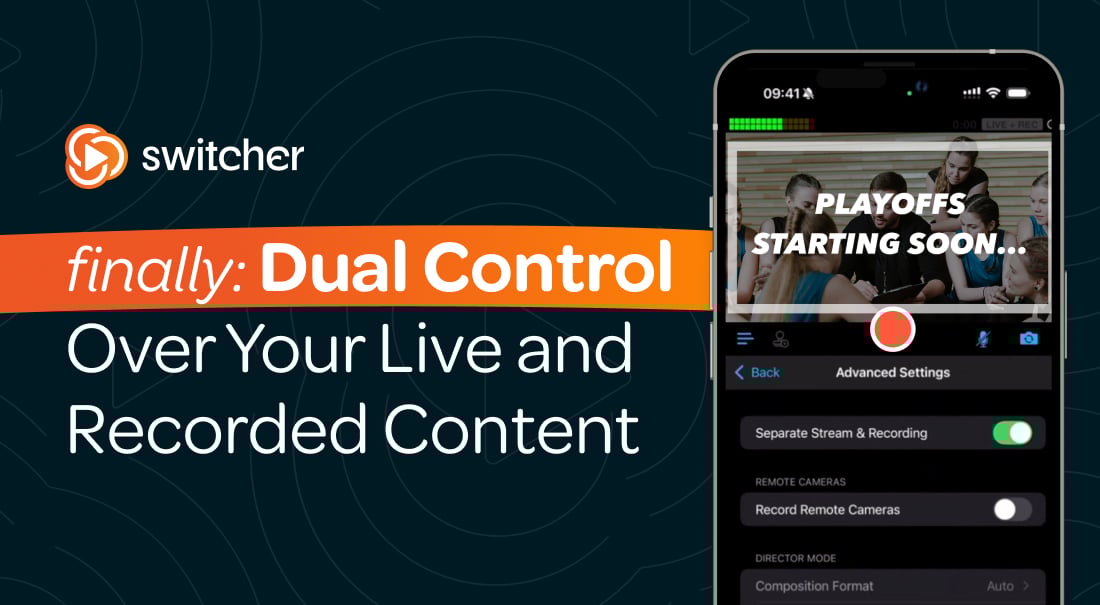
Your live audience and your replay audience expect different things, but now you can create both — at the same time!
Our latest update introduces independent dual controls for live streaming and local recording, giving you the power to shape each audience’s experience differently from the very same production.
Whether you're streaming a service, hosting an event, or producing recurring content, Switcher 13.11 helps you deliver authentic moments live and polished content on recording, without changing your Switcher workflow.
What's New in Switcher 13.11
Streaming and recording are now displayed as two distinct outputs, each with its own:
- Quality settings
- Start/stop button
- Runtime timer
This makes it easier to monitor and manage each workflow independently — especially during longer events.
.png?width=500&height=354&name=Separating%20streaming%20and%20recording%20(1).png)
Tailor the experience to how your audience views it — live or recorded.
This update doesn’t just give you two separate production buttons, it gives you two intentional content paths.
Until now, starting a stream meant also starting a recording. That worked for simple setups — but not for creators who want to craft different versions of their content.
With Switcher 13.11, your Studio view now displays separate start/stop controls for livestreaming and local recording. Start them together. Start one without the other. Stop recording while the stream keeps rolling. You decide.
Your livestream can show the full flow of the event — every transition, prayer, player walk-on, time-out, or intermission — while your recorded version captures only what you want viewers to see later.
How to Use Switcher 13.11
Work smarter with one production, dual controls.
Separating your livestream and your local recording isn’t just about having two buttons — it’s about giving you more control over how your content is created, delivered, and repurposed.
With Switcher 13.11, you can shape each live or recorded output individually, saving time in post-production and giving every audience a better experience. Check out our Help Center article for more detailed steps!
For many creators, the live moment and the recording serve different needs. Now you can let your livestream run continuously through breaks or downtime while you pause your recording to keep the on-demand version clean and tightly edited.
You can also record exclusive pre-show content or premium segments without broadcasting them, or start recording only during the parts you know you’ll reuse later — speakers, music, highlights, Q&A, and more. And if storage starts getting tight, you can stop recording without ever disrupting your stream.
We’re excited about all the ways to use this feature. Here are two examples:
- Sports: Start streaming and recording together, then pause the recording during time-outs or commercial breaks for the recorded version later, all while the stream stays live.
- Churches: Begin with a live stream only to capture special pre-event content like community announcements or prayer requests, then start the recording when the main program begins.
The Gist
Less time trimming long files, less effort searching for usable clips, and more intentional content shaped for the audience who will watch it.
Your live viewers get the full, unfiltered experience. Your viewers who watch the recording get a polished, distraction-free version. And you get to create both without extra steps, extra equipment, or extra staff.
Switcher 13.11 makes it easier to produce smarter, cleaner, more flexible content — all from the same event.
Update your app today to start using separate stream and record controls.
Give every audience the version of your content that’s made just for them.
Not a Switcher user yet? Get started easily!
You’ve got the content, the brand, and the vision. Let Switcher help you create the ultimte video experience that’s as unique as you. It’s time to share your message and connect with your community like never before!
P.S. If you’re new here, give Switcher a try — sign up for a free 14-days trial now!