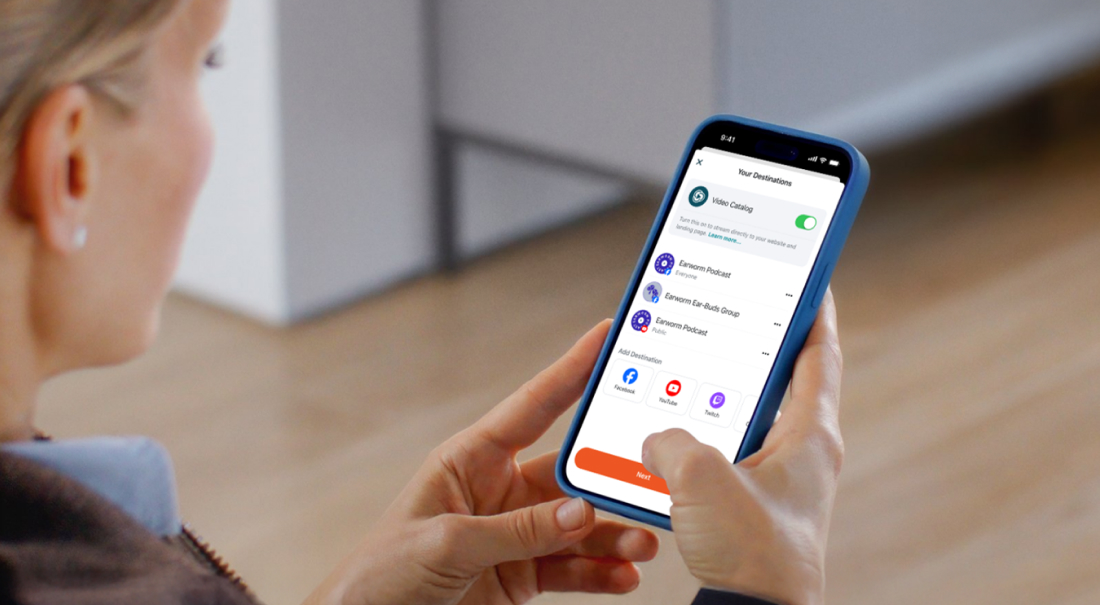
Multistreaming sounds simple: go live once, show up everywhere.
While that’s technically right, it’s not so simple. The decision to multistream is also social and strategic. When you multistream, you’re essentially saying: “I’m willing to talk to multiple rooms at the same time — each with different expectations.”
Done right, multistreaming can help you grow. On the other hand, if done wrong, you risk draining your energy and losing viewers.
That’s why, in this guide, we focus on multistreaming best practices that go beyond bitrate and camera setup. We’ll start with the most important question: “Should you multistream at all?”
Then we’ll cover how to:
-
Choose the right platforms
-
Avoid common multistreaming mistakes
-
Stay within multistreaming platform rules
-
Build a stream that’s stable, sustainable, and aligned with what you’re trying to grow
Multistreaming best practice #1: Should you multistream?
Multistreaming isn’t a magic growth hack or a guaranteed viewer boost. It works best when you treat it as a strategic tool, not as a default.
When is multistreaming a good idea?
-
You're trying to figure out where your audience naturally lives so you can build viewership.
-
You’re building your stream or brand awareness, but not sure what direction to take.
-
You want to test platforms without committing to any single platform yet
-
You’re still experimenting with different types of content
When is multistreaming not a good idea?
-
If you’re trying to build a tight community vibe. Why? Because multistreaming waters down intimacy and authenticity, which are crucial for creating community and loyalty
-
If you’re more comfortable and perform better on one platform than all others
-
If you rely on platform-specific incentives like partnerships, algorithm pushes, and livestream milestones
Multistreaming best practice #2: Make sure your internet can handle multistreaming
If your internet connection can’t handle multistreaming, none of the best practices of multistreaming matter.
You can check your upload speed using your internet provider’s speed test or any other free upload speed test online, such as speedtest.net, testmy.net, and fast.com
Here’s what your result tells you:
-
Under 20 Mbps upload: You can multistream, but it won't be great, and you will drop frames or drop the stream altogether. Not recommended.
-
20–50 Mbps upload: You're in a comfortable zone. You can send multiple high-quality streams consistently.
-
50+ Mbps upload: You can confidently push higher resolution multistreams.
Multistreaming best practice #3: Choose the right platforms to multistream to
Choosing to stream to just a few platforms doesn't mean limiting yourself.
Each social media platform is its own ecosystem. It has its own culture, audience rhythms, rules, and expectations. If you’re not intentional, you can end up losing energy managing places that don’t serve your goals or match your style.
The wrong platform can be frustrating because “nobody’s watching”, or you spend a disproportionate amount of time fighting algorithms instead of aligning with them. You can also end up missing out on monetization opportunities.
So, protect your time and give your stream its best chance to thrive.
Here’s a simple breakdown of each platform to see whether you should broadcast your stream there:
YouTube Live
-
Best for: Structured long-form content with replay value, like tutorials, commentary, deep-dive conversations
-
Platform culture: Thoughtful, slower-paced
-
Pros: Stable algorithm, easy to build a long-term audience
-
Cons: Optimization takes time, quieter chat
-
Monetization: Ads, memberships, supers
-
Who earns: Streamers with long watchtime and long-term streamers
-
Format fit: Horizontal
Twitch
-
Best for: Community-driven livestreaming like gaming, art, and “Just Chatting.”
-
Platform culture: Fast, chat-focused, highly interactive
-
Pros: Strong real-time engagement, clear viewer expectations
-
Cons: Weak discovery, harder to grow from zero
-
Monetization: Subs, bits, ads
-
Who earns: Streamers with regulars (Twitch has the deepest monetization per viewer.)
-
Format fit: Horizontal, interactive, hangout-style.
TikTok LIVE
-
Best for: High-energy, short livestreams that hook viewers instantly
-
Platform culture: Chaotic, scroll-based, algorithm-driven
-
Pros: Huge reach potential
-
Cons: Low retention, inconsistent algorithm, hard to build depth
-
Monetization: Gifts, Live Goals, shopping features
-
Who earns: Charismatic, high-energy, visually engaging streams (Use TikTok for traffic, not income, unless you have a niche that pops off here)
-
Format fit: Vertical, quick-paced, visually engaging
Facebook Live
-
Best for: Casual streams, events, and community group content
-
Platform culture: Social, share-heavy, older demographics
-
Pros: Strong group distribution, good replay performance
-
Cons: Clunky creator tools
-
Monetization: Stars, in-stream ads, subscriptions (varies by region).
-
Who earns: local orgs, faith groups
-
Format fit: Horizontal or vertical, conversational or instructive
LinkedIn Live
-
Best for: Professional streams like workshops, interviews, demos, and office hours
-
Platform culture: Polished, intentional, education-oriented
-
Pros: High-quality audience, strong authority building
-
Cons: Smaller live viewership, strict content expectations
-
Monetization: Indirect (clients, partnerships, opportunities)
-
Who earns: Educators, business creators, coaches
-
Format fit: Horizontal, structured, educational
Kick
-
Best for: Gaming and hangout streams aiming for tighter community vibes
-
Platform culture: Relaxed, gamer-heavy
-
Pros: Lenient rules, less competition, generous revenue split
-
Cons: Low discoverability, smaller overall audience
-
Monetization: Subs, donations
-
Who earns: Streamers with existing communities migrating from Twitch
-
Format fit: Horizontal, interactive, long-session streams
X (Twitter) Live
-
Best for: IRL talk, discussions, commentary, or live reactions
-
Platform culture: Fast-moving, conversational, socially reactive
-
Pros: Easy viral potential, frictionless sharing, broad reach
-
Cons: Inconsistent viewership, low session length
-
Monetization: Indirect through visibility.
-
Who earns: Streamers with a pre-existing text-based audience
-
Format fit: Vertical or horizontal, spontaneous
Instagram Live
-
Best for: Personal, intimate streams, Q&A, lifestyle, and creator-fan moments
-
Platform culture: Social, mobile-first
-
Pros: Easy audience notifications
-
Cons: Weak replay value, limited discoverability
-
Monetization: Badges, gifts (region-dependent)
-
Who earns: creators with a visually driven brand presence
-
Format fit: Vertical, casual, personal
Multistreaming best practice #4: Optimize your livestream for each platform
Multistreaming can be as easy as pressing “go live everywhere” but that won’t make your stream successful. Have you ever watched a livestream where all you could see was the streamer’s torso? Yeah, not a good look.
You have to optimize your stream so that it works on every platform. Here’s how:
Customize titles & descriptions for each platform
YouTube needs keywords and SEO, but TikTok needs attention-grabbing hooks.
For example:
-
YouTube: “5 top live Christmas songs by The Buck Band in 2025”
-
TikTok: “The Buck Band Bends your Christmas Brains Live”
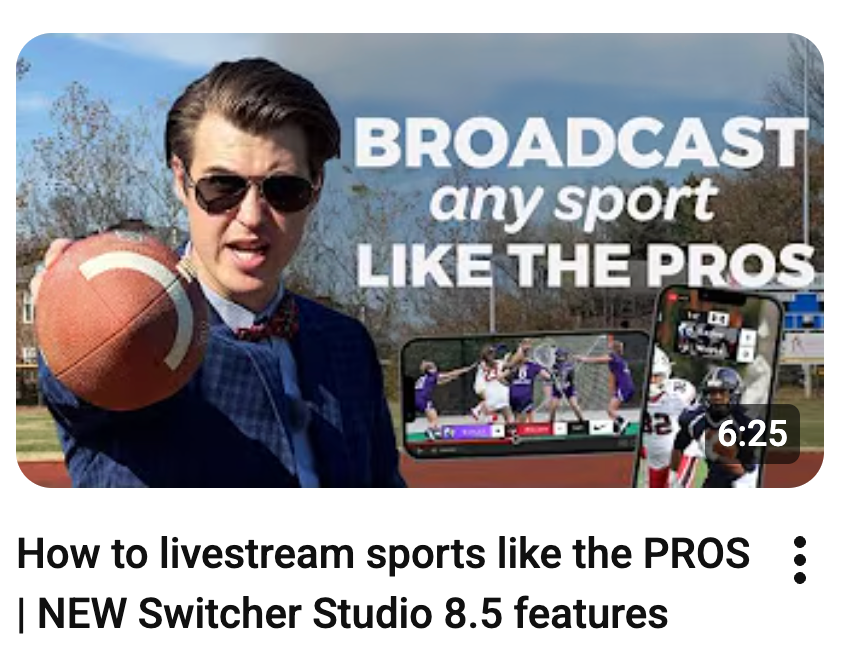
Create Thumbnails when necessary
On platforms where viewers see previews, like TikTok and YouTube, your thumbnails matter a lot. They act like your billboard and attract attention. On Twitch, however, you don’t need a thumbnail.
Add a platform-appropriate call to action.
Use the platform’s common language to engage with viewers and entice them to take a certain action. For example, “Follow for insane dance moves” works well on TikTok, while “join the community” works better on Twitch.
Adjust your video aspect ratio.
One of the biggest technical headaches in multistreaming is the shape of your video.
Most streaming platforms are designed with either horizontal (landscape) or vertical (portrait) video in mind. If you choose just horizontal or just vertical platforms, then you can save yourself some time and effort, but sometimes you need both at the same time, and that’s when it gets complicated.
For example:
-
TikTok may pillarbox (the black bars added to the left and right of a video), crop, or de-prioritize horizontal streams
-
On Twitch’s current main player, vertical video appears small and is generally a poor viewer experience
Bottom line, no one wants to watch a tiny, cropped, or otherwise awkward livestream.
Here’s how to do it right:
Plan your camera framing: Make sure that nothing important is at the edges of your frame and keep your subject or main action centered. Vertical video cuts off the sides, and horizontal cuts off the top/bottom. Switcher provides camera guides to help you see what's in frame and what's not.
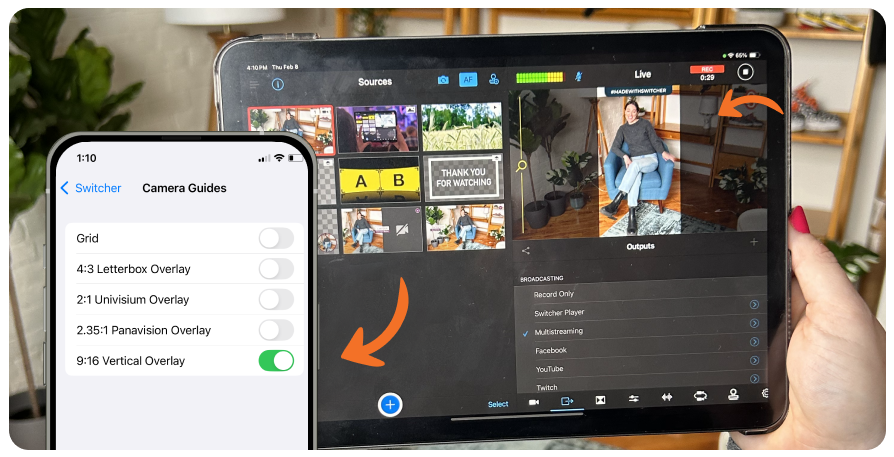
Adjust overlays and graphics: Place things like chat boxes, lower thirds, or branding elements inside “safe zones” that appear on both orientations.
Alternatively, you can always run two separate streams from two different cameras: The content stays the same, but the setup allows you to broadcast one horizontal stream and one vertical stream.

Multistreaming best practice #5: Manage your community everywhere at the same time
Algorithms and humans reward active chats and quick engagement. Five chats with 3–5 people in each feel empty, even if you have 20 total viewers.
So, what can you do? You need a practical system to handle multiple chats. Here are some multistreaming best practices for managing communities:
-
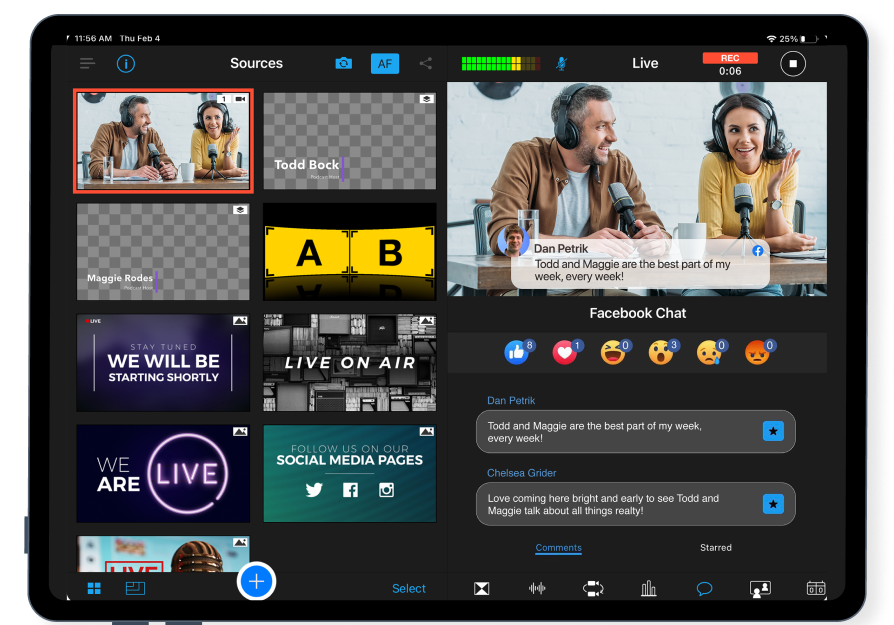
Use unified chat windows: These are tools that combine messages from multiple platforms and show you where each message originated. Some livestreaming software, like Switcher, offers this as a baked-in option; otherwise, you’ll need to download a dedicated browser extension to get the benefits. Unified chat windows make it easier for you to focus on your stream, instead of focusing on flipping between platforms to engage with your viewers.
-
Use on-screen cues: Use overlays to show important messages from any platform, so your viewers see that their engagement is being acknowledged.
-
Tailor your engagement style to each platform: Be prepared to interact with viewers based on where they are. For example, on Twitch, you should acknowledge each interaction by name, use punchy reactions for TikTok, and call out unique insights on LinkedIn.
-
Use CTAs to redirect your audience to your preferred platform: “If you want full tutorials, they’re on YouTube” or “Join the Twitch chat for live Q&A.”
-
Use platform-specific incentives, like special emotes or giveaways.
If you find that you’re receiving more engagement from one community, if modding becomes exhausting or distracts you from your stream, or if your response time lags and energy drops, then you should consolidate and focus on the highest energy community to minimize the number of viewers who feel ignored or unvalued.
Multistreaming best practice #6: Create a reliable, stable stream
More platforms = more chances that something breaks. And your viewers don’t care why something failed; they only feel the drop, the freeze, or the awkward “uhh… hold on chat.”
How can you protect yourself and your viewers from the disruption?
Have a source of backup internet:
You don’t need a data center. You just need a second way to stay online until you restore your primary source or internet connection. That can be:
-
Your phone’s hotspot
-
A small mobile router
-
A secondary home connection
-
A neighbor’s Wi-Fi that you have permission to use (yes, you can do that)
Monitor for latency
Latency is the delay between what you’re doing in real time and what your viewers see on their screens. If that delay gets too long, your chat reactions feel out of sync, your jokes land late, and your viewers bounce.
Most live streaming tools — including Switcher — include a latency monitoring feature. But if your streaming software doesn’t support latency monitoring, find an add-on that can give you this feature.
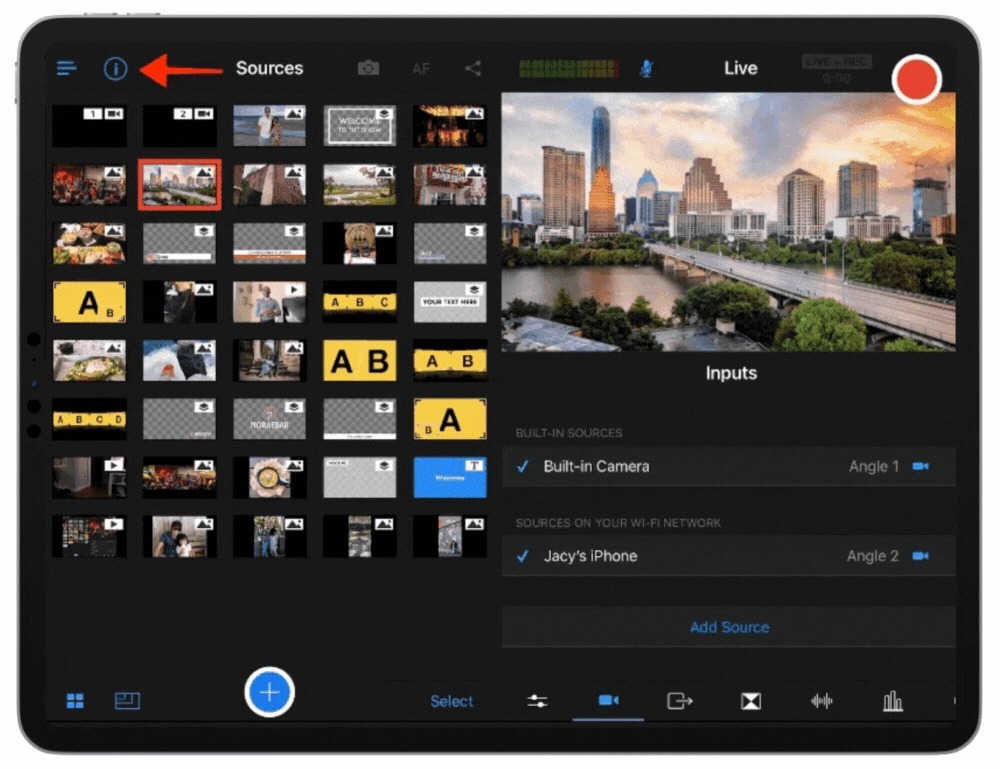
A good monitoring tool shows you three things:
-
Current delay (how many seconds behind your audience are you): If it suddenly jumps from 3 seconds to 15, you know your connection is struggling.
-
Stream smoothness (is the data flowing cleanly?): This tells you whether your internet is keeping up.
-
Viewer experience (are people buffering or dropping?): Some software actually warns you when viewers are experiencing playback issues.
If your stream goes down, communicate.
When your stream goes down on a platform, stay steady and don’t let the situation feel bigger than it is.
Let people know what’s happening in one simple message (“If you’re watching on YouTube, that platform is having issues, but the stream is still live on Twitch/Kick”) and avoid long on-stream troubleshooting or blaming the platform.
Multistreaming best practice #7: Don’t break platform rules
Each livestreaming platform is its own little kingdom with specific rules, incentives, and restrictions. Multistreaming makes it easy to accidentally break one rule while trying to adhere to another.
Breaking rules can lead to lost viewers, muted streams, demonetization, or even bans. So make sure to read the simulcasting or multistreaming fine print for each platform before you go live.
Here are two ways you can protect yourself from breaking platform rules:
Own the rights to the music you play
Using copyrighted music is the #1 way multistreamers get into trouble. Any copyrighted music can get your stream muted or taken down. To avoid this:
-
Mute or remove unlicensed music from replays.
-
Keep a simple playlist that you always know is safe.
-
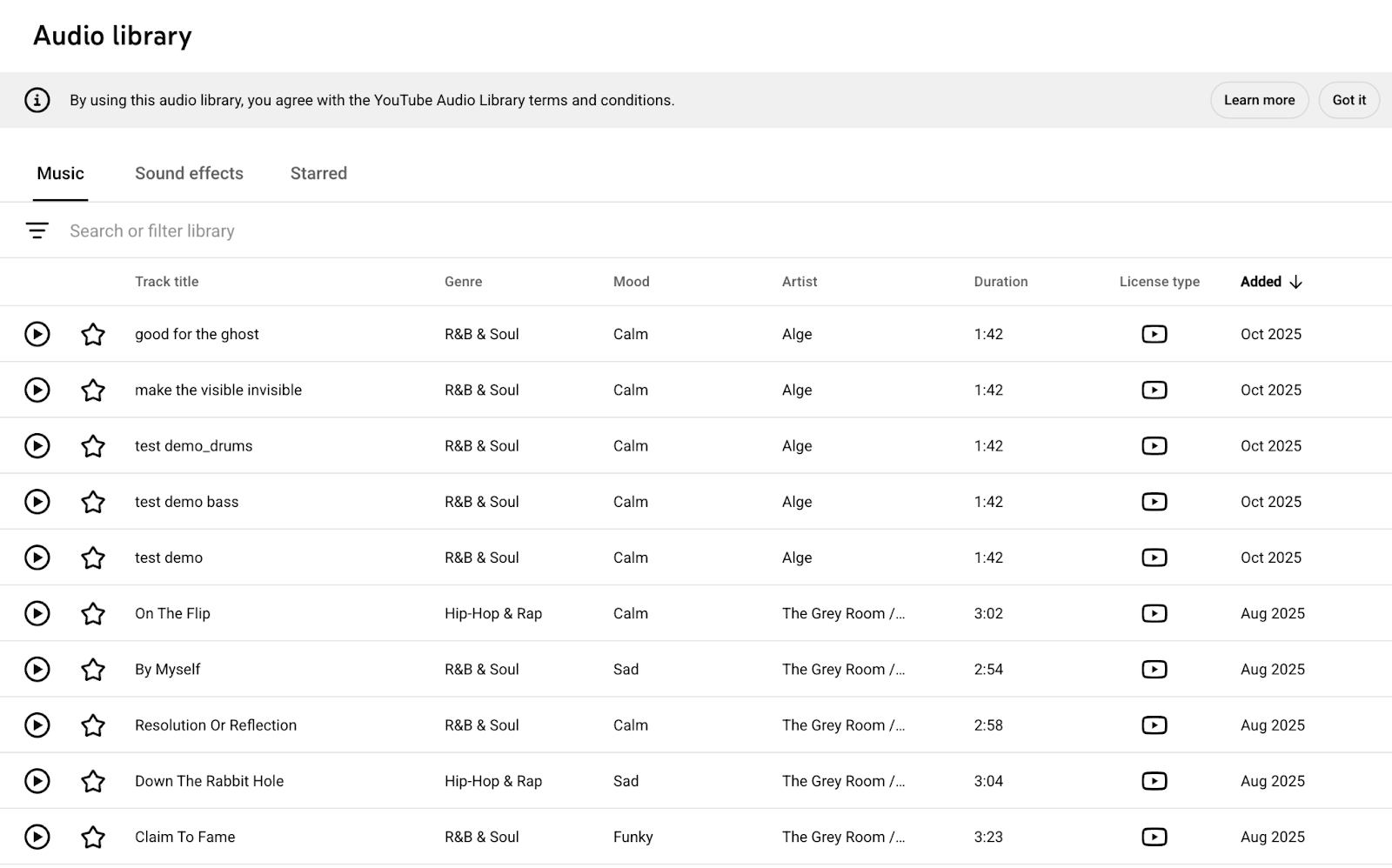
Use royalty-free libraries or platform-licensed tracks, such as YouTube’s music library.
Moderate your chat according to each platform’s guidelines:
Hate speech, spam, or illegal activity in chats can get your stream penalized. Stay safe:
-
Be vigilant and monitor all chats.
-
Appoint moderators you trust to clean up the chat from any offensive material.
-
Learn each platform’s auto-moderation options and use those to your advantage.
-
Have clear, simple rules for viewers, mention the rules periodically, and have the rules written in descriptions or on your page.
Multistreaming best practice #8: Analyze your performance and act accordingly
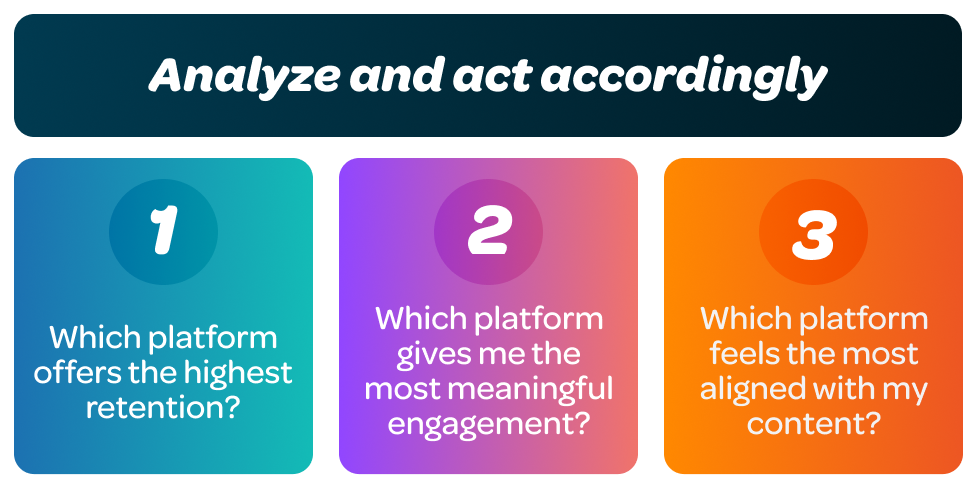
The simplest way to review performance is to ask yourself three questions after every multistream:
-
Which platform offers the highest retention? Where do viewers stay the longest?
-
Which platform gives me the most meaningful engagement? Chat messages, returning viewers, and real community energy.
-
Which platform feels the most aligned with my content? The format, the pace, the vibe.
If a platform isn’t giving you traction compared to others after consistent testing, that’s usually your signal to drop it.
If one platform is pulling ahead with strong watch time, active chat, or easy discoverability, that’s a sign to double down and give it more attention.
And if a single platform becomes the clear “home” where your community actually forms, that may be the moment to go platform-exclusive, not because exclusivity is the ultimate goal, but because focusing your energy can accelerate growth.
Multistreaming made simple
All of these best practices can make multistreaming sound complex at first, but at Switcher, our goal is to help you avoid the common pitfalls that quietly limit your growth.
If you want a simpler way to multistream without juggling tools and spending hours getting live-ready, Switcher brings together multistreaming, unified chat, scene management, latency monitoring, post-view analytics, and platform-ready outputs in one place, so you can focus less on setup and more on g your multistreaming.
See for yourself and try Switcher today.
Subscribe to the blog
Sign up to receive notifications whenever a new blog post is published. You may unsubscribe at any time.

Share
About the Author