Sunday service just ended. You open your livestream dashboard and are happy to see a few hundred views, a handful of comments, and maybe even some new subscribers. That’s great, right?
Perhaps. 91% of churches now livestream their services, with approximately 60% of online viewers also attending in person. As more modern churchgoers attend virtual services, it’s important to know which metrics to measure to grow engagement and attendance at your church.
With this in mind, a church livestream with 600 views isn’t necessarily more successful than one that garners 200 highly engaged viewers. It all depends on what success looks like for your church.
Once you define your goal, you’ll be able to create a viable strategy and focus on the metrics that help you understand whether you’re reaching enough people, building community, and inspiring action.
Below, I’ll take you through how to measure the success of your church livestream.
First, decide what success looks like for your church
Before you analyze metrics, determine the role streaming plays in your church. To do that, start by setting a SMART goal.
Ask yourself, What do I want our livestream to achieve?
Your primary goal could be to:
- Reach people who can’t attend Sunday services in person
- Give potential visitors a way to experience your church before physically attending
- Connect with existing members who are sick, traveling, or otherwise unable to attend a service
- Establish a strong online church community and encourage engagement
- Encourage viewers to take next steps, like requesting prayer, joining a youth ministry, or making an offering
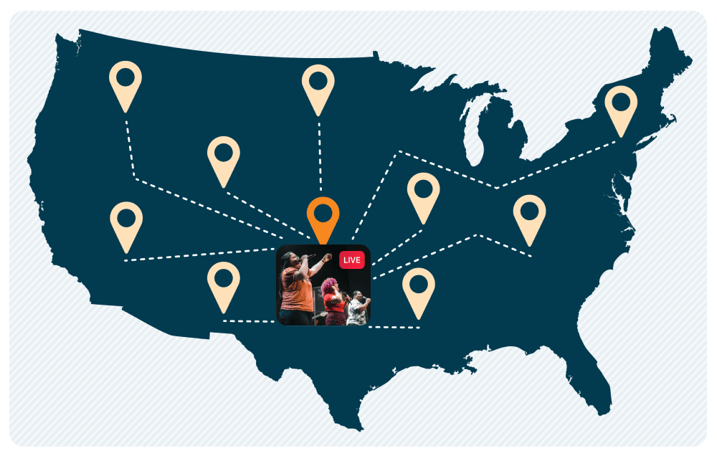
You may find that your goal incorporates a few aspects. Remember that different goals will have different measures of success, and there’s no set benchmark for church livestreaming success.
Now, I’ll highlight the four areas worth keeping an eye on.
Look beyond total views
The total number of views is a useful church livestream metric to understand your reach. However, it doesn't paint the full picture of your audience.
Consider tracking the following viewer metrics together:
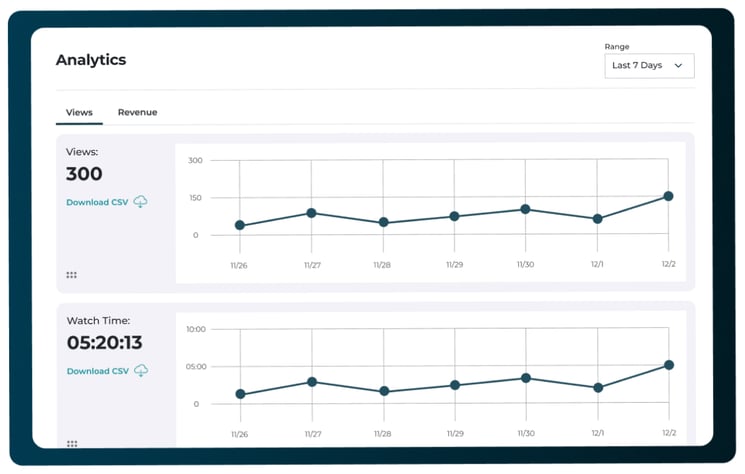
- Unique viewers: How many individuals watched your church livestream?
- Live vs. replay viewers: How many people watched live, and how many returned to watch the recording after your livestream ended?
- Peak concurrent viewers: How many people were watching at the same time at your busiest point?
- Returning viewers: How many people came back to stream your church service again?
Replay viewers are a particularly helpful metric for understanding engagement. And it certainly doesn’t signal a missed opportunity; someone may work on weekends and choose to stream your Sunday service on a Monday evening.
Peak concurrent viewers and returning viewers are particularly useful metrics to track when you’re analyzing trends over time, as opposed to a single church service.
I’d recommend tracking the church livestream metrics above for a few weeks instead of measuring your success based on one isolated event, like a Christmas service.
Pay attention to how long people actually watch
Getting someone to click on your church livestream is one thing, but getting them to stick around is another. Average watch time and audience retention are two important metrics for understanding how long people stream your church services.
The livestream app you use may provide the following insights:
- How long viewers watched on average
- What percentage of the livestream viewers watched
- When viewers started leaving
- Which sections of your livestream held the most attention
You may notice a pattern where viewers tend to drop off 40 minutes into your livestream. That doesn’t mean your service is too long.
By looking deeper, you might notice that the drop-off occurs during a lengthy announcement slot. That might mean shortening your announcement time to keep viewers engaged.
Use the data to understand what happened at that specific moment and improve your livestream experience.
TL;DR: Use retention data to improve the livestream experience instead of just trying to shorten every service.
Measure engagement, not just audience size
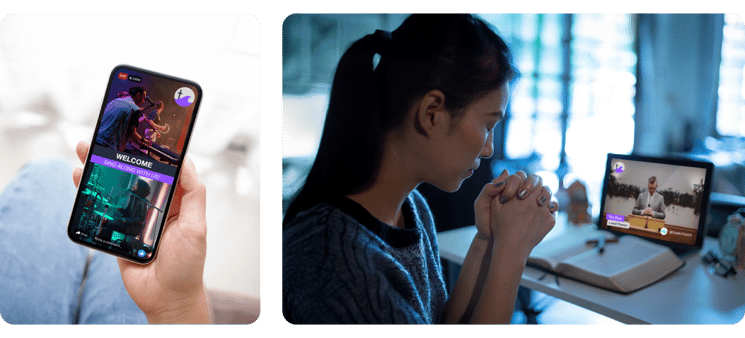
A livestream is a unique opportunity for your church to build meaningful connections with your community outside of physical services, prayer groups, and ministry programs.
Measuring engagement is crucial because it gives you insight into how many people are actively participating in and attending your livestream.
Depending on which livestream platform you use, you might measure metrics like comments and live chat messages, likes and shares, prayer requests, and clicks on links or call-to-action buttons.
When you track the number of interactions, keep an eye on when they occur, too. Did comments spike when your lead pastor asked a question? Was there an influx of prayer requests during a particular part of the sermon, like baptisms or child dedications?
Tracking trends like these over time will help your team understand what drives engagement among your online community.
Track tithes and offerings generated by your livestream
Giving tithes and offerings are another meaningful action your viewers may take during or after your livestream.
Here are some important giving metrics to measure:
- Number of gifts collected via your livestream
- Total number of donations garnered
- New vs. existing donors
- One-time vs. recurring gifts
If online viewers form part of your church, make digital giving convenient by sharing a QR code during your livestream that links to your church’s online donation page.
Use a fundraising platform like Donorbox to create a branded online giving page and form with multiple familiar payment methods to inspire trust. Donorbox also provides a free automatically generated QR code with every campaign you create.
Create a specific campaign to collect donations made during and after your livestream. Alternatively, allow supporters to designate their gifts on your main donation form. This ensures your team can easily track where gifts come from.
Here’s an example:
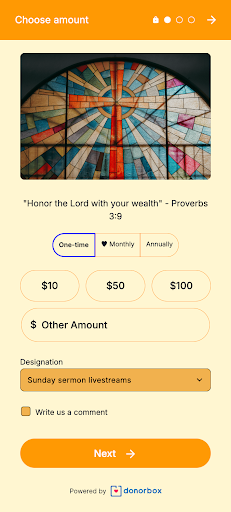
While the primary purpose of your livestream may be to grow your church community and increase engagement, it’s crucial to provide a frictionless donation experience for members who feel moved to give.
Create a simple church livestream scorecard
Tracking key metrics will enable you to measure the success of your church livestream and use the data to grow your ministry.
Use this church livestream scorecard to evaluate the performance of your ongoing or event-based livestreams:
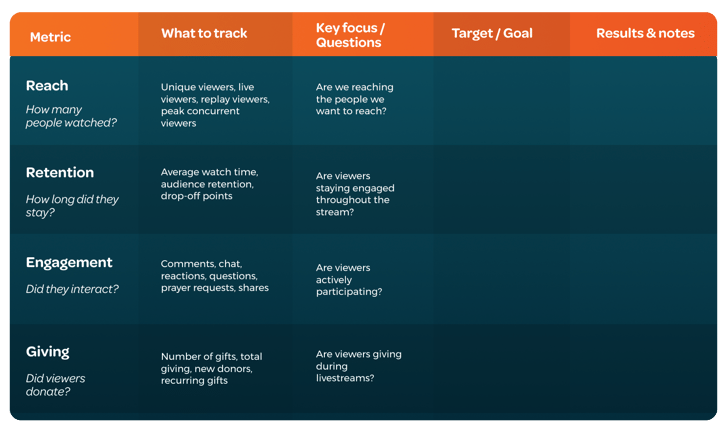
Keep reviewing your scorecard and comparing results against your original goal.
For example, if you want to reach more people online, an increase in unique viewers could signal growth. If your goal is to increase giving, review the number of donations received and how many new donors you’ve acquired.
Stick to the livestream metrics that align with your overall goal, review them consistently, and make improvements based on the results.
Over to You
You don’t need to track dozens of metrics when measuring your church’s livestream success. Start by setting your ministry’s goals, choose metrics that align with them, and use your learnings to create a better experience for your online church community.
Ready to grow the success of your church’s livestream? Explore Switcher Studio’s professional livestream tools that help you grow your online community and impact with confidence, and Donorbox’s church fundraising tools to help you raise more.
Subscribe to the blog
Sign up to receive notifications whenever a new blog post is published. You may unsubscribe at any time.