
This one’s been a long time coming, and we’re genuinely excited to share it.
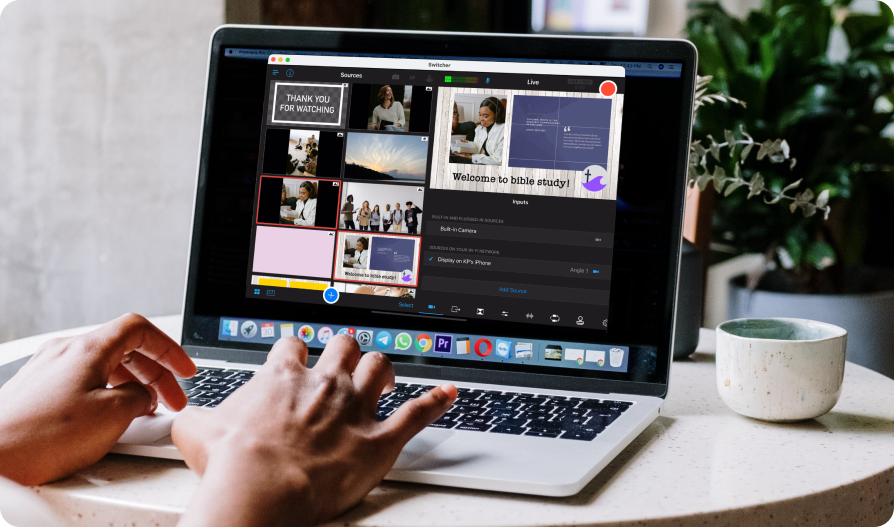
Switcher is now available on Mac and iOS, with the full Switcher experience on both.
For the first time, you can run your entire production from your Mac using the same tools you already know and trust.
If you’ve ever wished for more flexibility during a live stream, this is it. A bigger screen. More multitasking. The same workflow, with more options for how and where you create.
And if you love producing from your iPhone or iPad? Nothing changes. This isn’t a reinvention of Switcher. It’s a step forward.
Why live stream from macOS? Why now?
Over the years, we’ve heard a steady theme from our community: “I just wish I had a little more room.”
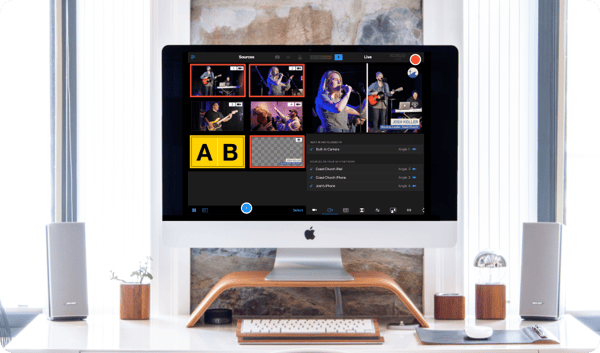
- More room to see every camera at once.
- More room to monitor audio clearly.
- More room to follow notes while switching between angles, without feeling rushed.
Switcher has always been powerful on iOS.
That hasn’t changed. But live production puts real responsibility on the person running it. You’re watching levels, switching angles, managing graphics, tracking comments — all in real time. There’s no pause button.
In those moments, space matters. Being able to see everything clearly — every angle, every level, every comment — without everything feeling cramped changes how steady you feel while you’re running the show.
Bringing the full Switcher live streaming platform to Mac gives you that space. Not new complexity. Not a different workflow. Just more room to operate when it counts.
For many setups, a larger screen makes everything calmer and easier to manage.
And for us, this marks real progress. Switcher has always been about making professional live production more accessible. Creating a macOS live streaming app helps us meet you where you already work.
What’s new? (And what’s not?)
.png?width=600&height=289&name=3-%20What%E2%80%99s%20staying%20the%20same%20(1).png)
Here’s what this release actually means.
Switcher on Mac includes the full production experience: multi-camera switching, graphics, screen sharing, remote guests, multi-streaming, recording, and everything else you rely on for your live streams.
If you know how to use Switcher on iOS, you already know how to use it on Mac:
- Your account stays the same.
- Your assets are still there.
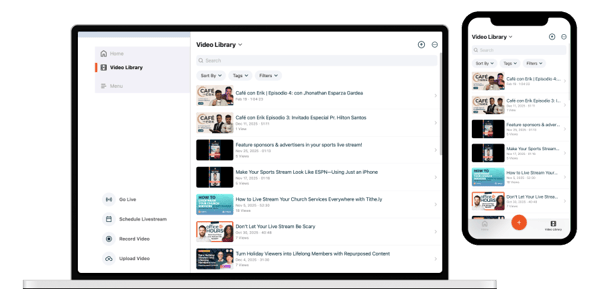
- Your videos still sync to your library.
- Your iPhones and iPads still work as cameras.
We’re not asking you to relearn anything. This is the same ecosystem, now available on a larger screen.
What about the SwitcherCast app?
If you’ve used SwitcherCast before, this replaces it with something more complete. Instead of SwitcherCast acting as a companion app, your Mac can now run Switcher Studio fully on its own.
SwitcherCast will remain available for legacy workflows, but going forward, the Mac streaming software is the full desktop experience.
What’s staying the same?
Switcher on iOS isn’t going anywhere, so if producing from your iPhone or iPad works for you, keep going:
- Your workflow and setup stay exactly as they are.
- Your cameras connect the same way.
- Your graphics and assets remain in the cloud.
This release doesn’t change the foundation of Switcher. It just gives you another way to run what’s already working.
Ready to try Switcher Studio on Mac?
If you’ve been waiting for a little more space in your setup, this is your moment.
- Download Switcher on your Mac.
- Log in with your existing account.
- Connect your cameras the way you always have.
- See how it feels to run your next production from your Mac.
For some of you, this will become your new go-to. For others, it’ll simply be another option in your toolkit. Either way, you now have more freedom in how you create.
Bringing the full Switcher live streaming platform to macOS is an important milestone. For us, and for the community that’s helped shape it. Your feedback, your live streams, your real-world productions are what pushed this forward.
We’re proud of this step. And we’re even more excited about where it leads next.
We can’t wait to see what you create with it. And as always, we’re listening.