<img height="1" width="1" style="display:none" src="https://www.facebook.com/tr?id=1229673850378097&amp;ev=PageView&amp;noscript=1">

    Enter your search terms and hit ENTER or use ESC to exit

    Switcher Updates

    What's fresh from Switcher?
    Check out our latest app updates and software release announcements.

    The 2026 Church Influence 100: Key Takeaways for Your Church Team

    TL;DR:

    • REACHRIGHT's 2026 Church Influence 100 ranks 100 churches from 19 countries on combined digital reach, year-over-year growth, and platform presence.
    • Elevation Church leads with nearly 29 million followers.
    • The most instructive findings are in what the top churches share: YouTube as a primary channel, short-form clips as a distribution engine, and presence on platforms most churches ignore.

    The Church Influencer 100


    Which churches lead the 2026 Church Influence 100?

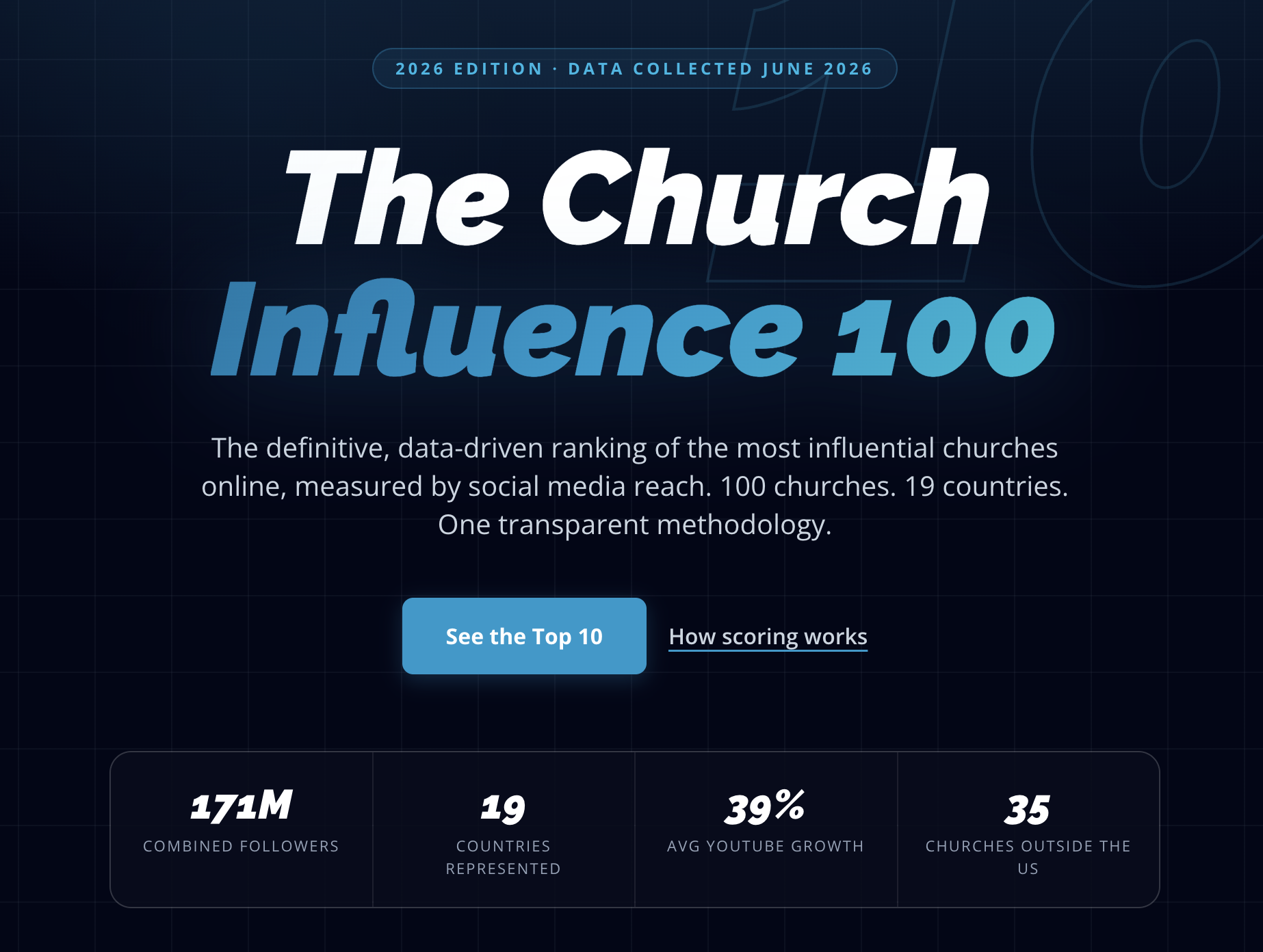
    REACHRIGHT, a church marketing agency serving more than 800 churches, released its 2026 Church Influence 100 in late June. This is an annual data-driven ranking of the 100 most influential churches online, scored across YouTube, Instagram, TikTok, and Facebook.

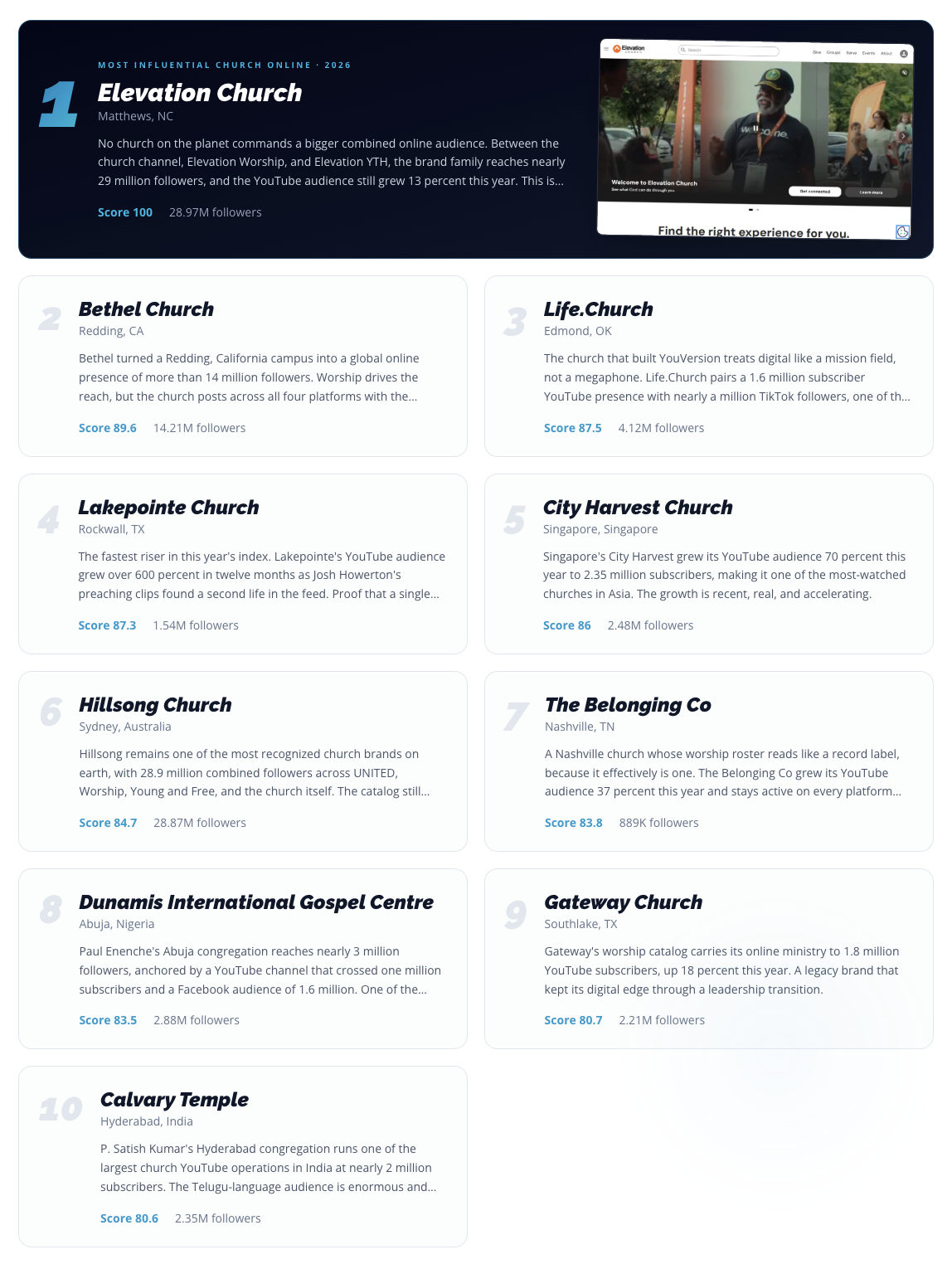
    Elevation Church in Matthews, North Carolina took the top spot with a combined audience of nearly 29 million followers across its church channel, Elevation Worship, and Elevation YTH. Bethel Church in Redding, California ranked second at 14.2 million followers, and Life.Church in Edmond, Oklahoma came in third.

    The full top 10:

    The Church Influence 100: Top 10

    The top 10 hold 52 percent of the combined audience across the full list, drawn from 19 countries, with 35 churches based outside the United States.

    How does REACHRIGHT calculate the Influence Score?

    This isn't a ranking of the biggest churches. The top 10 spans audiences from 889,000 (The Belonging Co) to 28.97 million (Elevation Church).

    The index is a measure of digital strategy, not institutional scale.

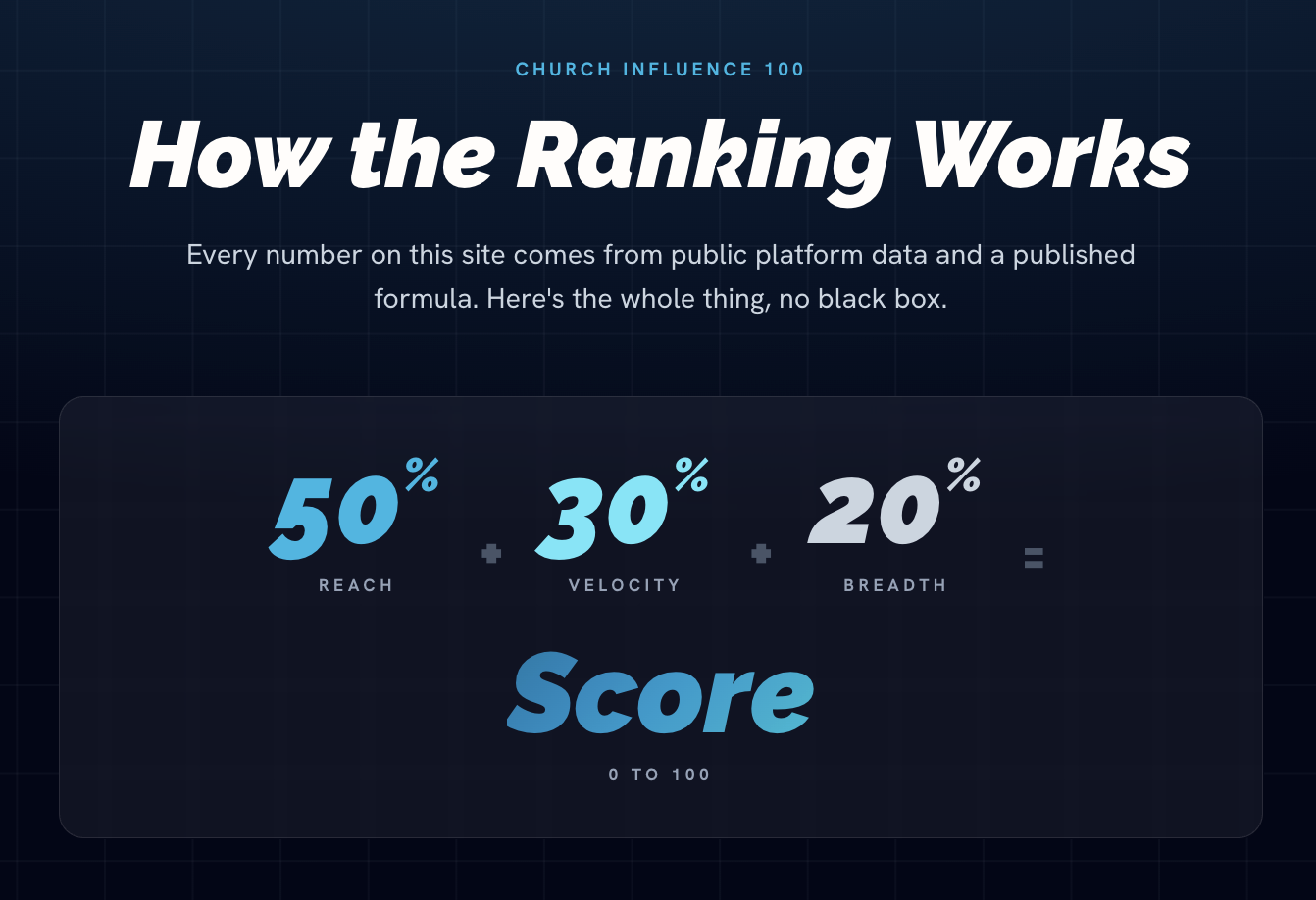
    Each church receives an Influence Score from 0 to 100 based on three weighted criteria:

    1. Reach (50 percent): This is the combined follower count across platforms, log-scaled so mid-size churches aren't flattened by mega-audiences.

    2. Velocity (30 percent): This measures year-over-year growth and watch engagement.

    3. Breadth (20 percent): This scores how many platforms a church actively maintains.

    The Church Influence 100: ReachRight Scoring

    What that formula rewards is how consistently a church is working its platforms, not how large its congregation or following already is.

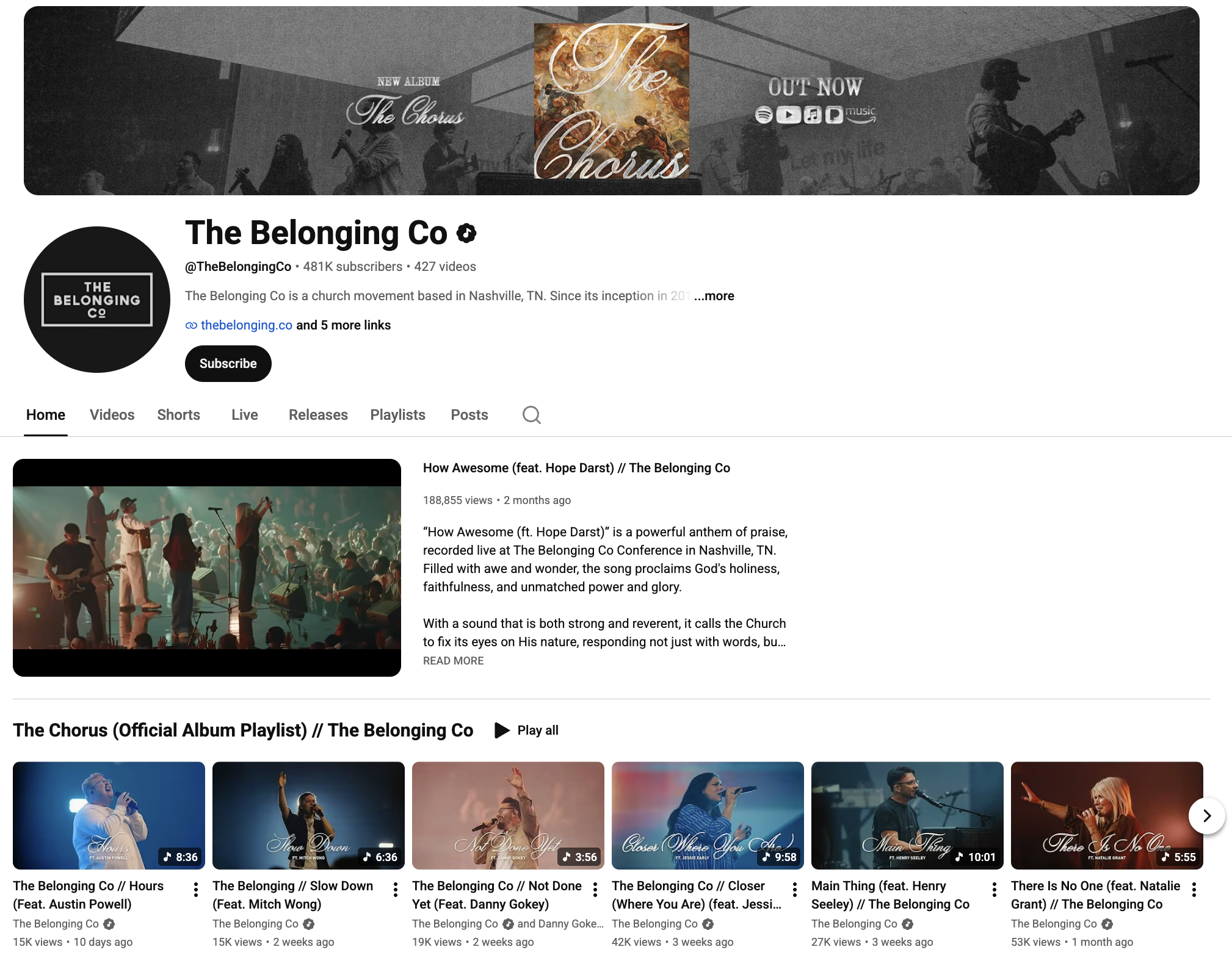
    The Belonging Co is the clearest example.

    The Nashville church holds the smallest audience in the top 10, built on a single YouTube channel with 478,000 subscribers that grew 37 percent this year. That growth rate earned it a velocity score of 89, which is among the highest of any church in the top 25, and activity across all four platforms gave it a perfect breadth score.

    The result: at #7, The Belonging Co, with 889,000 total followers, outranks Gateway Church (2.21 million) and Calvary Temple (2.35 million), which are both several times its size.

    The Belonging Co.

    It's worth noting that no church can pay for placement, and only official church-operated accounts count. So, a pastor's personal social media following, no matter how large, doesn’t contribute to a church's score.

    REACHRIGHT publishes its full methodology, eligibility rules, and data sources on the methodology page.

    What do the 2026 rankings reveal about digital ministry strategy?

    1. Worship music is a reach multiplier

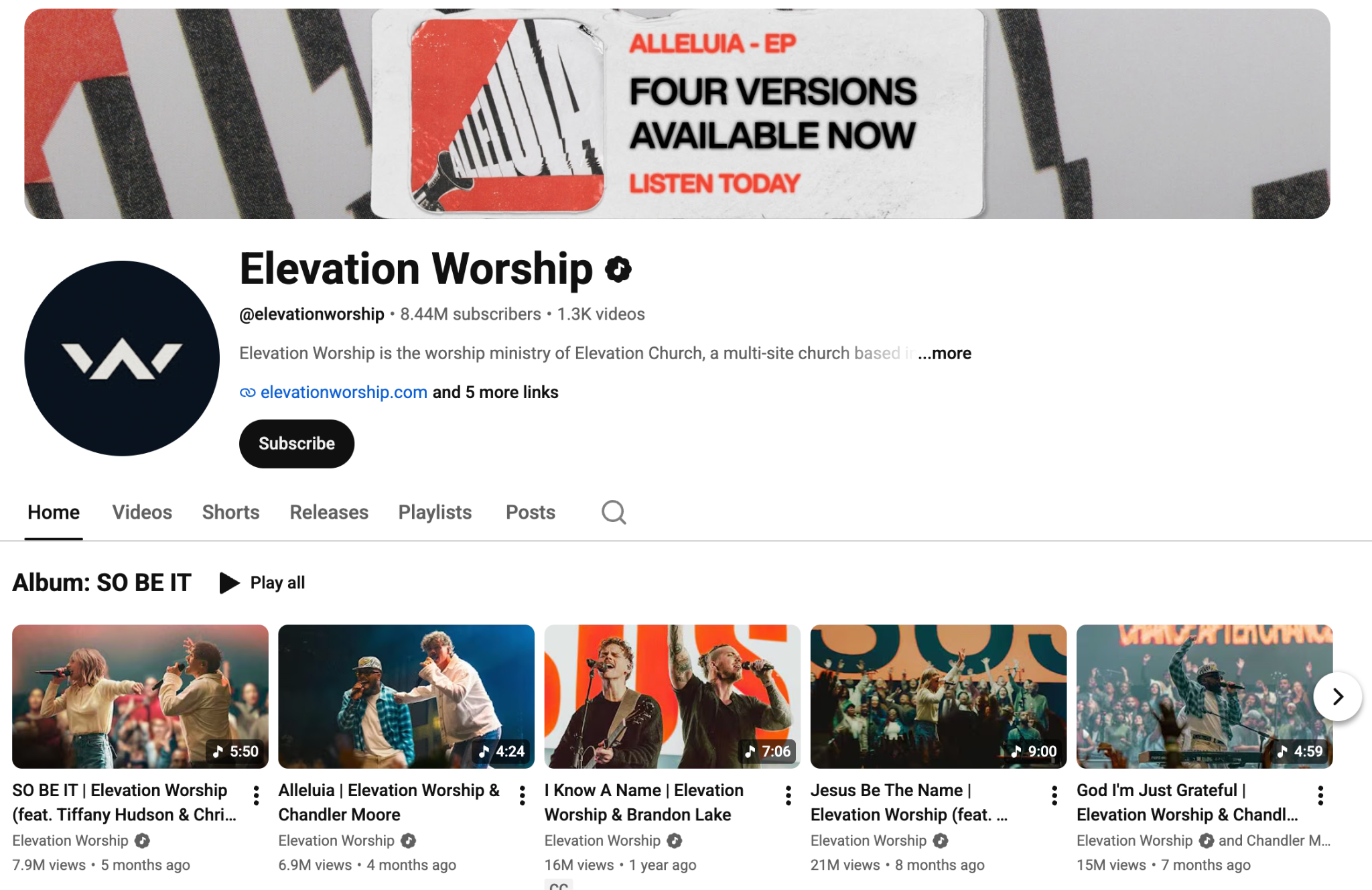
    Three of the top six churches (Elevation, Bethel, and Hillsong), run significant worship music operations alongside their main church brand. For example:

    • Elevation's combined audience includes Elevation Worship and Elevation YTH.

    • Hillsong's 28.87 million spans UNITED, Worship, Young and Free, and the main church channel.

    Elevation Worship YouTube Channel

    Music content behaves differently than sermons online: it accumulates on playlists, gets saved for personal devotion, and surfaces in discovery feeds in ways a Sunday message rarely does.

    Churches with active worship production are, functionally, running two digital ministries at once.

    2. TikTok is the biggest untapped gap

    Only 32 of the 100 churches in this year's ranking maintain an active TikTok presence.

    TikTok's algorithm surfaces content to non-followers by default. So, it’s one of the only platforms where a church with no existing audience can reach new people at scale.

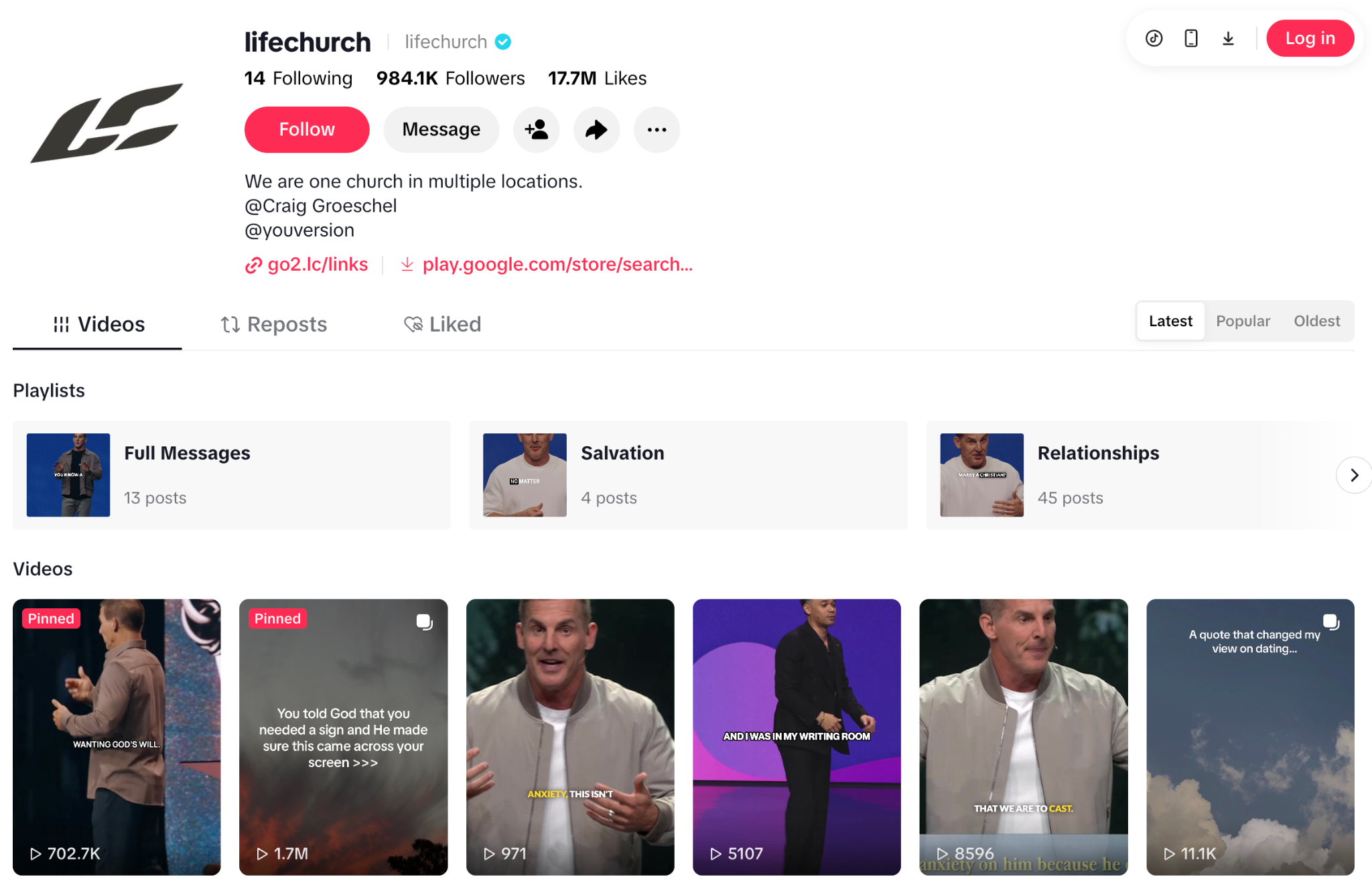
    Life.Church is a notable exception: the Edmond, Oklahoma-based church carries nearly 1 million TikTok followers alongside 1.6 million YouTube subscribers, one of the strongest short-form showings in the entire index.

    For 68 of the top 100, TikTok remains an unused distribution channel.

    LifeChurch TikTok Channel

    3. Online platforms don't have a home-field advantage

    Thirty-five of the 100 churches are based outside the United States, and several rank in the top 10:

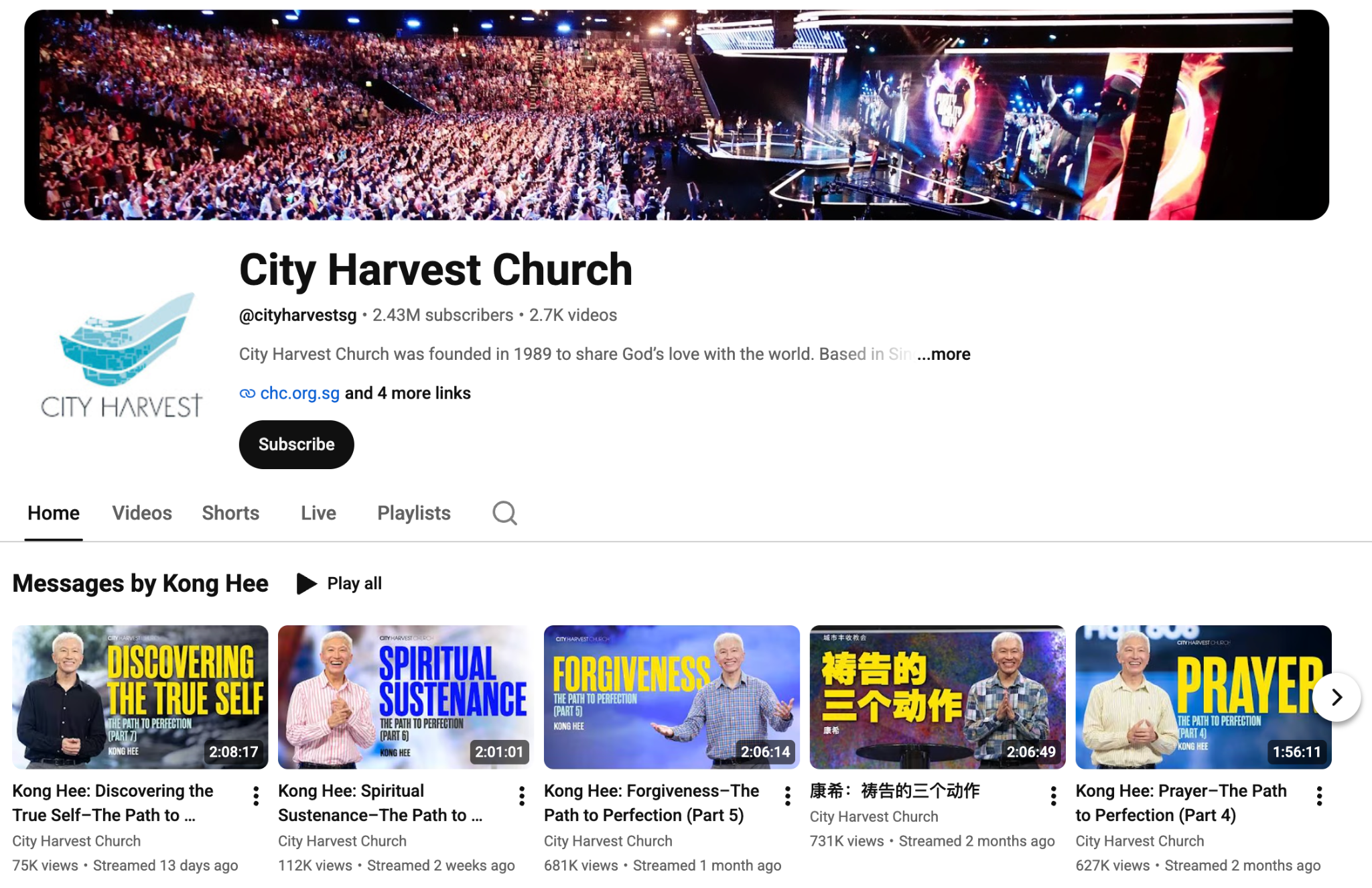
    • City Harvest Church in Singapore grew its YouTube audience 70 percent this year to 2.35 million subscribers.

    • Dunamis International Gospel Centre in Abuja, Nigeria reaches nearly 3 million followers and runs one of the strongest church digital presences on the African continent.

    • Calvary Temple in Hyderabad, India has nearly 2 million YouTube subscribers growing at 15 percent annually.

    These churches are competing on the same platforms, with the same algorithm, as every US church in the ranking.

    Consistent posting, platform breadth, and content built for distribution produce the same results in Abuja as they do in Matthews, North Carolina.

    City Harvest Church YouTube Channel


    What does this mean for church video teams?

    The Church Influence 100 measures outcomes. The inputs it rewards are practical: consistent content, on multiple platforms, in different formats built for how people actually watch video.

    1. YouTube is your anchor

    Nearly every church in the top 10 treats YouTube as a primary channel, not a content archive.

    YouTube functions as a search engine: sermons, worship sets, and teaching series accumulate discoverable value over time that a social post doesn't.

    2. Short-form clips are your growth engine

    Lakepointe's #4 ranking didn't come from producing more content. It came from distributing existing content more efficiently, often sermon footage reformatted for short-form feeds and posted consistently.

    Repurposing a live stream into short vertical video for Reels, TikTok, and YouTube Shorts is the highest-impact move most church video teams aren't doing consistently.

    That's the workflow Switcher was built around: live production that makes repurposing part of the process, not a separate editing pass.

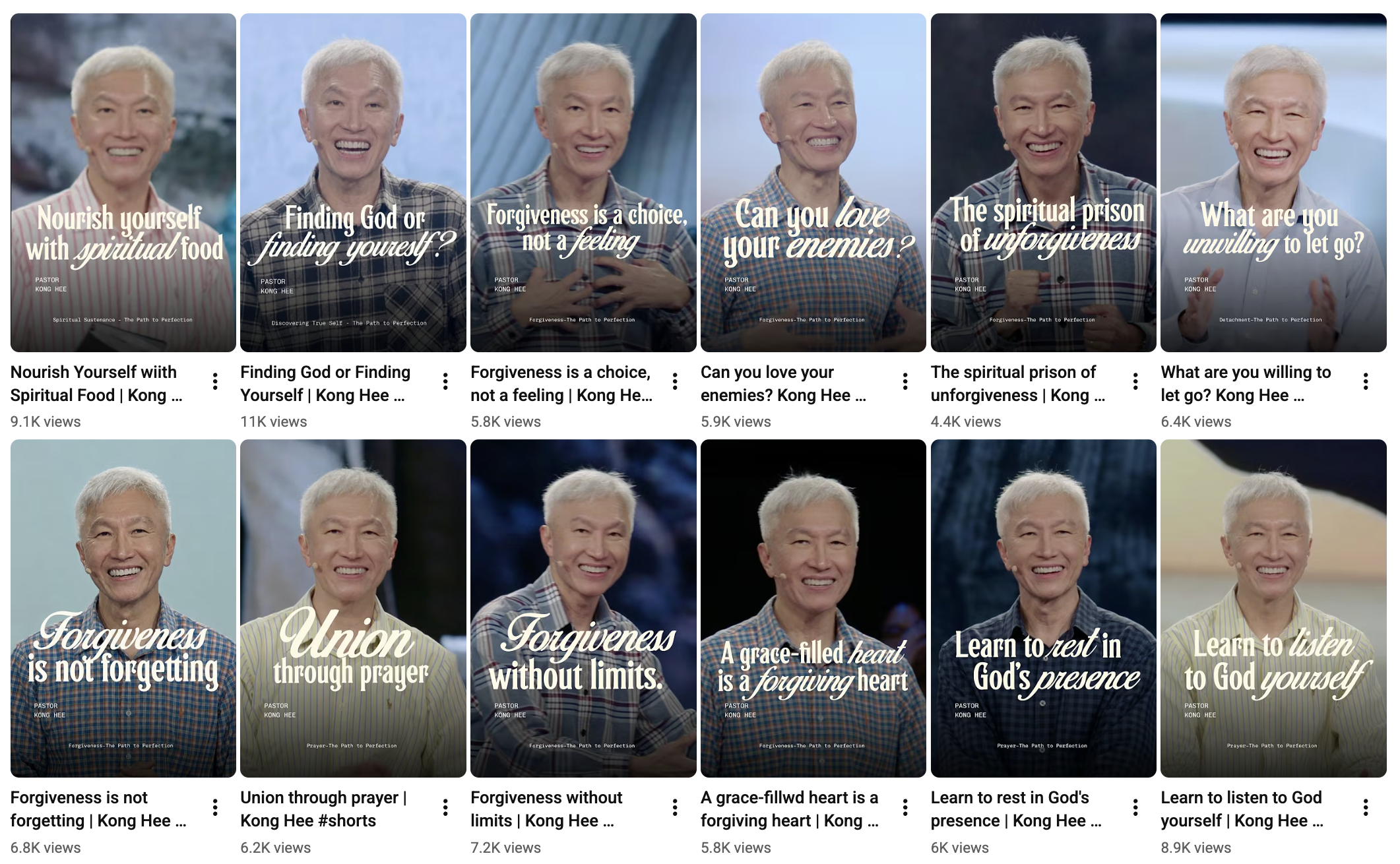
    City Harvest Church YouTube Shorts

    3. Platform breadth helps you reach more people

    The breadth component rewards churches actively maintaining multiple platforms right now.

    With discovery algorithms increasingly surfacing church content to non-followers across Facebook, Instagram, and TikTok, presence on more platforms means more surface area for reaching people who haven't found you yet.

    Sixty-eight of the top 100 haven't claimed TikTok.

    How to level-up your church live streaming today

    The churches at the top of the 2026 Church Influence 100 reached that position by treating online reach the same way they treat facilities, staff, and programming: as an ongoing operational commitment, not a project.

    Switcher Studio is built to help churches grow with this exact workflow:

    • Record and go live at the same time: Every camera angle is saved in full quality and ready to post to YouTube as a polished recording after the stream ends.

    • Repurpose that footage into short-form vertical clips and publish directly to Reels, TikTok, and YouTube Shorts without a separate editing session.

    • Stream to every online platform at once: Go live on YouTube, Facebook, TikTok Live, and more at the same time from a single production.

    Try Switcher for free today or learn more about how Switcher can help your church grow.

    Meta Turns Facebook and Instagram Livestreams Into Paid Ad Units

    TL;DR:

    • Meta announced at Cannes Lions that livestreams on Facebook and Instagram can now be promoted as paid ads, turning live broadcasts into media units that reach audiences beyond existing followers.
    • The feature is currently only available through five US live commerce partner platforms.
    • Meta also expanded its creator affiliate program to 22 countries, adding Flipkart, Mercado Libre, and Lazada. This one is available to any creator, no partnership required.

    Let's take a closer look at each announcement.


    1. Live Video Ads on Facebook and Instagram

    Live Video Ads let businesses promote their livestreams as paid ads, reaching audiences beyond their existing followers while the stream is happening.

    Facebook Live

    On Facebook, those ads can be paired with Live Shopping Tools, so viewers who discover the stream through the ad can browse products, check prices, and complete purchases without leaving the broadcast.

    Meta says 3.5 billion people across its apps experience AI-enabled product discovery daily. These Live Video Ads are designed to put live content in front of more of those moments in real time, rather than after the fact.

    At launch, the feature is not available to all streamers. In the US, only customers of five partner platforms — CommentSold, Firework, LiveMeUp, Sprii, and TalkShopLive — can convert streams into ads.

    These are live commerce platforms with existing product catalog integrations built into their workflow. Broader access for streamers outside those platforms has not been announced.

    Instagram live
    What this means for streamers

    The use cases that stand to benefit most are time-bounded, community-facing broadcasts — the kind where the live moment has real value and where reaching new people would meaningfully change the outcome.

    For example:

    • A church running a live giving appeal currently reaches people who already follow the page. With Live Video Ads, that broadcast could surface to people in the same area who've never attended.
    • A sports organization streaming a game notifies its existing followers; promoted, it reaches local fans who don't follow the account yet.
    • A nonprofit streaming a fundraiser event can put paid reach behind something that only lives for a few hours.

    In each case, the broadcast stops being a notification to existing communities and starts being a discovery moment for people who don't know the organization yet.

    Right now that's only available through Meta's five commerce partners. If you're streaming through any other tool or workflow, this isn't something you can activate.

    But the direction is worth taking seriously before it opens up broadly. A stream promoted as an ad is a first impression for a stranger — which means production quality, framing, and audio matter more in that context than they do when you're broadcasting to people who already know you. The organizations that will get the most out of Live Video Ads when access expands are the ones that treat their streams that way now.

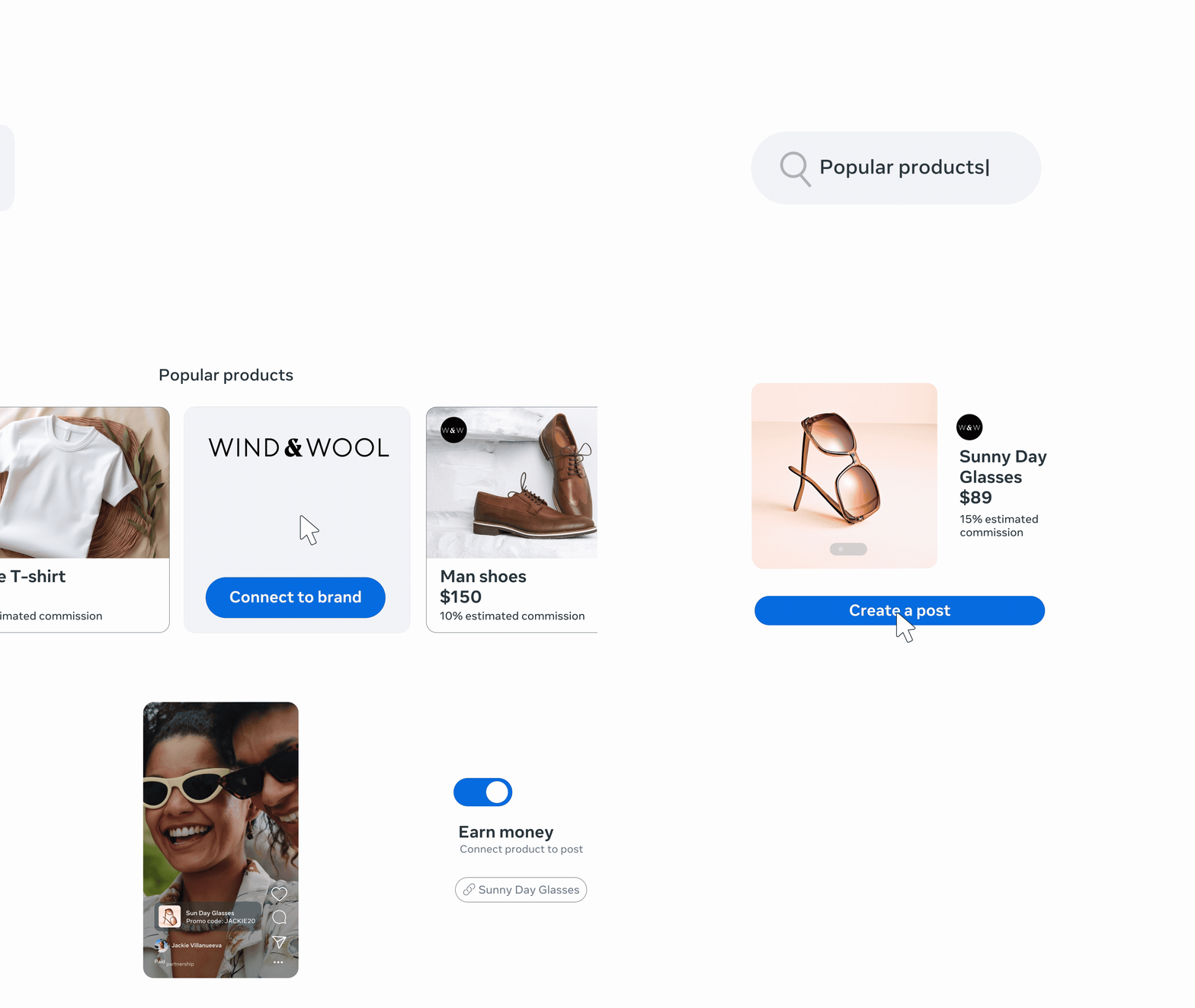
    2. Creator affiliate program expansion

    The affiliate expansion is the part any creator can act on today.

    Afilliates

    Meta added Flipkart in India, Mercado Libre in Brazil and Mexico, and Lazada across Asia to its Facebook affiliate partner network, and expanded affiliate tagging on Instagram to 22 countries total.

    Creators connect their affiliate accounts, embed product links directly in posts and Reels, and earn commissions when viewers purchase.

    No platform partnership is required. This is available broadly to creators in supported markets.

    Affiliate
    This builds on Instagram's return to affiliate commerce in late March 2026, when Instagram head Adam Mosseri announced that creators could tag affiliate products directly in Reels — a capability the platform hadn't offered since shutting down its native affiliate program in August 2022.

    The Cannes announcement scales that globally and adds major marketplace partners in markets where those platforms have significant commerce infrastructure.

    What this means for streamers

    One thing worth understanding before diving in: Instagram's affiliate purchases redirect viewers to the brand's app or website to complete the transaction. That's different from TikTok Shop, where the purchase happens inside the app.

    The extra step introduces friction, and it's worth factoring that into your expectations. How much it affects conversion depends on the product and the audience, but assuming it works the same as in-app checkout would be a mistake.

    For live streamers, the affiliate expansion creates a direct commission path that doesn't require any special access. If you mention or demo a product during a Facebook or Instagram broadcast, affiliate links give you a way to earn on purchases that result from that content.

    What to watch for

    Meta is assembling the pieces of a full commerce loop on live video:

    • Live Video Ads for discovery
    • Live Shopping Tools for in-stream conversion
    • Affiliate links for creator monetization
    • Virtual card checkout (coming this summer in partnership with Mastercard and Visa) for payment security

    Visa

    Right now those pieces are only fully connected for customers of the five partner platforms. But we can hope that Meta will roll this out to everyone soon.

    Still, for streamers already building on Facebook and Instagram, the direction is clear enough to be worth preparing for now.


    TikTok Bans AI Voices from Shopping Livestreams: What It Means for Creators

    TL;DR:

    • TikTok has updated its TikTok Shop policy to ban AI-generated voices, pre-recorded audio, and radio narration from shopping livestreams.

    • All verbal communication must be real-time and live, or sellers risk commission restrictions, content removal, and account bans.

    What did TikTok just ban?

    TikTok Shop updated its Requirements for High-Quality Videos and LIVEs policy in its US Academy to include a hard prohibition on AI-generated audio during promotional livestreams.

    TikTok Requirements

    Under the "Prohibited Content" section for livestreams, the policy now states:

    "Don't use non-real-time verbal interaction such as AI-generated voices, audio recordings, or radio."


    Sellers and creators are required to "engage directly with your viewers using real-time verbal or sign language communication and demeanor that is appropriate for all users."

    Any livestream that relies on AI-generated voices or pre-recorded narration instead of real-time interaction is listed explicitly as non-compliant content.

    The same policy update also bans:

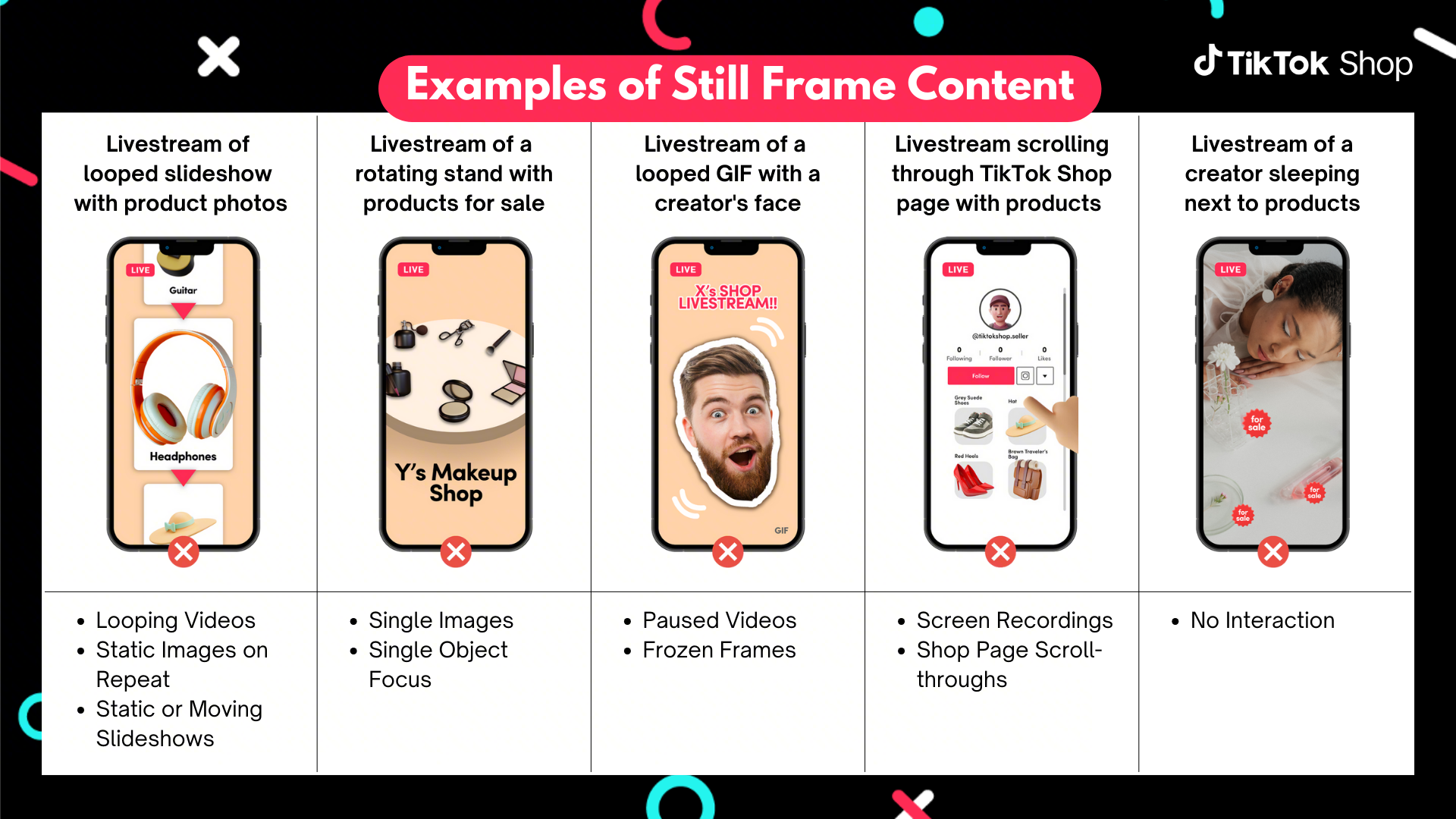
    • Still images, slideshows, or scrolling images covering more than 50% of the screen

    • Animated figures or virtual characters covering more than 50% of the screen

    • Overlaid product display page (PDP) screenshots during livestreams

    TikTok Bans Still Frame Content in Live Shopping Streams

    For recorded shoppable videos, content must:

    • Include at least three seconds of dynamic visuals without still images or loops

    • Feature the creator's face alongside the physical product

    • Be shot in a real-world environment with camera movement


    What are the enforcement consequences?

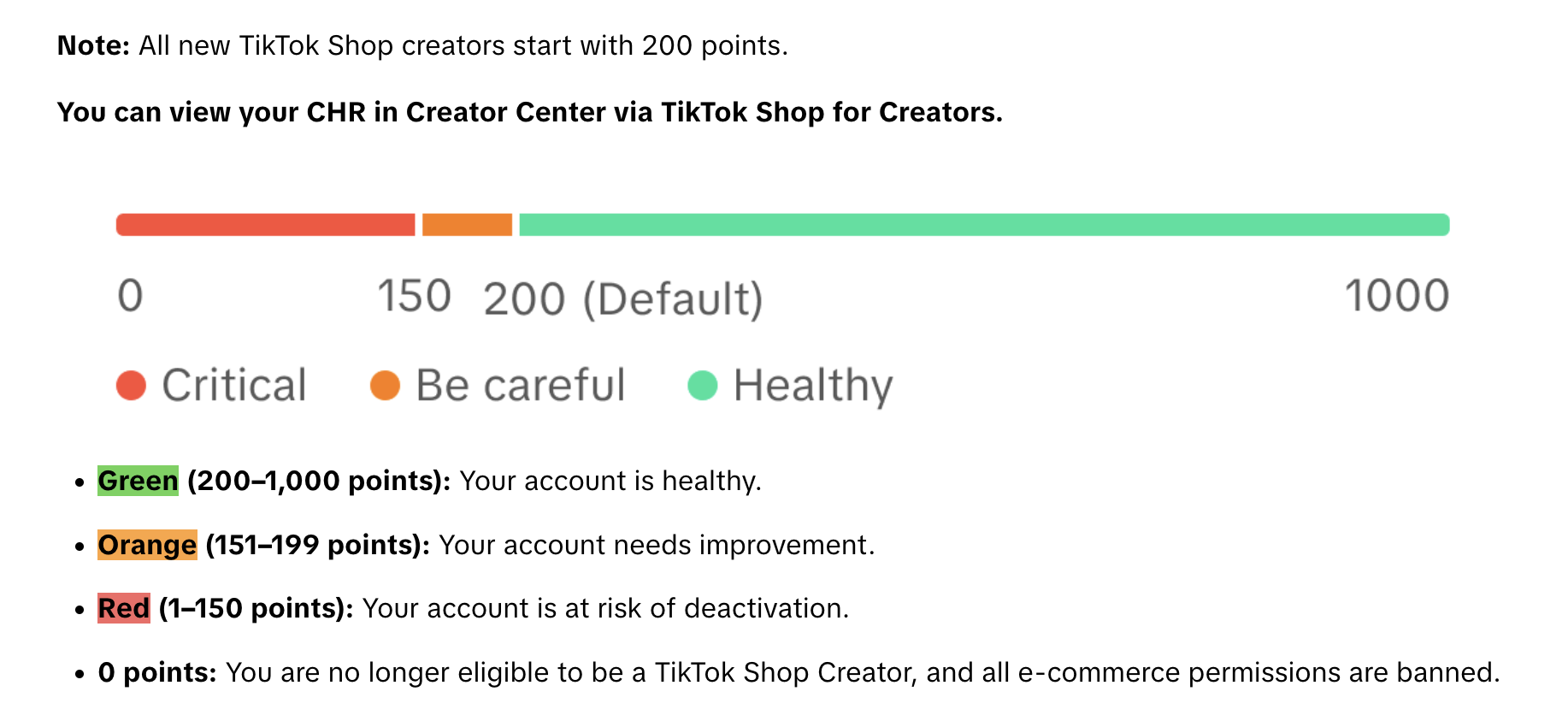
    This isn't a soft guideline — TikTok is enforcing it through its Creator Health Rating (CHR) system.

    TikTok Creator Health Rating (CHR)

    Violations can result in:

    • Assigned violation points

    • Content removal

    • Restricted access to features

    • Commission earning restrictions

    • Restricted or removed creator accounts

    Sellers can view their CHR status directly in TikTok Shop and appeal enforcement actions through the Creator Enforcement Policy.

    Why is TikTok doing this?

    TikTok Shop is projected to reach $23.4 billion in U.S. eCommerce sales in 2026 — a 48% increase year over year, placing it ahead of Target, Costco, and Best Buy by U.S. eCommerce volume.

    With that scale comes a quality problem.

    The probable driver is audience fatigue with low-effort, automated streams. When brands and sellers loop AI-generated narration over product images all day, viewers tune out — and don't come back.

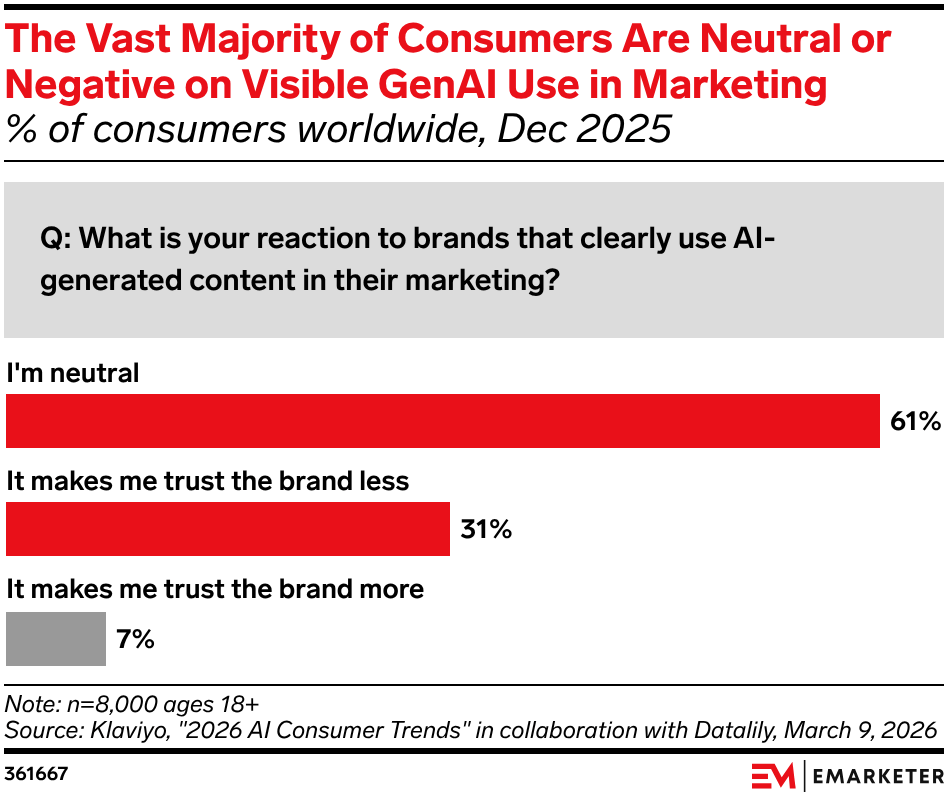
    When consumers notice AI-generated content in brand marketing, they're 31% more likely to trust a brand less.


    Klaviyo Data

    TikTok livestreams drove 84% year-over-year sales growth for participating brands during Black Friday and Cyber Monday 2025. The quality of those sessions is now a direct commercial variable, and TikTok's rules make clear who bears responsibility for maintaining it.

    What AI tools are still allowed on TikTok Shop?

    AI tools remain permitted when used in compliance with TikTok's broader AI content rules, including accuracy, transparency, disclosure where required, and avoiding misleading product claims.

    The ban applies specifically to AI standing in for real-time interaction during a live session, not to AI used before the camera goes on.

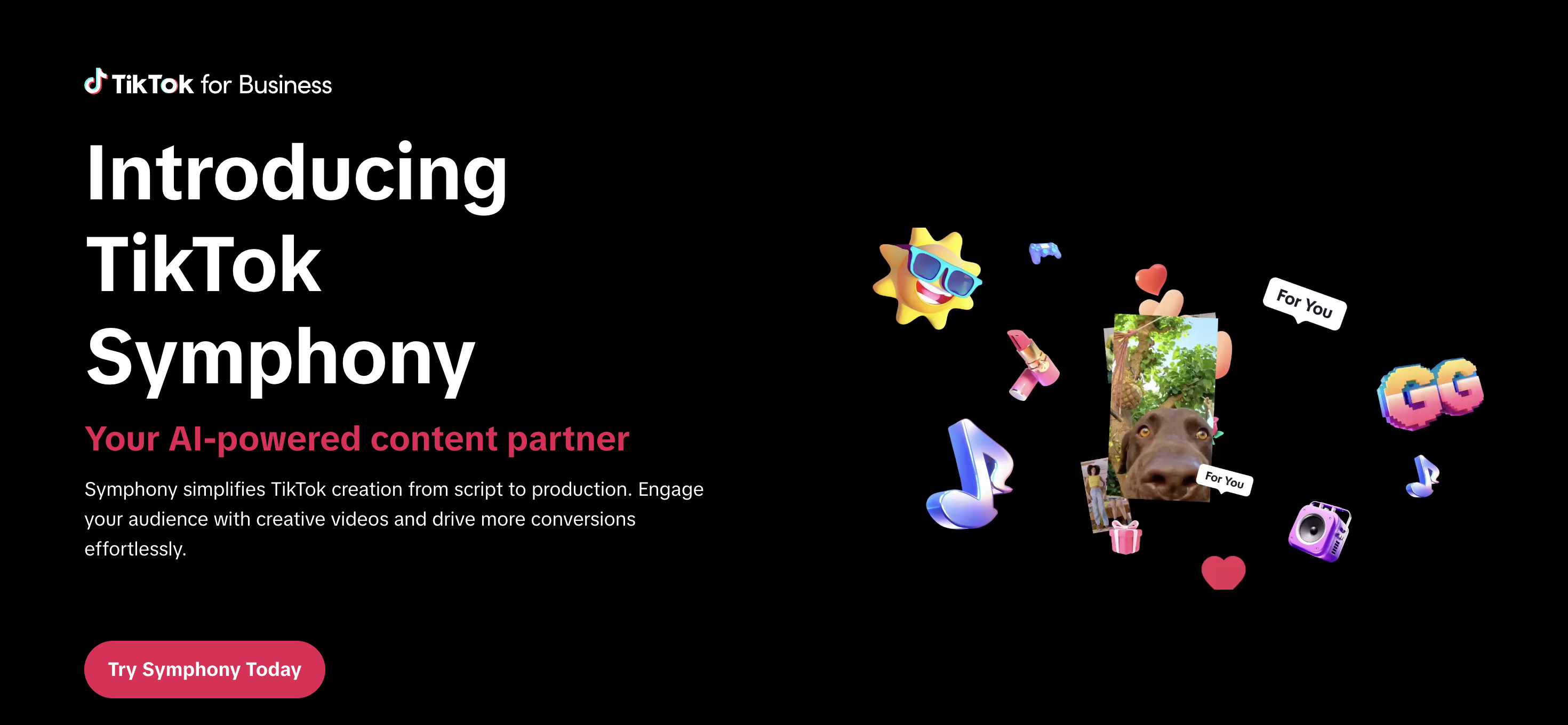
    TikTok's Symphony suite, which includes Dreamina Seedance 2.0 (ByteDance's next-generation AI video model), is still available for scripting, editing, and generating creative assets ahead of a stream.

    TikTok Symphony

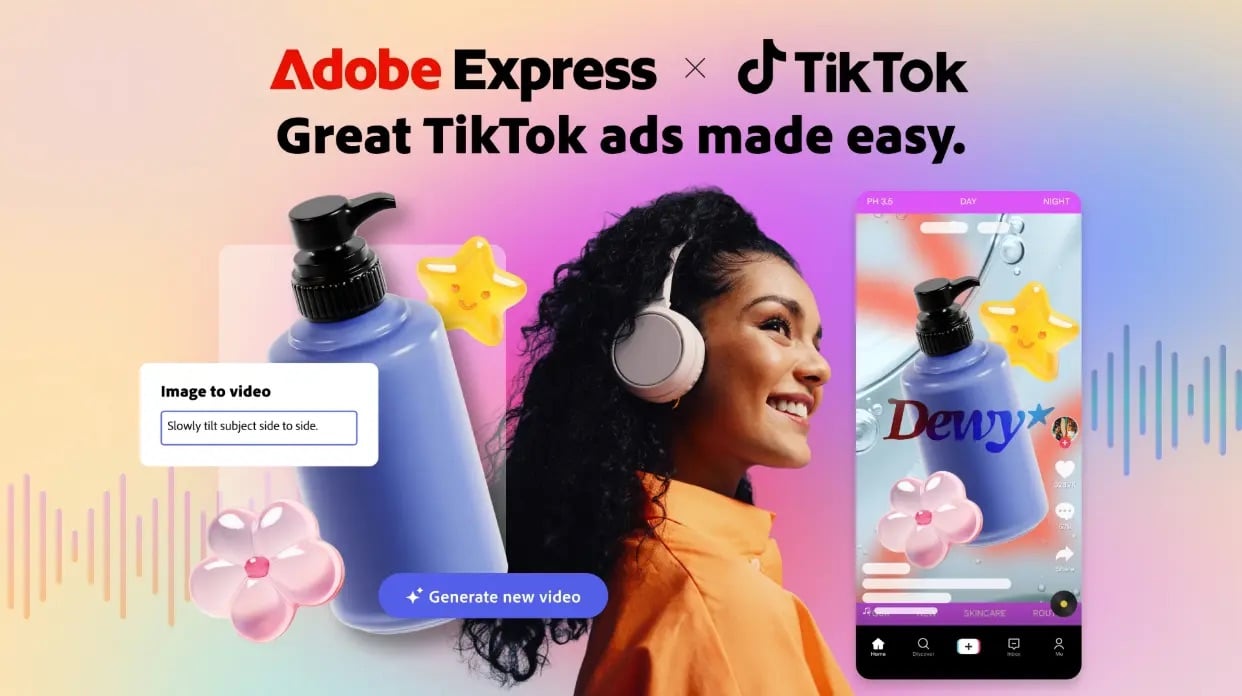
    TikTok also expanded Symphony through a partnership with Adobe, bringing AI video generation into Adobe Express.

    Adobe and TikTok Partner

    The distinction TikTok is drawing is structural: AI can help prepare the stream. It can't replace the real-time interaction inside it.

    This also runs counter to parts of the broader Chinese live commerce market, where virtual hosts and AI-assisted livestreaming have become a major production model. TikTok's US policy is moving in the opposite direction, at least for now.

    What does this mean for streamers?

    If you're running TikTok Shop livestreams, the practical implications are immediate:

    • Text-to-speech narration, looped audio tracks, and AI-generated hosts are all prohibited.

    • Real-time verbal or sign language communication is now required, not optional.

    The policy also sets affirmative production standards:

    • Adequate lighting

    • Stabilized footage

    • Clear synchronized audio

    • On-screen text that matches spoken dialogue

    Static or low-effort streams aren't just discouraged anymore — they're enforceable violations.

    This is a meaningful operational change for small sellers. Many low-budget TikTok Shop workflows rely on automated audio and still-image setups precisely because they're cheap and require no live presence. Those workflows are now barred from promotional content.

    The bigger picture, though, is that this is a level-playing-field shift.

    Creators who were already running live, high-quality, host-driven shopping streams now have a structural advantage over automated competitors. Real presence and real-time engagement are exactly what the platform is optimizing for.

    Where to go from here

    If your TikTok Shop streams are already host-led and live, you're ahead of the policy. But it's worth running a quick audit against the affirmative production standards TikTok also codified in the same update.

    Check that:

    • Your lighting clearly shows the product
    • Your audio is clean and synced to any on-screen text
    • Your camera is stabilized
      You're showing the physical product from multiple angles during demos.

    These aren’t just best practices, they're now enforceable requirements.

    If your workflow has leaned on automated audio or static visuals, the transition window is now. The Creator Health Rating system is active, violations accumulate points, and the consequences — commission restrictions, content removal, account bans — are real and compounding.

    Getting flagged once doesn't just hurt the stream it's applied to; it affects your overall account health score, which governs access to features across TikTok Shop.

    Review TikTok's official Requirements for High-Quality Videos and LIVEs directly to see the full policy language. The enforcement section and Creator Health Rating explainer are both linked from that page.


    YouTube FIFA Creator Cup 2026: What Every Streamer Needs to Know

    TL;DR:

    • YouTube is FIFA's Preferred Platform Partner for the 2026 World Cup

    • On July 12, the platform will host the first-ever YouTube FIFA Creator Cup — a live exhibition match with creators, athletes, and celebrities, streaming globally July 12 from NYC.

    • The FIFA World Cup 2026 kicks off June 11 and runs through July 19.

    • For streamers and creators, this isn't just a sporting event — it's the clearest signal yet about where YouTube Live is heading.


    What is the YouTube FIFA Creator Cup?

    On July 12, YouTube and FIFA will host the first-ever YouTube FIFA Creator Cup, live streaming globally and exclusively on YouTube from New York City.

    The match will bring together YouTube creators, elite athletes, and celebrities in what YouTube describes as an exhibition matchup. Full team captains and player rosters are still to be announced ahead of the event.

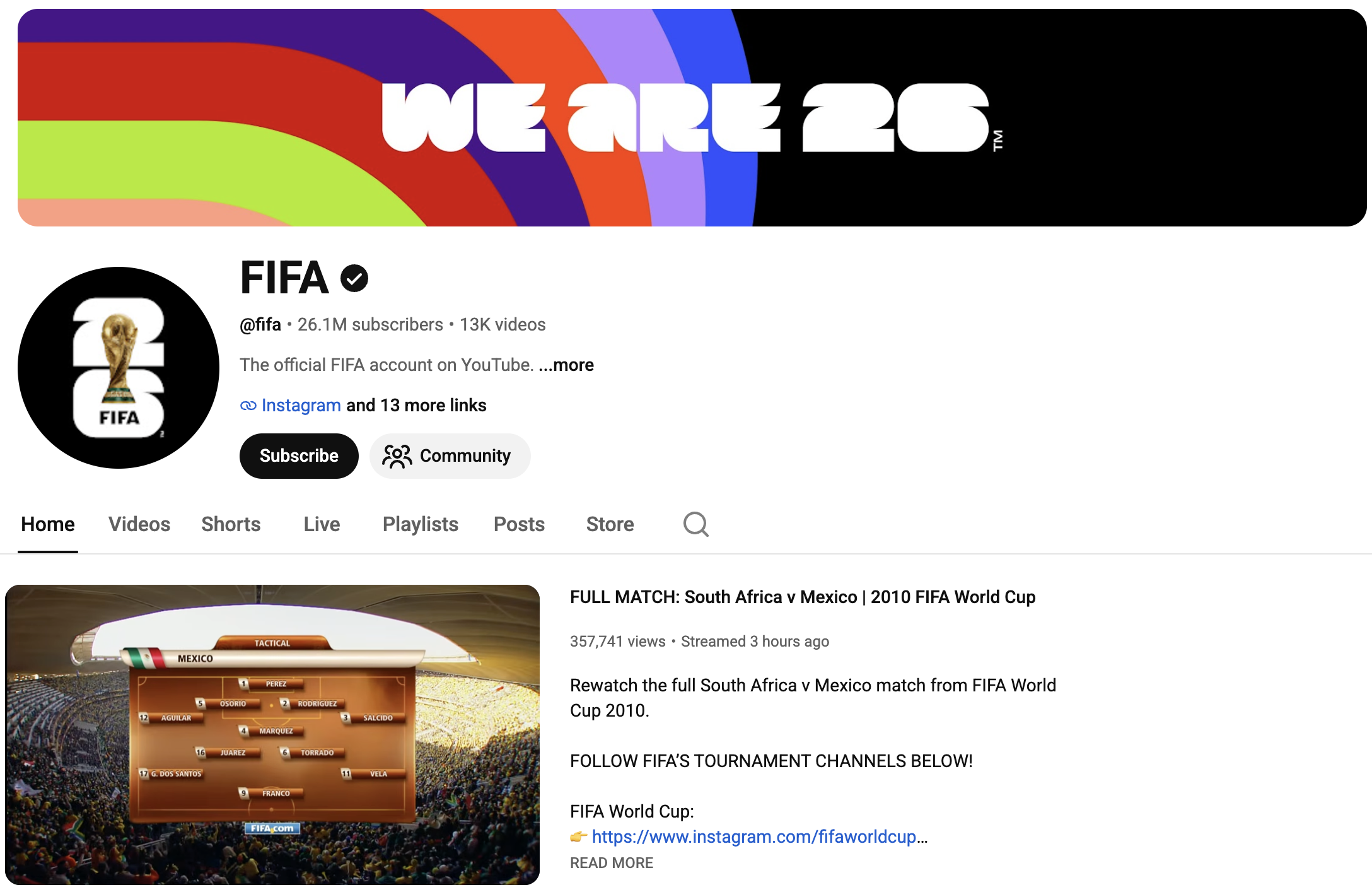
    FIFA's Official YouTube Channel

    The Creator Cup is part of a Preferred Platform Partnership between YouTube and FIFA announced in March 2026.

    That deal made YouTube the primary digital destination for World Cup content — not a secondary highlight reel, but a primary broadcast layer running alongside traditional media partners.

    “This collaboration with YouTube reinforces our ambition to maximise the tournament’s impact across the ever-evolving media landscape.”


    - Mattias Grafström, FIFA Secretary General


    Which creators are covering the FIFA World Cup 2026 on YouTube?

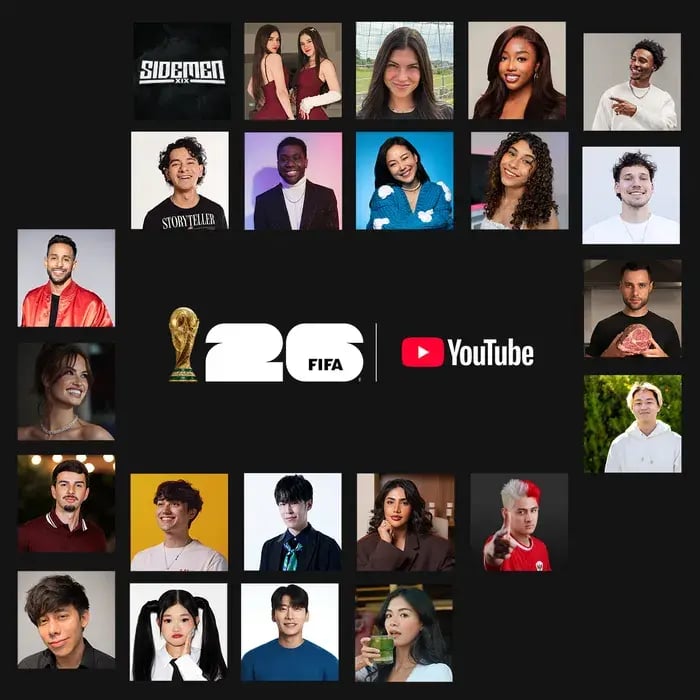
    YouTube has named 24 global creators with official tournament access and a combined subscriber count of more than 350 million.

    The full creator roster spans football-first channels and mainstream lifestyle creators from across 13+ countries:

    Creator_Image.max-700x3000.format-webp

    • United States: Deestroying, Jesser, Anwar Jibawi, Ashley Alexander, Courtreezy, Haley Kalil, Horchata Soto, Howieazy, Jenny Hoyos, Kelly Wakasa, Zhong

    • United Kingdom: The Sidemen

    • Mexico: Ara y Fer, Sonrixs

    • Brazil: Neagle, Viniblogger

    • Belgium: Celine Dept

    • Canada: Jeenie Weenie

    • Japan: TokaiOnAirRYO

    • South Korea: Kwak Yoongy

    • Kazakhstan: Kika Kim

    • Indonesia: KYLECTRIX

    • UAE: Noor Stars

    Their coverage will span match-day experiences, local food culture, behind-the-scenes stadium access, tactical breakdowns, and cultural storytelling across the three host nations: the United States, Canada, and Mexico.


    How will FIFA World Cup 2026 matches stream on YouTube?

    For the first time in World Cup history, official media partners have the option to live stream the first 10 minutes of every match on their YouTube channels. Some partners will also stream select full matches from start to finish.

    Regional breakdown:

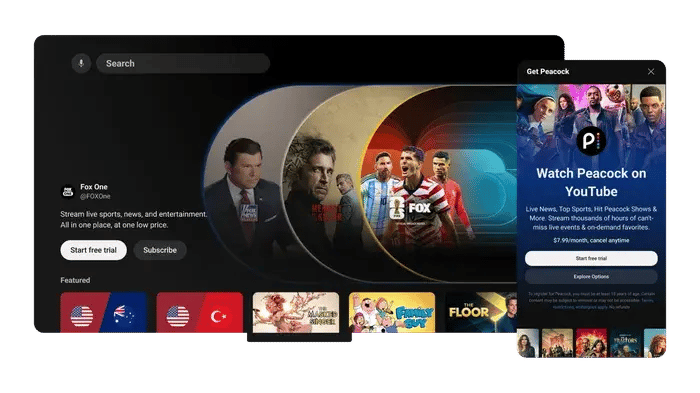
    • U.S.: YouTube TV carries all 104 matches via Fox, FS1, Telemundo, and Universo. Subscribers to FOX One through YouTube's Primetime Channels also get all 104 matches directly on YouTube, with multiview and key plays features.

    YouTube-primetime-channels-expansion-f.max-700x3000.format-webp

    • Brazil: CazéTV is streaming all matches live and free on YouTube.
    • Portugal: LiveModeTV streams one match per day on YouTube, including all games featuring the Portuguese national team.

    Beyond live coverage, official broadcasters have access to extended highlights, behind-the-scenes footage, Shorts, and video-on-demand content they can publish to their channels throughout the tournament.


    What does this mean for streamers?

    The World Cup being on YouTube is a platform-level opportunity, and it's happening right now.

    The Creator Cup sets a new template for live events

    A FIFA-sanctioned, globally live-streamed exhibition match featuring YouTube creators is a new category. It's not a brand activation — it's a live broadcast with official standing.

    For creators in the sports entertainment space, this raises the ceiling for what "creator live event" can mean.

    Official access changes the status of creator content

    These 24 creators aren't shooting fan footage from the stands. They have press-tier access to stadiums, sidelines, and behind-the-scenes moments that previously required broadcast credentials.

    YouTube is actively positioning its top creators as a legitimate media tier alongside traditional broadcasters.

    The first-10-minutes rule creates a live audience habit

    Every World Cup match will have an audience on YouTube for the opening whistle. That's new viewer behavior being built in real time.

    Creators running watch parties, live commentary, or reaction content during the tournament are building into that habit formation, not fighting against it.

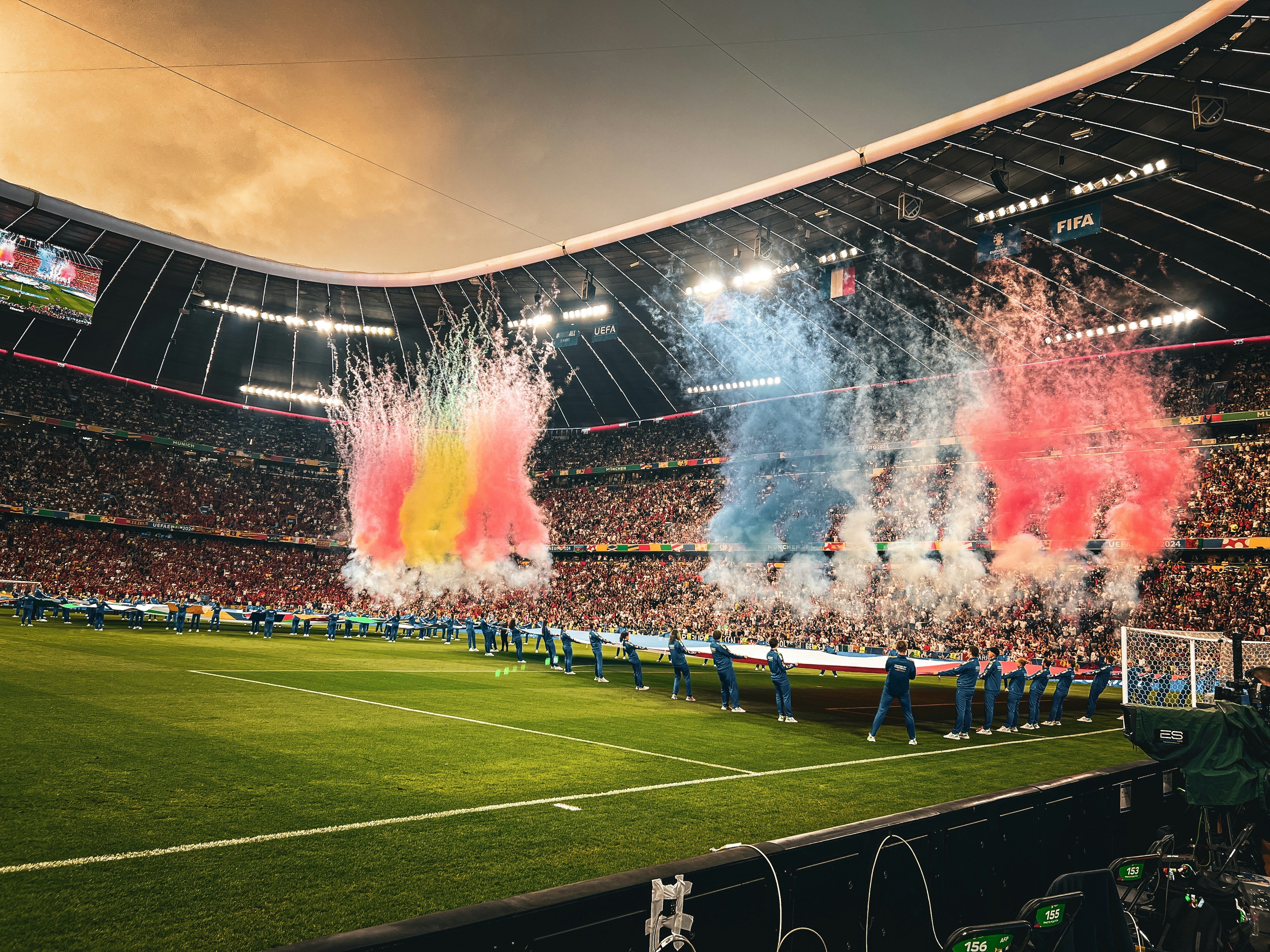
    Live Football Match

    Shorts effects give smaller creators a platform push

    YouTube has released four official FIFA World Cup 2026 Shorts effects — a face paint filter, a Star Shooter game, an official FIFA photobooth, and a 20-second countdown challenge — all available directly in the Shorts camera via FIFA's YouTube channel.

    These aren't cosmetic. YouTube promoting its own World Cup effects is a distribution accelerant for any creator using them.

    The upshot?

    The tournament runs through July 19. The Creator Cup is July 12.

    There are six weeks of the biggest live sports moment on YouTube, and the platform has built infrastructure specifically designed to surface creator content.

    Planning now isn't optional — it's the difference between riding the wave and watching it.

    Meta Quietly Launches New "Forum" App: Here's What You Need to Know

    TL;DR:

    • Meta quietly released a standalone iOS app called Forum that gives Facebook Groups a dedicated space outside the main Facebook feed.
    • It’s currently available in the US only and includes AI features for answering questions, personalizing feeds, and helping admins moderate communities.
    • For streamers, Forum could make Facebook Groups more useful for keeping audiences connected between live streams.


    Meta quietly released a new app called Forum on May 22, 2026. There was no press release, no major announcement, and no public launch campaign.

    The app was spotted in the Apple App Store by social media researcher Matt Navarra. It’s built around Facebook Groups and gives users a separate place to follow Group activity outside the main Facebook app.
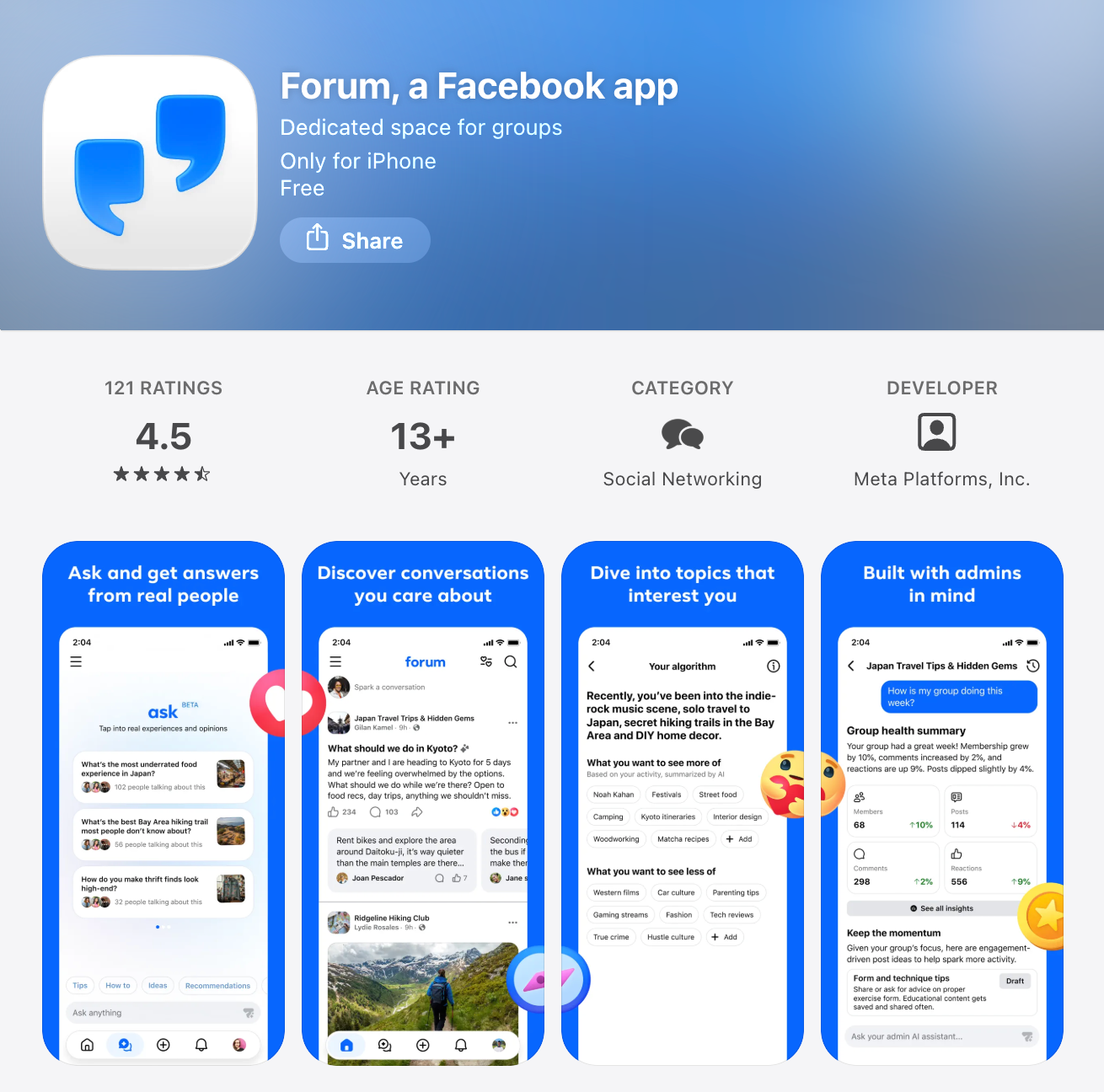
    Forum: Facebook's New Group App

    For streamers, this is worth watching.

    Many live streamers already use Facebook Groups to support their content. Groups can help you keep viewers informed, answer follow-up questions, share replays, build anticipation for upcoming streams, and give your audience a place to interact when you are not live.

    But Groups have a visibility problem.

    Inside the main Facebook app, Group posts sit alongside friends’ updates, Pages, ads, Reels, recommendations, and whatever else Facebook decides to show. That makes it easy for community updates to get missed.

    Forum appears to address that problem directly.

    Instead of making Groups one part of Facebook, Forum gives Groups their own app experience.

    What is Meta’s Forum app?

    Forum is a standalone iOS app for Facebook Groups.

    The app gives users a dedicated feed for Group conversations, separate from the main Facebook feed. Instead of opening Facebook and seeing a mix of friends’ posts, Pages, ads, Reels, and recommended content, Forum focuses on activity from Groups.
    Facebook's Forum App Logo

    The App Store listing describes Forum as “a dedicated space for the conversations that matter most to you.”

    Forum is currently available only in the United States and requires iOS 18.0 or later. It is already on version 1.1, which suggests Meta has shipped at least one update since the initial release.

    Meta has described Forum as a test, not a full public launch. When Engadget asked about the app, a Meta spokesperson said: “We test lots of new products publicly to see what people find interesting and useful to their experiences across our apps.”

    How does Forum work?

    Forum connects to your existing Facebook account.

    When you log in, your Facebook profile and Groups carry over automatically. Posts made in Forum also appear on Facebook, and posts made in Facebook Groups can appear in Forum. The two apps stay connected.

    That makes Forum different from starting a new community platform from scratch. If you already have a Facebook Group, Forum gives that same Group another place to be seen.

    The app also asks users what topics they want to see more of during onboarding. That suggests Forum may recommend conversations or Groups based on user interests, although the core experience is still built around Groups.

    How is Forum different from the main Facebook app?

    The biggest difference is focus. The main Facebook app combines many types of content in one feed. Your audience may follow your Group, but they still have to find your posts in the middle of everything else Facebook shows them.

    Forum narrows the experience.

    It removes much of the surrounding feed noise and puts Group activity at the center. For people who use Facebook mainly for Groups, that could make the app feel more useful and less distracting.

    For streamers, the practical value is simple: if your audience already uses a Facebook Group to keep up with you, Forum may make that Group easier to check and easier to follow.
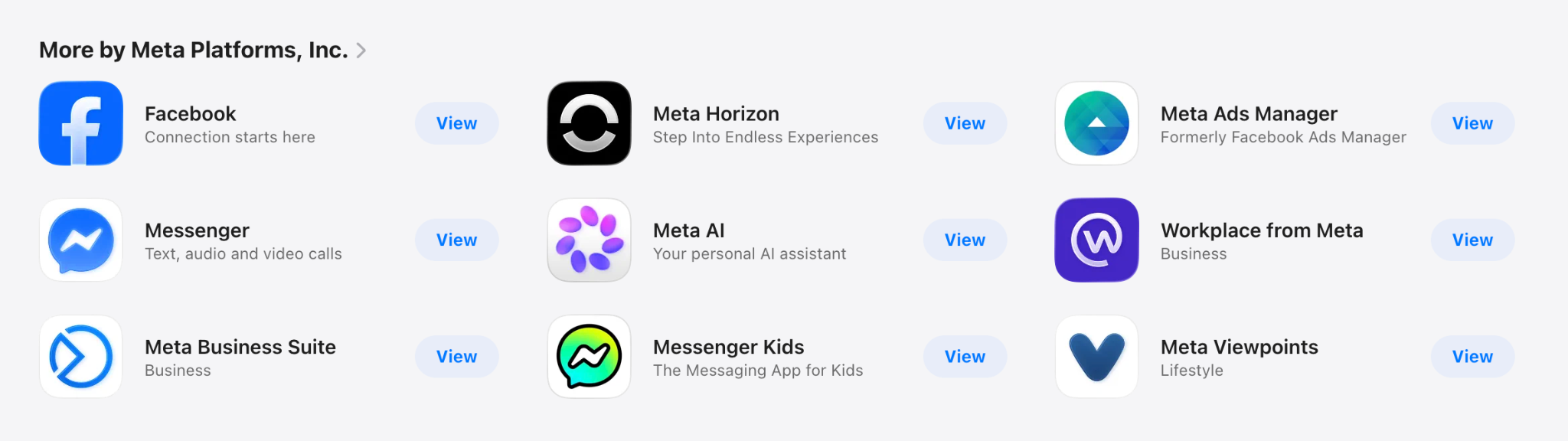
    Facebook's Suite of Different Apps

    Who can use Forum?

    Forum is currently available for iOS users in the United States.

    Users need a Facebook account to log in. Existing Facebook profile information and Group memberships carry over into the app.

    There is no public timeline yet for Android availability or international rollout.

    Is Forum anonymous?

    Forum is not fully anonymous.

    Users can post with nicknames in Facebook Groups if that feature is enabled. Meta introduced Group usernames in November 2025. However, Group admins can still see members’ real identities.

    That means Forum is pseudonymous, not anonymous.

    For streamers and community managers, this distinction matters. Nicknames may make some members feel more comfortable participating, but the app still operates within Facebook’s identity and admin system.

    What AI features does Forum include?

    Forum includes three main AI features:

    AI feature #1. Ask

    Ask lets users ask a question across their Groups instead of searching through each Group manually.

    According to the App Store listing, Ask can pull together responses from across Groups so users can find answers faster and join relevant conversations.
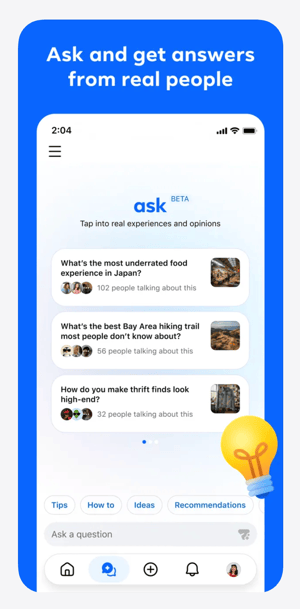
    Forum's AI Feature #1: Ask

    For streaming communities, this could be useful if your Group includes recurring questions, technical discussions, tutorials, product recommendations, or event information.

    AI feature #2. AI admin assistant

    Forum also includes an AI admin assistant for Group moderators.

    The App Store listing says the assistant can help admins manage their Groups, moderate content, and keep communities healthy while admins remain in control.

    For streamers, this may be the most important AI feature.

    A Facebook Group can become harder to manage as your audience grows. You may need to approve members, remove spam, answer repeated questions, respond to comments, and keep discussions organized. If AI can help with some of that routine work, it could reduce the time required to maintain an active Group.
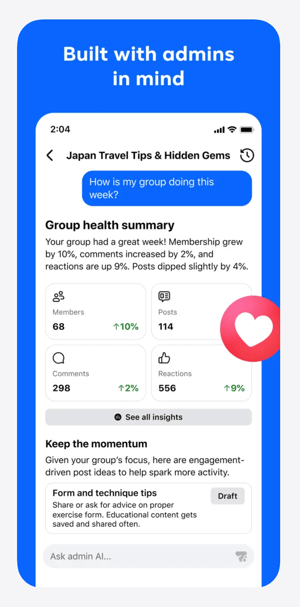
    Forum's AI Feature #2. AI Admin Assistant

    That does not replace real community management. But it may make Group management more realistic for solo streamers, small teams, and organizations with limited staff.

    AI feature #3. AI Personalization

    Forum also includes a personalization layer that shapes what users see based on their interests.

    This appears to connect to the onboarding experience, where users are asked what topics they want to see more of. Over time, this could influence which Group conversations appear most prominently in the app.
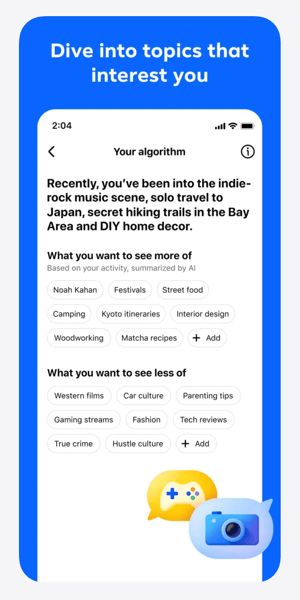
    Forum's AI Feature #3. AI Personalization

    For streamers, this raises an important question: will Forum simply make existing Groups easier to access, or will it also become a discovery surface for new communities?

    That part is still unclear.

    What about privacy?

    Forum’s App Store listing discloses extensive data collection linked to users’ identities. This includes location, browsing history, contacts, usage data, and purchases.

    That is consistent with Facebook’s broader data practices, but it is still worth noting.

    If your audience is privacy-conscious, you may not want to position Forum as a neutral or lightweight community app. It is still a Meta product, connected to Facebook accounts and Facebook data systems.

    Why Forum matters for streamers

    Forum matters because it could change how useful Facebook Groups are for live streaming communities.

    Facebook Groups already have clear advantages for streamers:

    • Many viewers already have Facebook accounts

    • Groups are familiar to many audiences

    • You can share replays, links, updates, and resources

    • Members can ask questions before and after streams

    • Group conversations can support long-term audience engagement

    The weakness has always been visibility.

    If your Group posts do not appear when people are paying attention, the Group becomes less useful. You may have the right audience in the right place, but still struggle to keep discussions active.
    Forum gives Groups a more focused environment.
    That could make it easier for streamers to use Facebook Groups as part of their broader content strategy, especially if they already stream to Facebook or have an audience that spends time there.

    How streamers could use Forum

    If Forum becomes more widely available, streamers could use it to support their live content in several practical ways.

    1. Share pre-stream prompts

    Before going live, you can use your Group to ask viewers what they want covered, what questions they have, or what examples they want to see.

    This gives your stream a stronger starting point and makes viewers feel more involved before the broadcast begins.

    2. Keep discussions going after the stream

    After a live stream, your Group can become the place where viewers ask follow-up questions, share takeaways, or continue a discussion that started live.

    This is especially useful for educational streams, churches, nonprofits, live sellers, coaches, and creator-led communities.

    3. Organize replays and resources

    A Group can help you make your live content easier to revisit.

    You can post replay links, timestamps, downloads, product links, donation links, event details, or discussion threads in one place.

    4. Support recurring live shows

    If you stream on a regular schedule, your Group can help people know what is coming next.

    You can post reminders, preview topics, gather questions, and give members a reason to return for the next broadcast.

    5. Reduce admin workload

    If Forum’s AI admin assistant works well, it could help reduce some of the routine tasks that make Groups difficult to maintain.

    That may be useful for streamers who want community engagement but do not have a dedicated moderator or community manager.

    Should streamers use Forum now?

    If you are in the United States, use an iPhone, and already have a Facebook Group connected to your streaming strategy, Forum is worth testing.

    Start simple.

    Download the app, review how your Group appears, and compare the experience to the main Facebook app. Look at whether posts feel easier to find, whether conversations are easier to follow, and whether the AI features are actually useful.

    You do not need to move your whole community strategy around Forum yet.

    The app is still a test. It is limited to iOS. It is limited to the US. Meta has not said whether Forum will become a long-term product.

    But the direction is important.

    Meta appears to be giving Facebook Groups more dedicated attention. For streamers who already rely on Groups, that could make Facebook a stronger place to build and maintain audience relationships around live content.

    The bottom line

    Forum is not a replacement for your live streaming platform, your email list, or your owned audience strategy.

    But it may become a useful layer for streamers who already use Facebook Groups.

    If Forum helps audiences find Group posts more easily, helps admins manage conversations more efficiently, and makes Facebook Groups feel less buried inside the main feed, it could become a valuable tool for live streamers.

    For now, treat Forum as something to test, not something to depend on.

    If Facebook is part of your streaming strategy, download Forum, explore the feed, and see whether it makes your Group easier to use.