<img height="1" width="1" style="display:none" src="https://www.facebook.com/tr?id=1229673850378097&amp;ev=PageView&amp;noscript=1">

    Enter your search terms and hit ENTER or use ESC to exit

    Switcher Updates

    What's fresh from Switcher?
    Check out our latest app updates and software release announcements.

    Facebook’s 2 Link Limit: What Counts, What It Costs and 13 Ways to Adapt

    Two links a month. That’s all a free Facebook Page gets. (And yes, a link tucked into the first comment counts.)

    TL;DR:

    • The limit: Under the Facebook 2 link limit, a Page on the free tier (or Meta One Essential) can include links in only 2 organic posts or comments a month.

    • What doesn't count: Links in ads, links to Meta’s own apps and extra links in the comments of a post that already has one don’t count.

    • The best fixes are free: plan your two, make each link post stronger, send links by message when people ask and put your main link in your Page profile.

    If your Page posts a link with every announcement, that’s a real adjustment. The good part? Most of what you need is already built into Facebook.

    The limit arrived with Meta One, Meta’s subscription service, which launched September 15, 2026. The rules live on Meta’s Help Center, and the rollout is happening in waves. Meta says the limit “may not apply to all Pages,” so you might be staring at the notice while the Page down the street hasn’t seen it yet.
    Meta One Plans: Core and Premium

    What is the Facebook 2 link limit?

    • If the limit has reached your Page, you can include links in up to 2 organic posts or comments a month.

    • The count resets on the 1st, or on your renewal date if you pay for Meta One.

    • Unused links don’t roll over.

    Back in December 2025, Meta ran a test in which it left comment links alone. This version counts them.

    Link posts have been shrinking as a share of the feed for a while. Meta’s Widely Viewed Content Report found that just 1.3% of widely viewed US feed content in Q1 2026 had an external link, down from 9.8% in 2022.

    Which links don’t count toward the limit?

    Meta lists four exemptions:

    • Extra links in the comments of a post that already has a link
    • Links to Meta’s own apps: Facebook, Instagram, WhatsApp and Threads
    • Links from Facebook’s affiliate partnerships
    • Links in ads

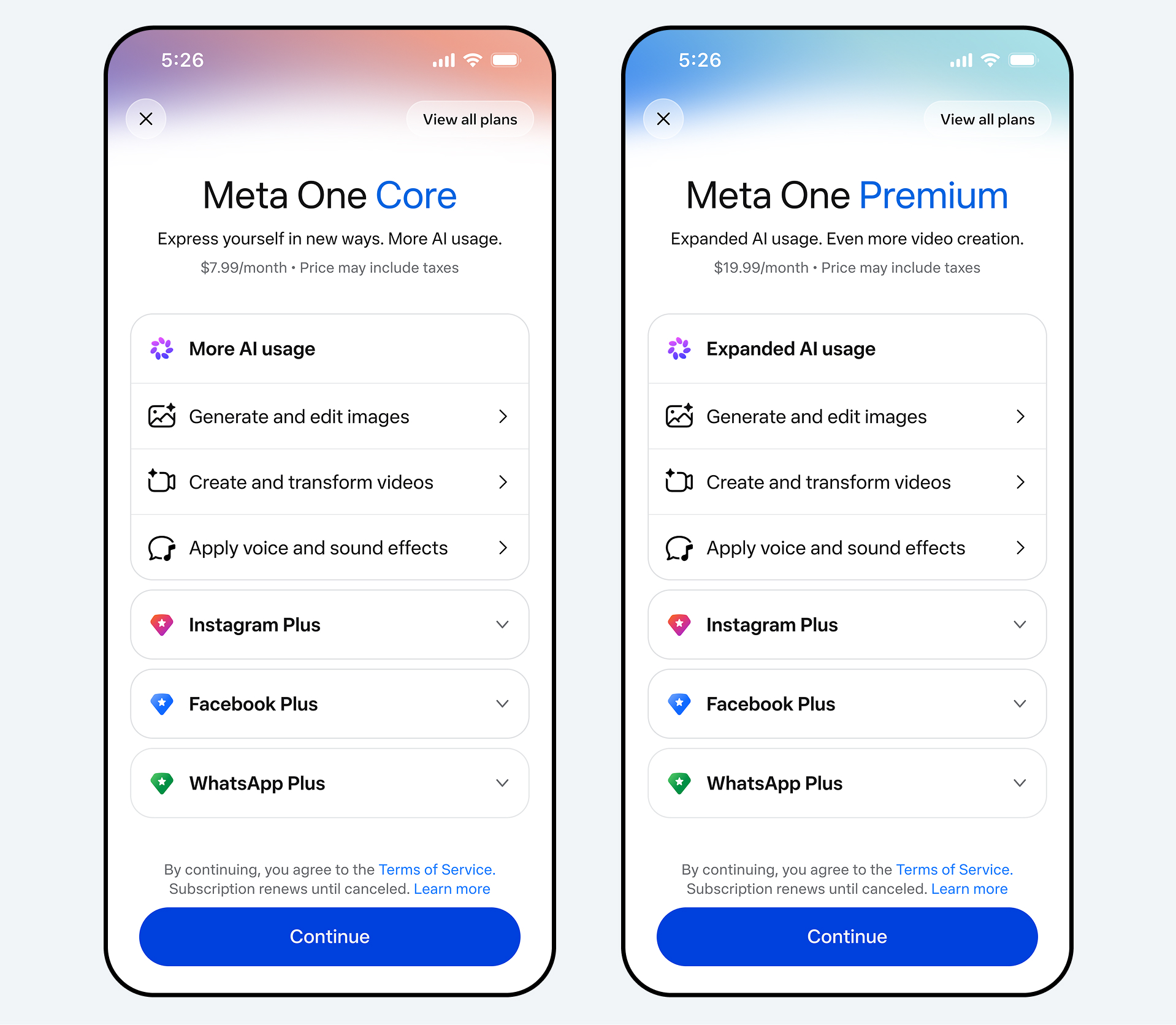
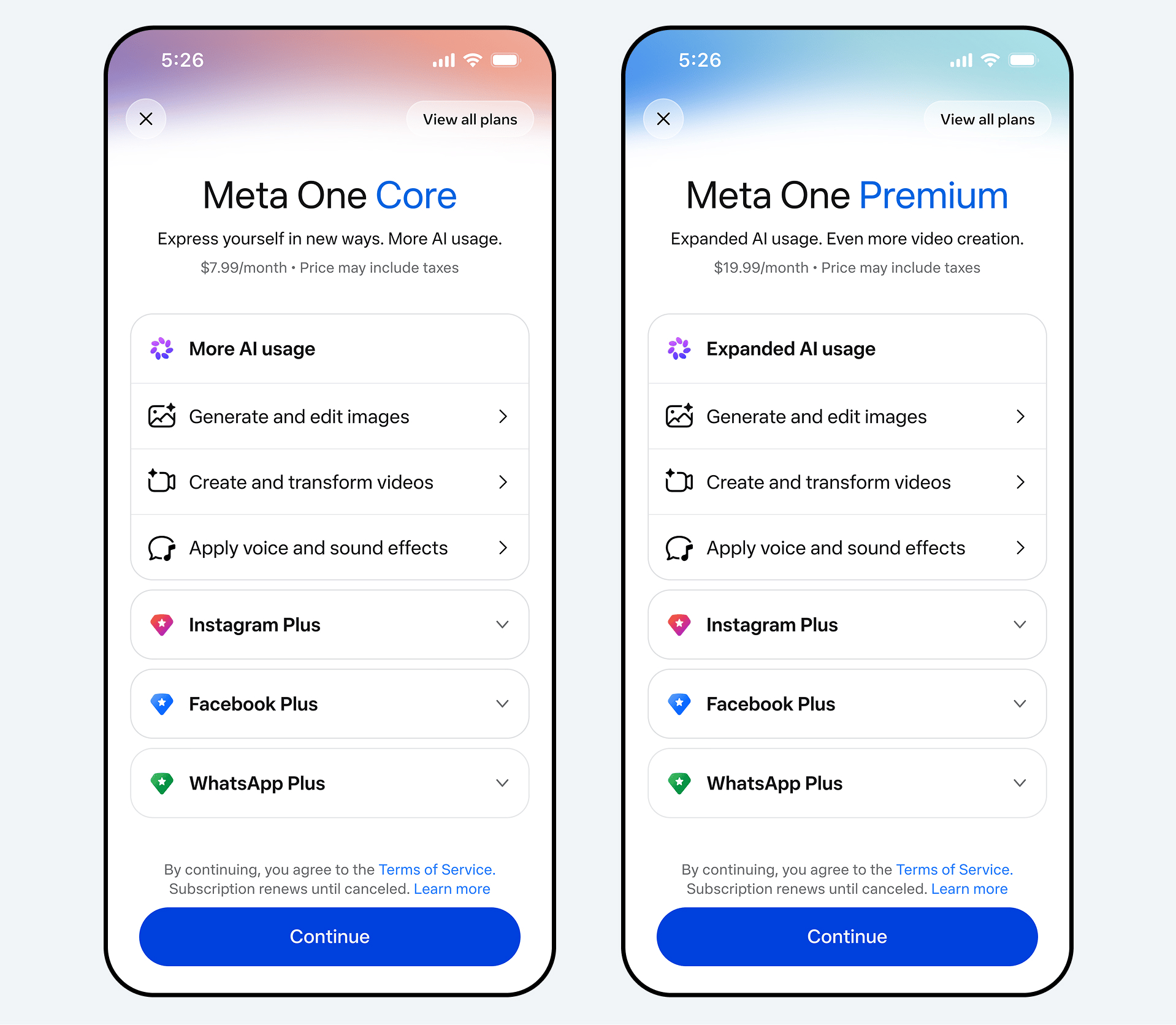
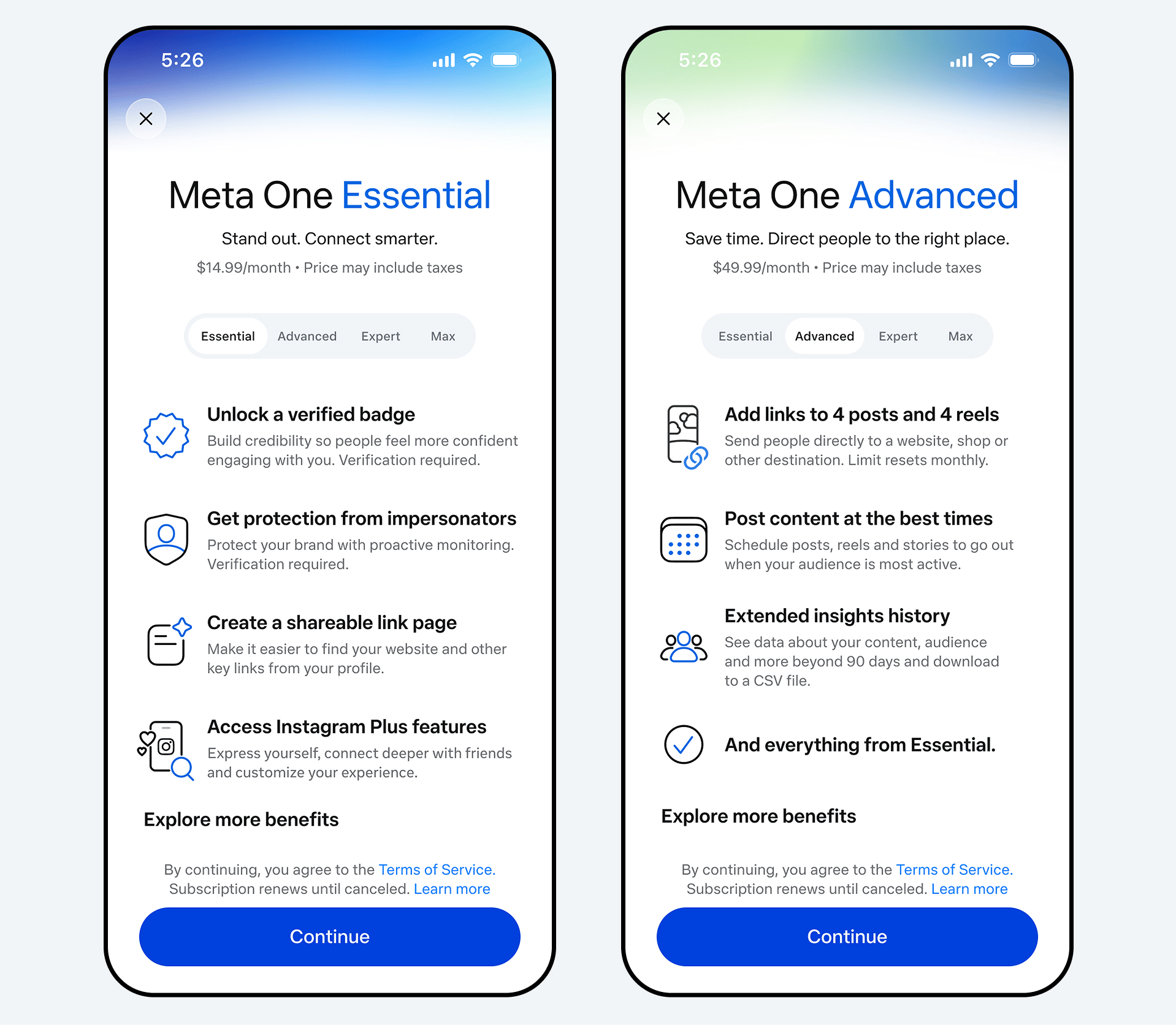
    How much does Meta One cost for more links?

    Meta One plan Price (USD/month) Posts or comments with links per month
    Free (no subscription) $0 2
    Essential $14.99 2
    Advanced $49.99 8
    Expert $149.99 20
    Max $499.99 Unlimited

    Prices vary by region, and plans are bought per profile, so budget for each Page if you run several for different campuses, teams or channels.

    One catch: the Essential plan doesn’t add any links. Neither does an older Meta Verified subscription.
    04_-PLAN-OFFERINGS-INCLUDING-PRICING_Carousel-01-1

    How do you adapt to the Facebook 2 link limit?

    Start at the top. The free fixes come first in this list.

    Check whether you’re affected

    1. Look for the notice, then audit last month

    If the limit has reached your Page, you may see a link counter or notice when you add a link to a post.
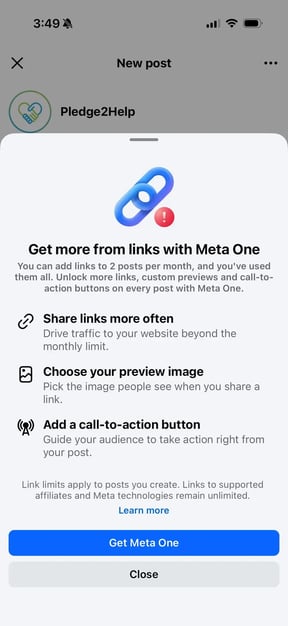
    facebook-is-now-only-allowing-two-outbound-links-per-month-v0-u0ro6zkzo3vh1

    No notice yet? It probably hasn’t reached your Page. Either way, count the posts and comments with outside links your Page published last month. Two or fewer? You can relax a little.

    Make your 2 links count

    2. Keep a monthly link calendar

    Plan your links ahead. Pick them at the start of the month and save them for moments when the click is the point, like a launch, a fundraiser, a registration deadline or ticket sales.

    (Tip: There’s a sample month for churches, sports programs and creators below.)

    3. Make every link post stronger

    Meta’s help page says you can pick your own preview image from your camera roll and add a call-to-action button to any organic link post. With only two, use the custom image and the button on every one.

    4. Tag your links so you can measure them

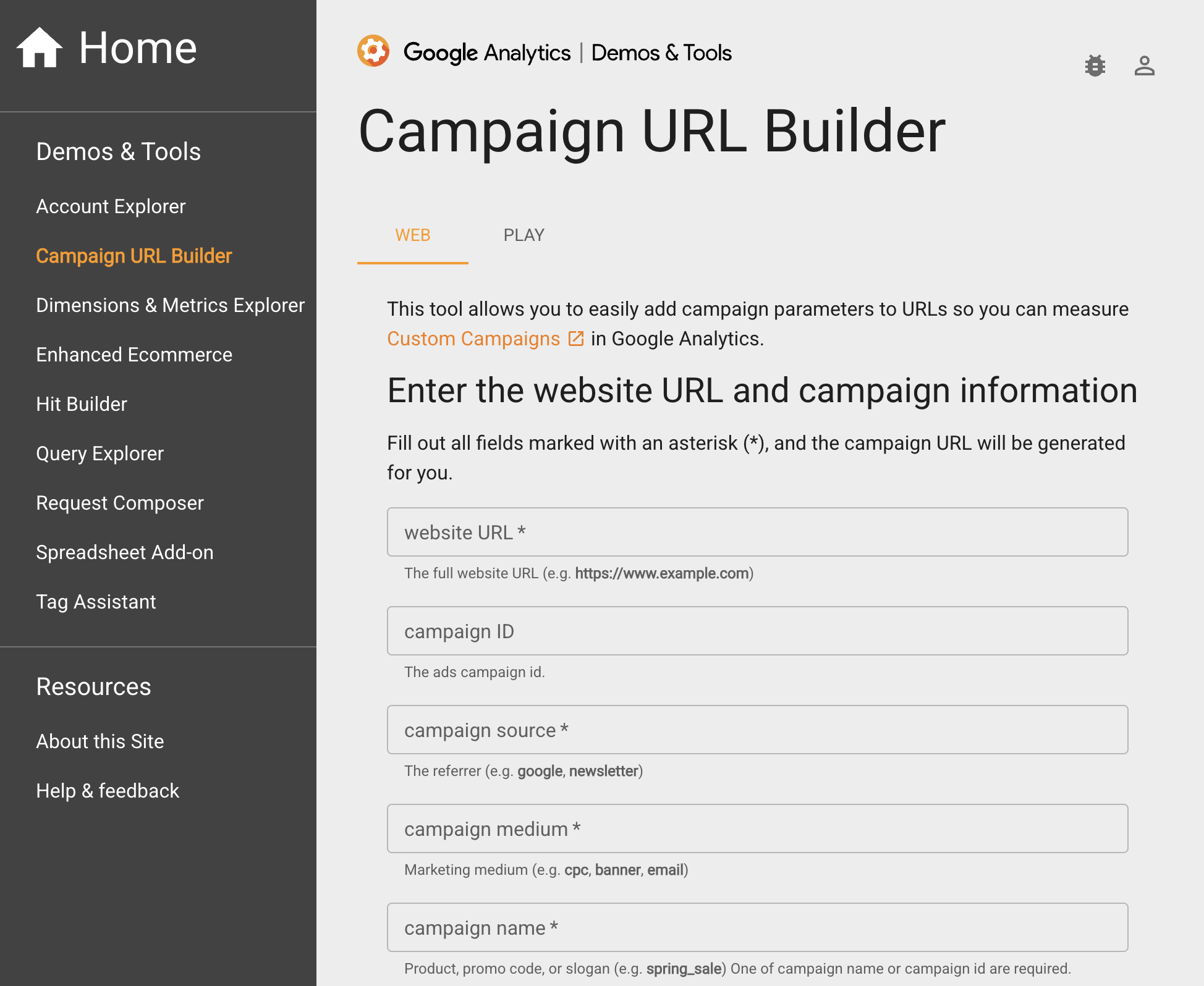
    Add UTM parameters to both links.

    These are short tags on the end of a URL that tell your analytics where a click came from, and Google Analytics reads them automatically. 

    To make one, paste your link into Google’s free Campaign URL Builder, fill in the source (Facebook), the medium (social) and a campaign name (say, December-giving), then copy the new link it gives you.

    After a month, you’ll know what each link did for you. Hang on to that number for tactic 13.
    Screenshot 2026-10-26 at 11.01.41 AM

    5. Bundle related links into one roundup post

    Meta’s rule counts the post, so a roundup with three related links should only use one of your two.

    A season schedule, a monthly events list or a “here’s everything for Saturday” post all work. Check the counter after you publish to be sure.

    6. Add follow-ups in that post’s comments

    Once a post has a link, extra links in its comments are free. Perfect for the replay of an event you promoted or the results page for a registration you announced.

    7. Pin your best link post to Featured

    You’ve already spent the link, so let it work all month. New visitors see it first.

    Use Meta’s own features

    8. Link to your own Facebook, Instagram and Threads content

    Links to Meta’s apps are free, so point people to your pinned post, a Reel or your Instagram profile as often as you like.

    Outside links posted in Facebook Groups aren’t restricted either, at least not yet. Already running a Facebook Group? Keep at it. Just don’t build your whole plan around it.

    9. Set up comment-to-message replies

    Someone comments a keyword you pick, and Facebook sends them your link in a private message.

    It’s free in Meta Business Suite: go to Inbox, then Automations, then Create automation, then Comment to message. A few things to know first:

    • Set it up on desktop: That’s where the keyword automation builder lives.

    • Check your region: Some messaging features aren’t available in Europe or Japan.

    • Ask for something people want: “Comment GUIDE and we’ll send it” works. “Comment YES if you agree” is engagement bait, and Facebook has been demoting that since 2017.

    • Make the first reply count: Under Meta’s Messenger policy, as Smith explains, a Page gets one private reply per comment (within 7 days) and can only keep messaging if the person writes back. Put everything they need in that first message.

    10. Update your Page’s intro, website field and action button

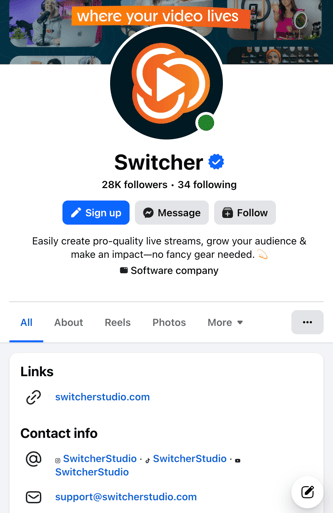
    Profile fields aren’t posts, so they don’t count. Put your main link or link hub there, make sure your action button goes somewhere useful and remind people where to find it.
    Screenshot 2026-10-26 at 10.53.45 AM

    Build channels you control

    11. Build a link hub and email sign-up on your own site

    One page with your current events, offers and resources means one link for your Page profile and one place to update.

    Add an email sign-up while you’re at it. Hosting the hub on your main site or live streaming website also keeps the traffic data in your hands.

    An email list is an audience you can send a link to whenever you need one.

    12. Say your web address in videos and live streams

    Short and sayable wins, like yoursite.com/give or yoursite.com/tickets.

    One heads-up: a web address typed into a video’s description may turn into a clickable link and count toward your two.

    Compare your paid options

    13. Work out what a link post is worth, then decide

    (Yes, this one involves a little math. Stay with me.)

    Here's how: Take the results from your tagged links (from tip #4 above) and divide what Facebook traffic brought in (gifts, registrations, sales) by the number of link posts behind it.

    That’s what one link post is worth to you.

    Then compare it to the plan: Advanced adds six links for $49.99, or about $8 a link. If a link post reliably brings in more than that, and you’d use Meta One’s other tools (story scheduling, exportable analytics, team access), a plan could pay for itself.

    If you only need a link in front of people for a short push (a registration deadline, a ticket on-sale), a short ad run might fit better.

    Ad links don’t count toward the limit, so you could also run a small remarketing ad set aimed at your existing Facebook and Instagram followers, at around $10 a day. 

    What templates can you use right away?

    Copy these word for word. We won’t tell.

    Comment-to-message replies

    • “Thanks for asking! Here’s the [registration page / schedule / guide]: [link]. Any questions, just reply here and we’ll help.”

    • “Here you go: [link]. It has everything you need for [event or offer]. Reply here if anything’s unclear.”

    Post call-to-action lines

    • “Comment SCHEDULE and we’ll message you the full schedule.”

    • “Our website and sign-up page are in our Page intro.”

    • “Want the replay? Comment REPLAY and we’ll send it your way.”

    A sample two-link month

      Link post 1 Link post 2 Follow-ups in that post’s comments
    Church Holiday services roundup: times, registration and volunteer sign-up Year-end giving page Service replay, photos from the service
    Sports program Season ticket or registration on-sale Playoff schedule and streaming page Final scores, playoff game replays
    Creator Merch drop or new product Membership sign-up or live workshop tickets Workshop replay, merch restock page


    What this means for streamers

    Facebook-Live-logo-768x265

    Keep your call to action on screen

    Going live has a quiet advantage here: what’s on screen isn’t a post link, so it never touches your two. And it stays in front of viewers for as long as you want it there.

    Think of the giving page that sits on screen through the offering in church service streams, registration info at halftime during Facebook Live sports, or a creator’s promo code popping up mid-demo in shoppable live video.

    Plan the live description as if it counts

    Meta hasn’t said whether a link in a live video’s description counts. It’s an organic Page post, though, so we’d assume it counts. Add a link there only when the stream is one of your two big moments.


    Frequently asked questions

    Does the limit apply to personal profiles?

    Possibly, if you use Professional Mode. Meta’s help page only mentions Pages, but Mari Smith reports that profiles in Professional Mode are included, and TechCrunch reported that Meta’s December 2025 test covered professional mode accounts.

    Do links other people leave on my posts count?

    Meta’s rule counts links “in organic posts and comments you’ve published on your Page.” Based on that wording, links other people leave shouldn’t count, though Meta hasn’t said so directly.

    Do posts from scheduling tools count?

    Meta doesn’t say. Assume posts published through a scheduler or Meta Business Suite count the same as posts made in the app.

    Does the limit affect Instagram?

    Not the same way. Free Instagram accounts have never had clickable links in regular posts and Reels. Meta One adds a small monthly allowance of post and Reel links, starting with the Advanced plan, according to Meta’s help pages as summarized by Blotato.


    The bottom line

    Two links a month is tight. Spend them on the clicks that matter most, and let messages, your Page profile and your own website carry the rest.

    If you go live, your stream can do some of that heavy lifting. With Switcher, you can put your giving link, ticket page or promo code on screen and leave it there while you talk. Try Switcher free for 14 days and test it on your next stream.
    The 2026 Church Influence 100: Key Takeaways for Your Church Team

    TL;DR:

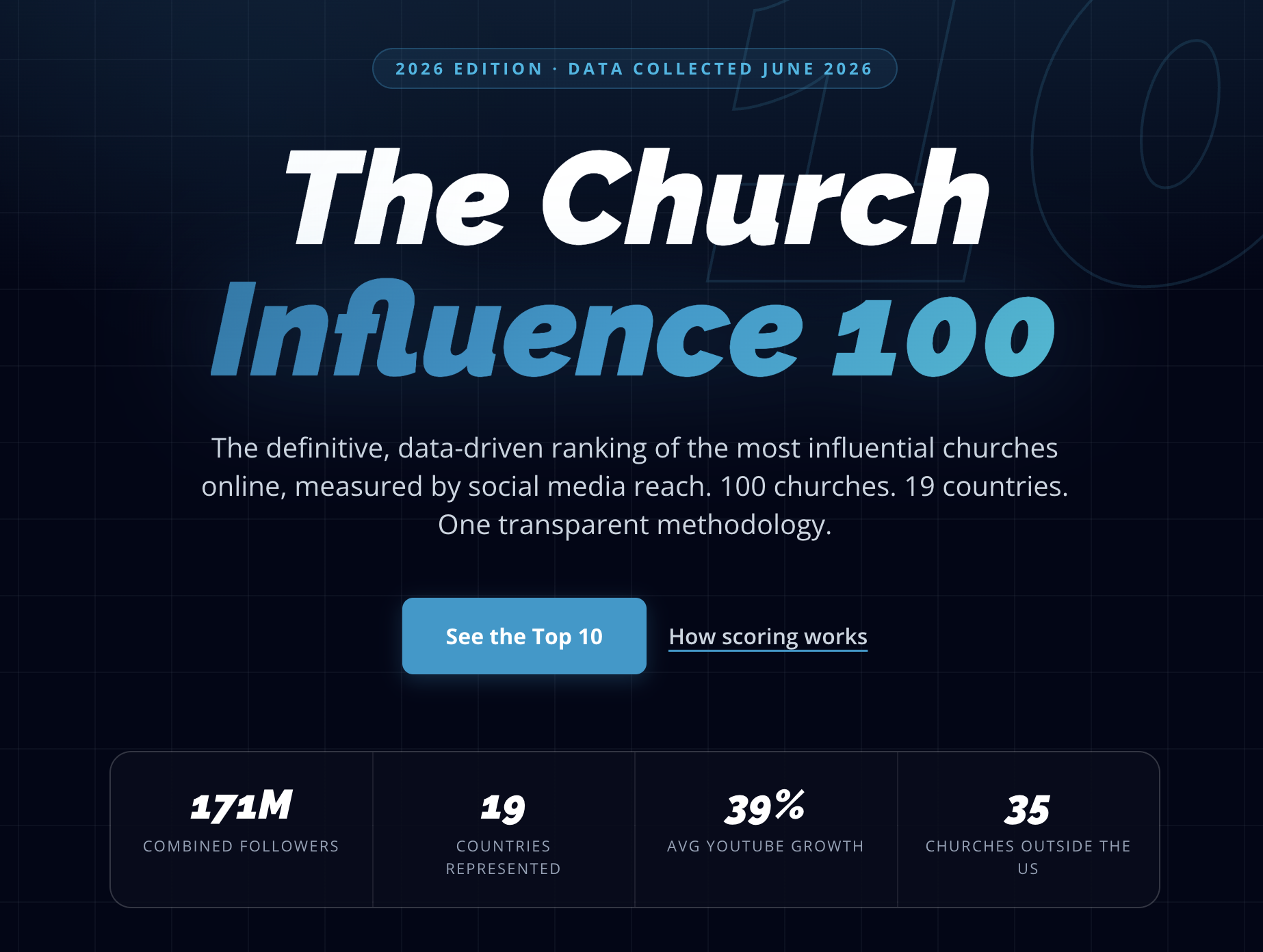
    • REACHRIGHT's 2026 Church Influence 100 ranks 100 churches from 19 countries on combined digital reach, year-over-year growth, and platform presence.
    • Elevation Church leads with nearly 29 million followers.
    • The most instructive findings are in what the top churches share: YouTube as a primary channel, short-form clips as a distribution engine, and presence on platforms most churches ignore.

    The Church Influencer 100


    Which churches lead the 2026 Church Influence 100?

    REACHRIGHT, a church marketing agency serving more than 800 churches, released its 2026 Church Influence 100 in late June. This is an annual data-driven ranking of the 100 most influential churches online, scored across YouTube, Instagram, TikTok, and Facebook.

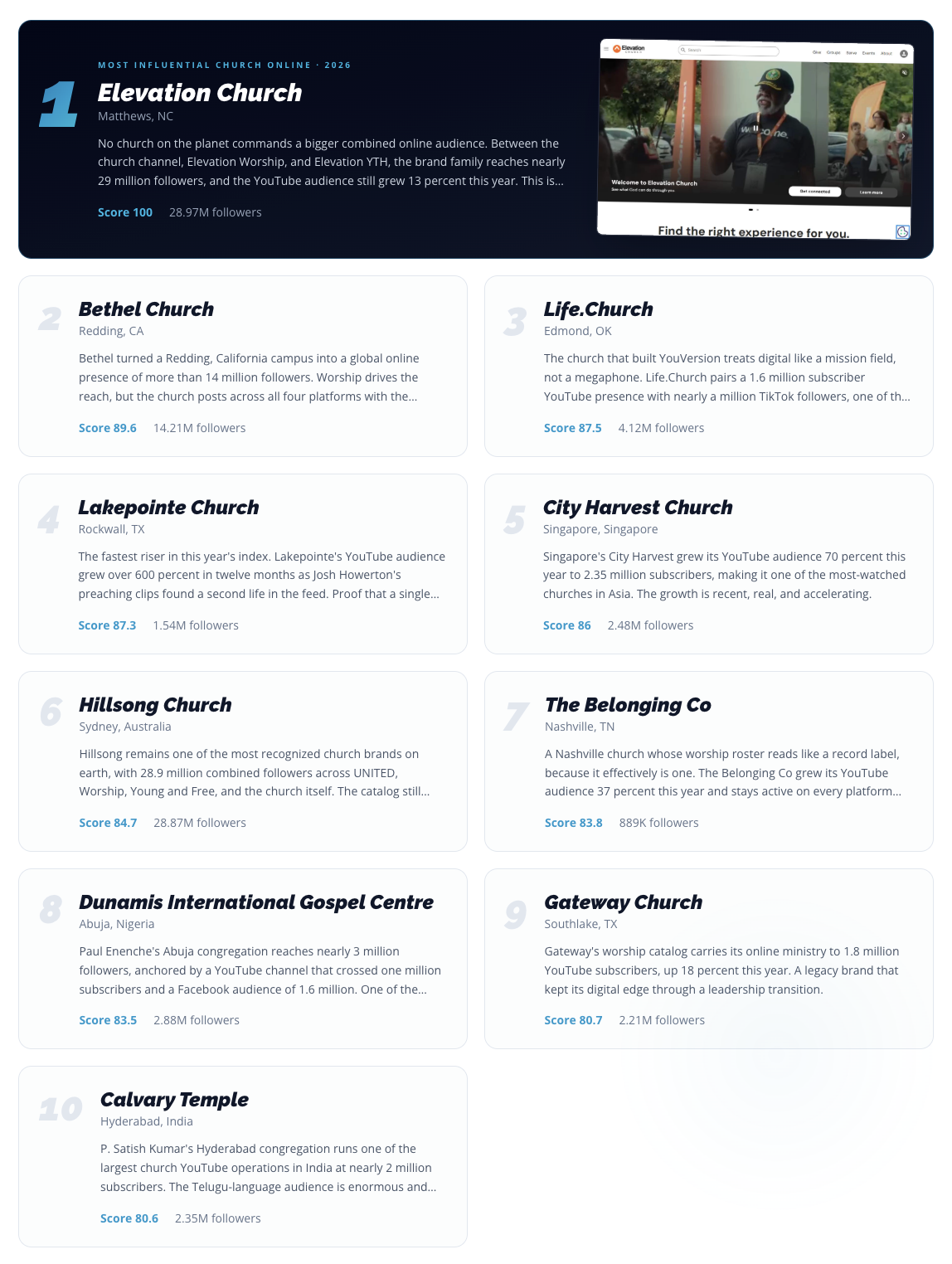
    Elevation Church in Matthews, North Carolina took the top spot with a combined audience of nearly 29 million followers across its church channel, Elevation Worship, and Elevation YTH. Bethel Church in Redding, California ranked second at 14.2 million followers, and Life.Church in Edmond, Oklahoma came in third.

    The full top 10:

    The Church Influence 100: Top 10

    The top 10 hold 52 percent of the combined audience across the full list, drawn from 19 countries, with 35 churches based outside the United States.

    How does REACHRIGHT calculate the Influence Score?

    This isn't a ranking of the biggest churches. The top 10 spans audiences from 889,000 (The Belonging Co) to 28.97 million (Elevation Church).

    The index is a measure of digital strategy, not institutional scale.

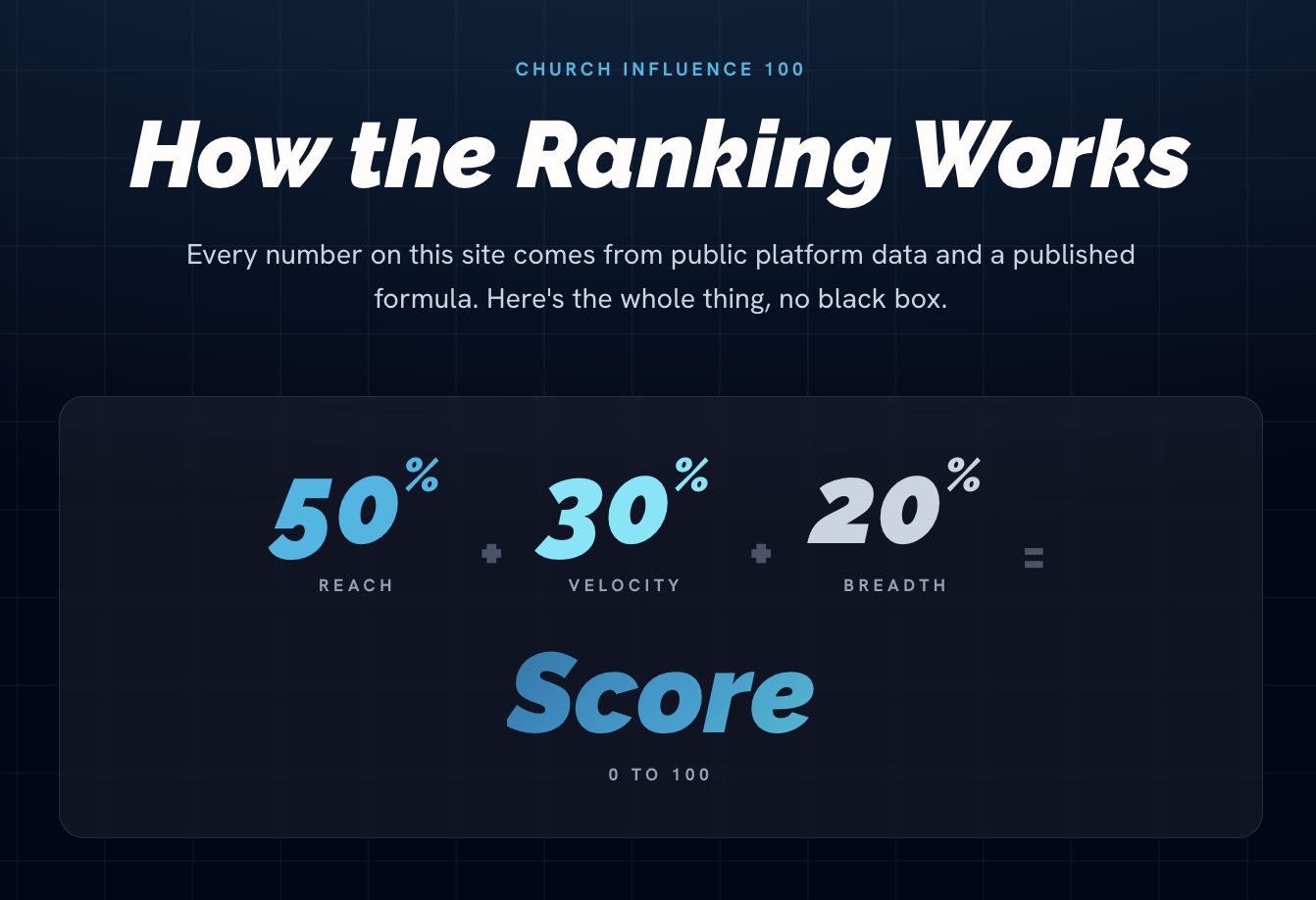
    Each church receives an Influence Score from 0 to 100 based on three weighted criteria:

    1. Reach (50 percent): This is the combined follower count across platforms, log-scaled so mid-size churches aren't flattened by mega-audiences.

    2. Velocity (30 percent): This measures year-over-year growth and watch engagement.

    3. Breadth (20 percent): This scores how many platforms a church actively maintains.

    The Church Influence 100: ReachRight Scoring

    What that formula rewards is how consistently a church is working its platforms, not how large its congregation or following already is.

    The Belonging Co is the clearest example.

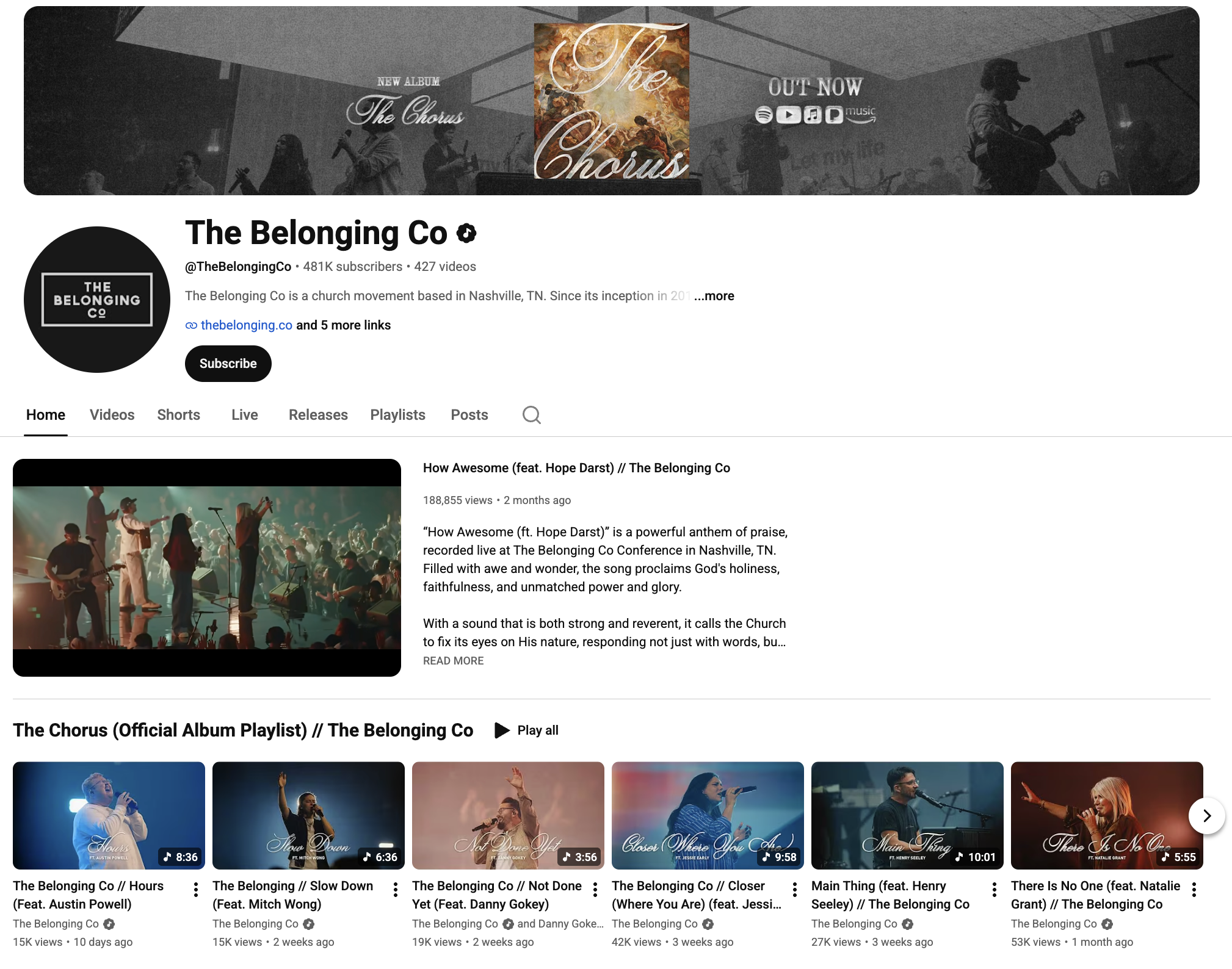
    The Nashville church holds the smallest audience in the top 10, built on a single YouTube channel with 478,000 subscribers that grew 37 percent this year. That growth rate earned it a velocity score of 89, which is among the highest of any church in the top 25, and activity across all four platforms gave it a perfect breadth score.

    The result: at #7, The Belonging Co, with 889,000 total followers, outranks Gateway Church (2.21 million) and Calvary Temple (2.35 million), which are both several times its size.

    The Belonging Co.

    It's worth noting that no church can pay for placement, and only official church-operated accounts count. So, a pastor's personal social media following, no matter how large, doesn’t contribute to a church's score.

    REACHRIGHT publishes its full methodology, eligibility rules, and data sources on the methodology page.

    What do the 2026 rankings reveal about digital ministry strategy?

    1. Worship music is a reach multiplier

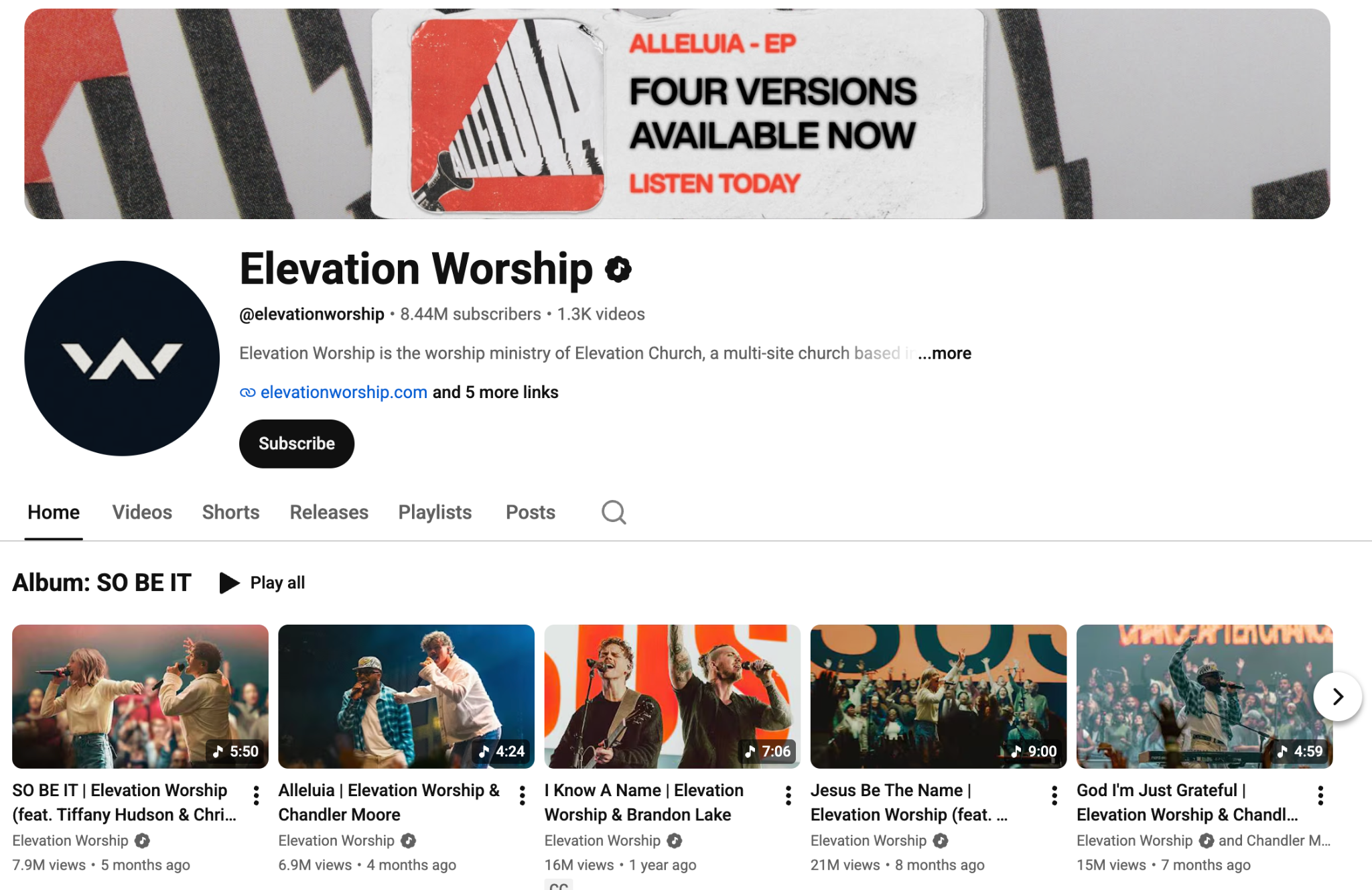
    Three of the top six churches (Elevation, Bethel, and Hillsong), run significant worship music operations alongside their main church brand. For example:

    • Elevation's combined audience includes Elevation Worship and Elevation YTH.

    • Hillsong's 28.87 million spans UNITED, Worship, Young and Free, and the main church channel.

    Elevation Worship YouTube Channel

    Music content behaves differently than sermons online: it accumulates on playlists, gets saved for personal devotion, and surfaces in discovery feeds in ways a Sunday message rarely does.

    Churches with active worship production are, functionally, running two digital ministries at once.

    2. TikTok is the biggest untapped gap

    Only 32 of the 100 churches in this year's ranking maintain an active TikTok presence.

    TikTok's algorithm surfaces content to non-followers by default. So, it’s one of the only platforms where a church with no existing audience can reach new people at scale.

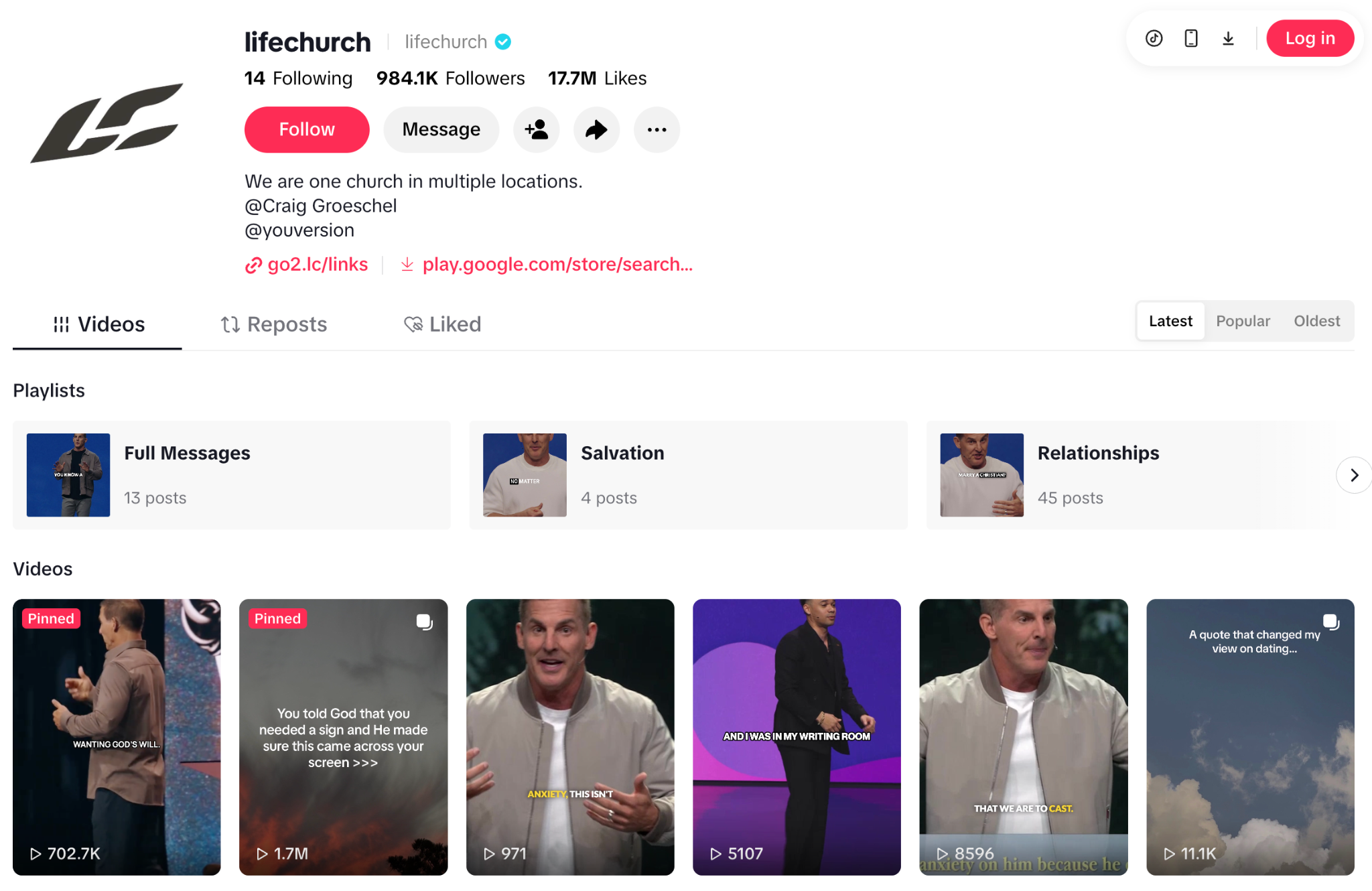
    Life.Church is a notable exception: the Edmond, Oklahoma-based church carries nearly 1 million TikTok followers alongside 1.6 million YouTube subscribers, one of the strongest short-form showings in the entire index.

    For 68 of the top 100, TikTok remains an unused distribution channel.

    LifeChurch TikTok Channel

    3. Online platforms don't have a home-field advantage

    Thirty-five of the 100 churches are based outside the United States, and several rank in the top 10:

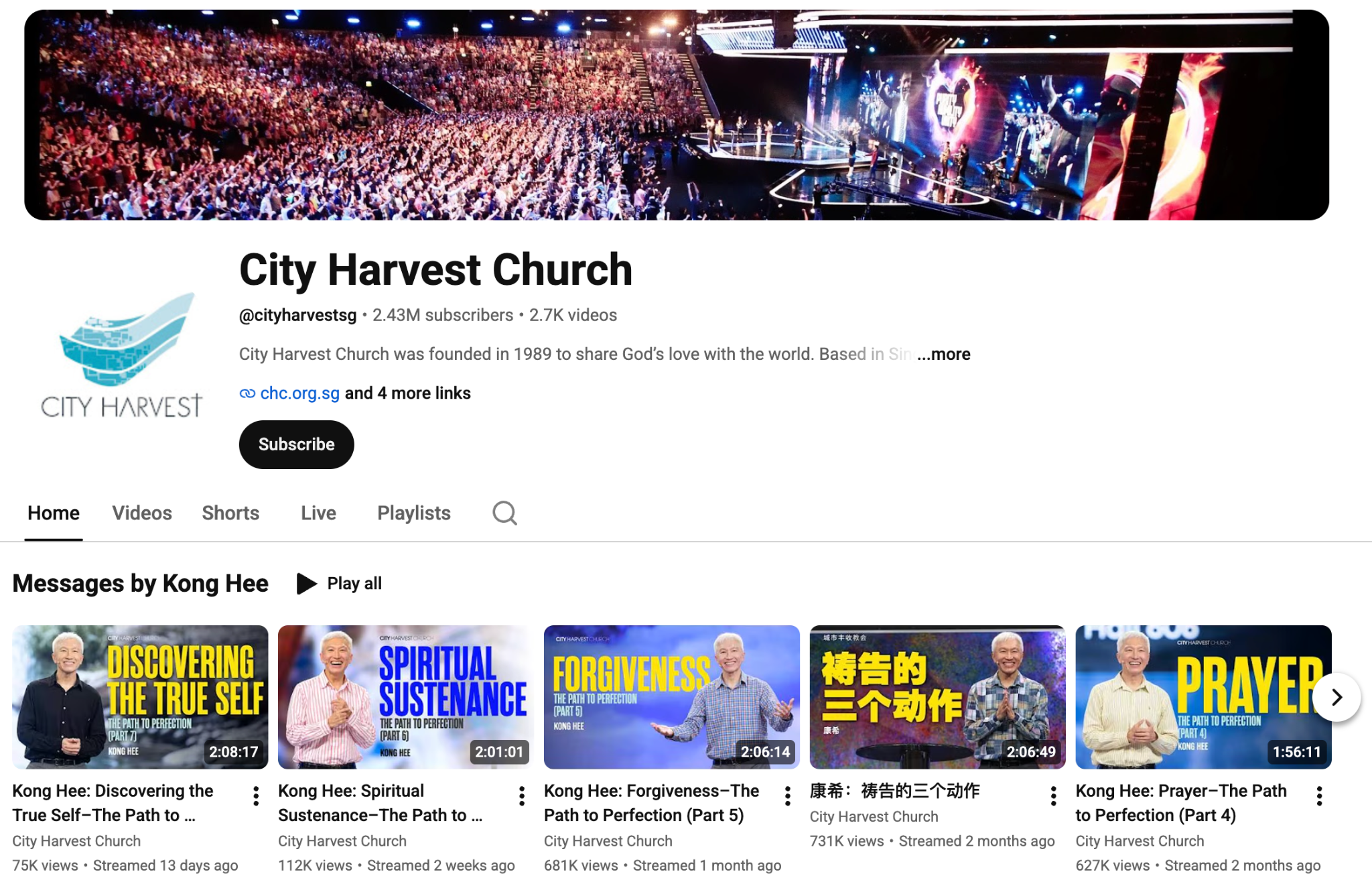
    • City Harvest Church in Singapore grew its YouTube audience 70 percent this year to 2.35 million subscribers.

    • Dunamis International Gospel Centre in Abuja, Nigeria reaches nearly 3 million followers and runs one of the strongest church digital presences on the African continent.

    • Calvary Temple in Hyderabad, India has nearly 2 million YouTube subscribers growing at 15 percent annually.

    These churches are competing on the same platforms, with the same algorithm, as every US church in the ranking.

    Consistent posting, platform breadth, and content built for distribution produce the same results in Abuja as they do in Matthews, North Carolina.

    City Harvest Church YouTube Channel


    What does this mean for church video teams?

    The Church Influence 100 measures outcomes. The inputs it rewards are practical: consistent content, on multiple platforms, in different formats built for how people actually watch video.

    1. YouTube is your anchor

    Nearly every church in the top 10 treats YouTube as a primary channel, not a content archive.

    YouTube functions as a search engine: sermons, worship sets, and teaching series accumulate discoverable value over time that a social post doesn't.

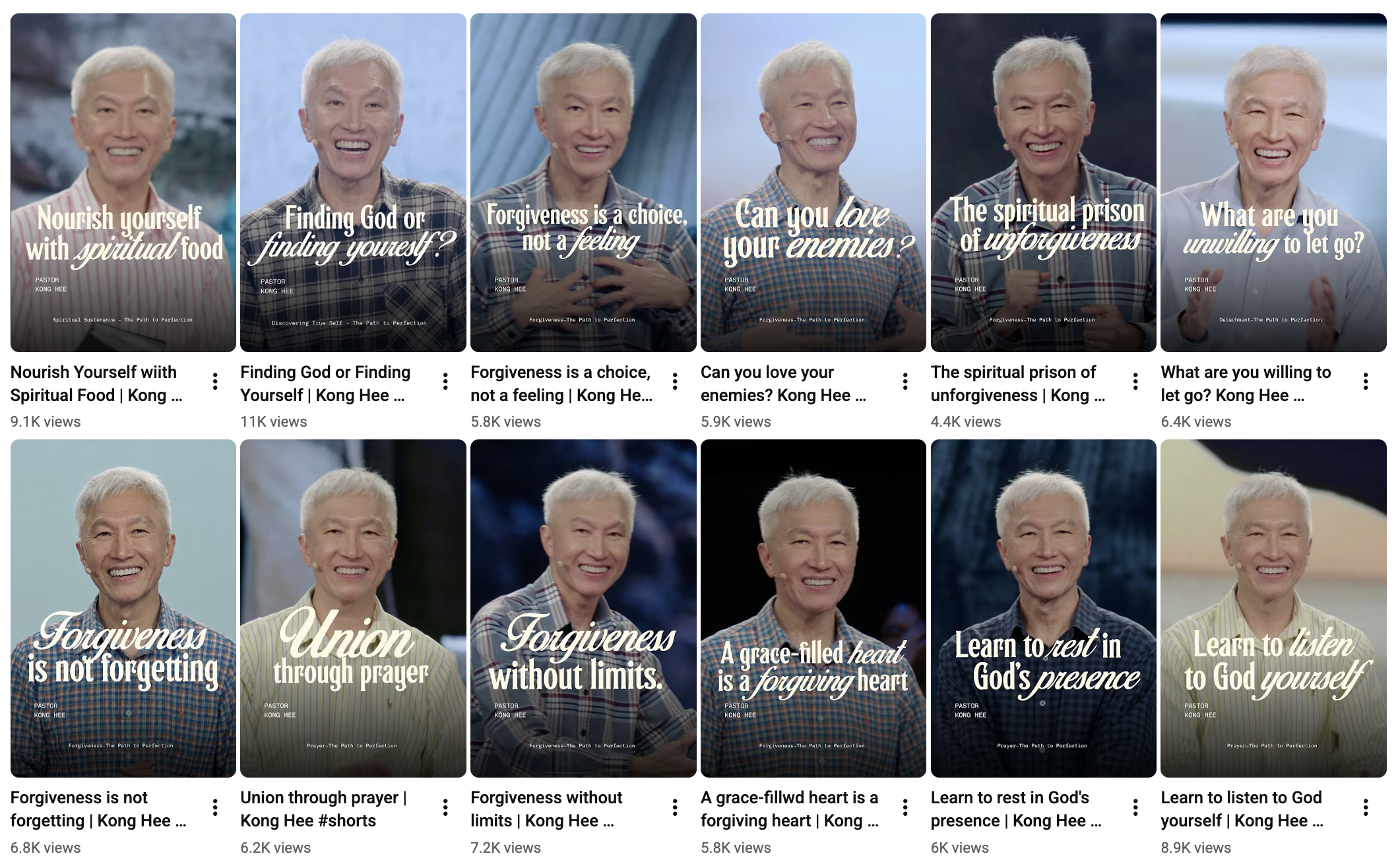
    2. Short-form clips are your growth engine

    Lakepointe's #4 ranking didn't come from producing more content. It came from distributing existing content more efficiently, often sermon footage reformatted for short-form feeds and posted consistently.

    Repurposing a live stream into short vertical video for Reels, TikTok, and YouTube Shorts is the highest-impact move most church video teams aren't doing consistently.

    That's the workflow Switcher was built around: live production that makes repurposing part of the process, not a separate editing pass.

    City Harvest Church YouTube Shorts

    3. Platform breadth helps you reach more people

    The breadth component rewards churches actively maintaining multiple platforms right now.

    With discovery algorithms increasingly surfacing church content to non-followers across Facebook, Instagram, and TikTok, presence on more platforms means more surface area for reaching people who haven't found you yet.

    Sixty-eight of the top 100 haven't claimed TikTok.

    How to level-up your church live streaming today

    The churches at the top of the 2026 Church Influence 100 reached that position by treating online reach the same way they treat facilities, staff, and programming: as an ongoing operational commitment, not a project.

    Switcher Studio is built to help churches grow with this exact workflow:

    • Record and go live at the same time: Every camera angle is saved in full quality and ready to post to YouTube as a polished recording after the stream ends.

    • Repurpose that footage into short-form vertical clips and publish directly to Reels, TikTok, and YouTube Shorts without a separate editing session.

    • Stream to every online platform at once: Go live on YouTube, Facebook, TikTok Live, and more at the same time from a single production.

    Try Switcher for free today or learn more about how Switcher can help your church grow.

    TikTok Bans AI Voices from Shopping Livestreams: What It Means for Creators

    TL;DR:

    • TikTok has updated its TikTok Shop policy to ban AI-generated voices, pre-recorded audio, and radio narration from shopping livestreams.

    • All verbal communication must be real-time and live, or sellers risk commission restrictions, content removal, and account bans.

    What did TikTok just ban?

    TikTok Shop updated its Requirements for High-Quality Videos and LIVEs policy in its US Academy to include a hard prohibition on AI-generated audio during promotional livestreams.

    TikTok Requirements

    Under the "Prohibited Content" section for livestreams, the policy now states:

    "Don't use non-real-time verbal interaction such as AI-generated voices, audio recordings, or radio."


    Sellers and creators are required to "engage directly with your viewers using real-time verbal or sign language communication and demeanor that is appropriate for all users."

    Any livestream that relies on AI-generated voices or pre-recorded narration instead of real-time interaction is listed explicitly as non-compliant content.

    The same policy update also bans:

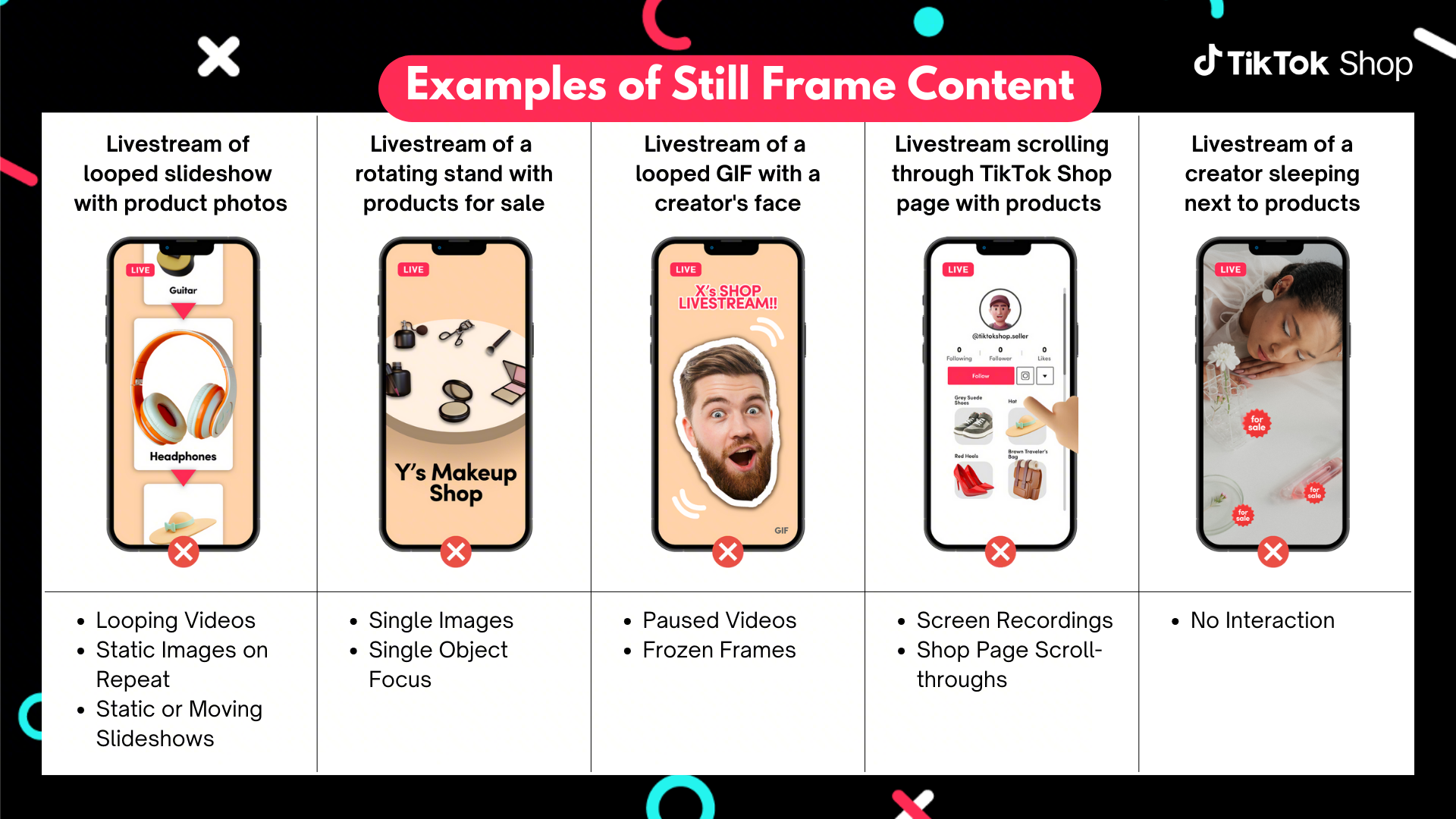
    • Still images, slideshows, or scrolling images covering more than 50% of the screen

    • Animated figures or virtual characters covering more than 50% of the screen

    • Overlaid product display page (PDP) screenshots during livestreams

    TikTok Bans Still Frame Content in Live Shopping Streams

    For recorded shoppable videos, content must:

    • Include at least three seconds of dynamic visuals without still images or loops

    • Feature the creator's face alongside the physical product

    • Be shot in a real-world environment with camera movement


    What are the enforcement consequences?

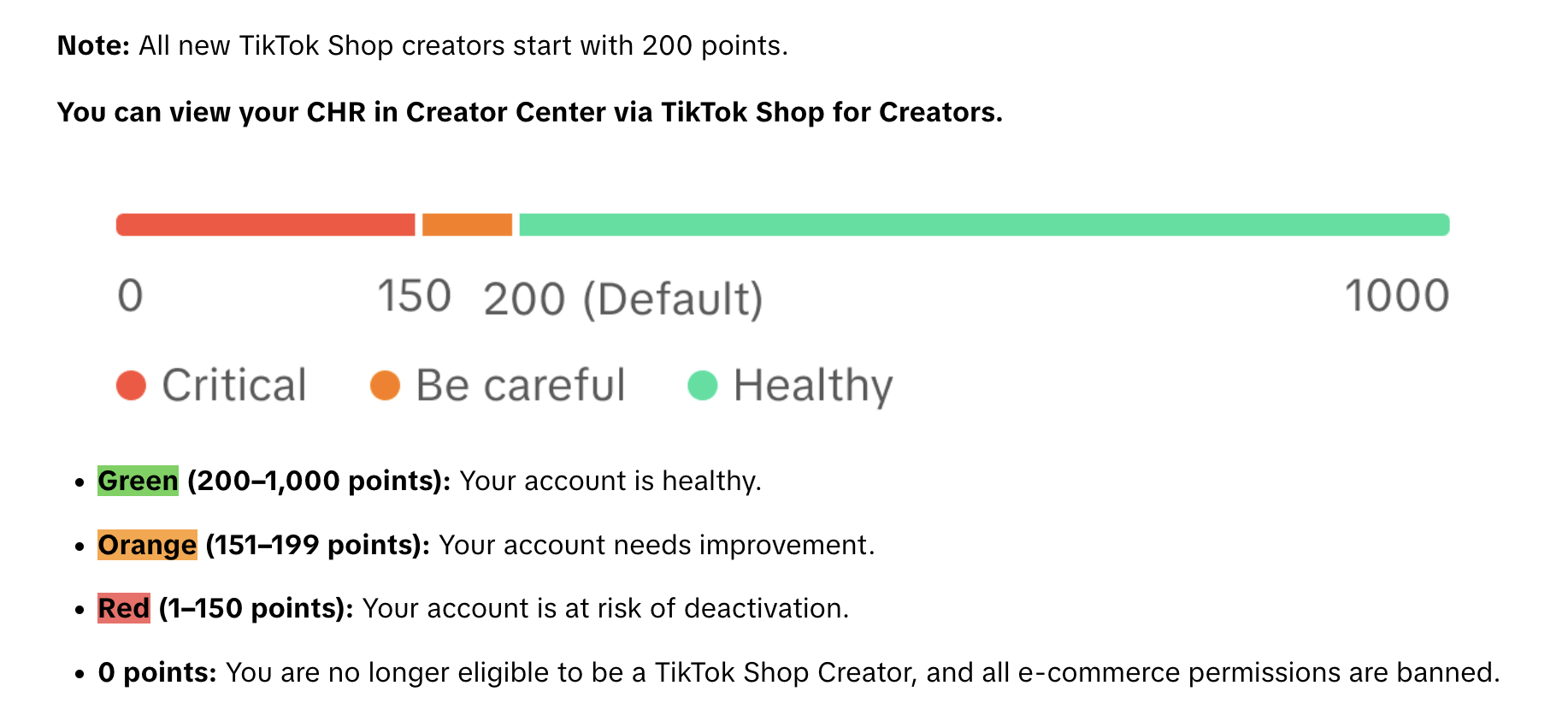
    This isn't a soft guideline — TikTok is enforcing it through its Creator Health Rating (CHR) system.

    TikTok Creator Health Rating (CHR)

    Violations can result in:

    • Assigned violation points

    • Content removal

    • Restricted access to features

    • Commission earning restrictions

    • Restricted or removed creator accounts

    Sellers can view their CHR status directly in TikTok Shop and appeal enforcement actions through the Creator Enforcement Policy.

    Why is TikTok doing this?

    TikTok Shop is projected to reach $23.4 billion in U.S. eCommerce sales in 2026 — a 48% increase year over year, placing it ahead of Target, Costco, and Best Buy by U.S. eCommerce volume.

    With that scale comes a quality problem.

    The probable driver is audience fatigue with low-effort, automated streams. When brands and sellers loop AI-generated narration over product images all day, viewers tune out — and don't come back.

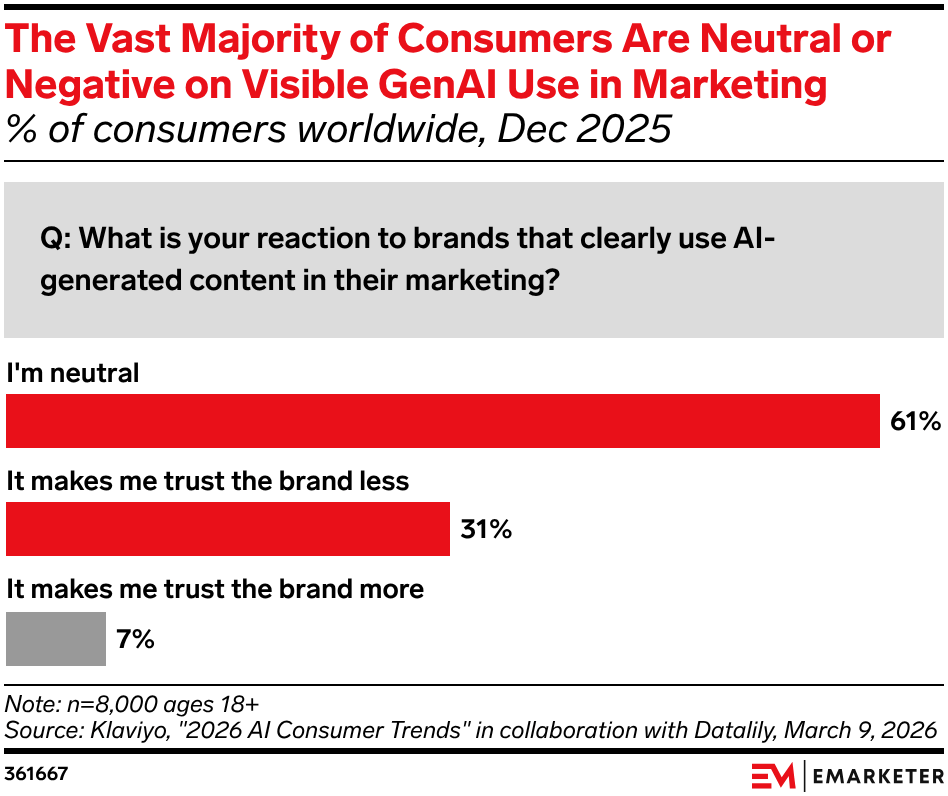
    When consumers notice AI-generated content in brand marketing, they're 31% more likely to trust a brand less.


    Klaviyo Data

    TikTok livestreams drove 84% year-over-year sales growth for participating brands during Black Friday and Cyber Monday 2025. The quality of those sessions is now a direct commercial variable, and TikTok's rules make clear who bears responsibility for maintaining it.

    What AI tools are still allowed on TikTok Shop?

    AI tools remain permitted when used in compliance with TikTok's broader AI content rules, including accuracy, transparency, disclosure where required, and avoiding misleading product claims.

    The ban applies specifically to AI standing in for real-time interaction during a live session, not to AI used before the camera goes on.

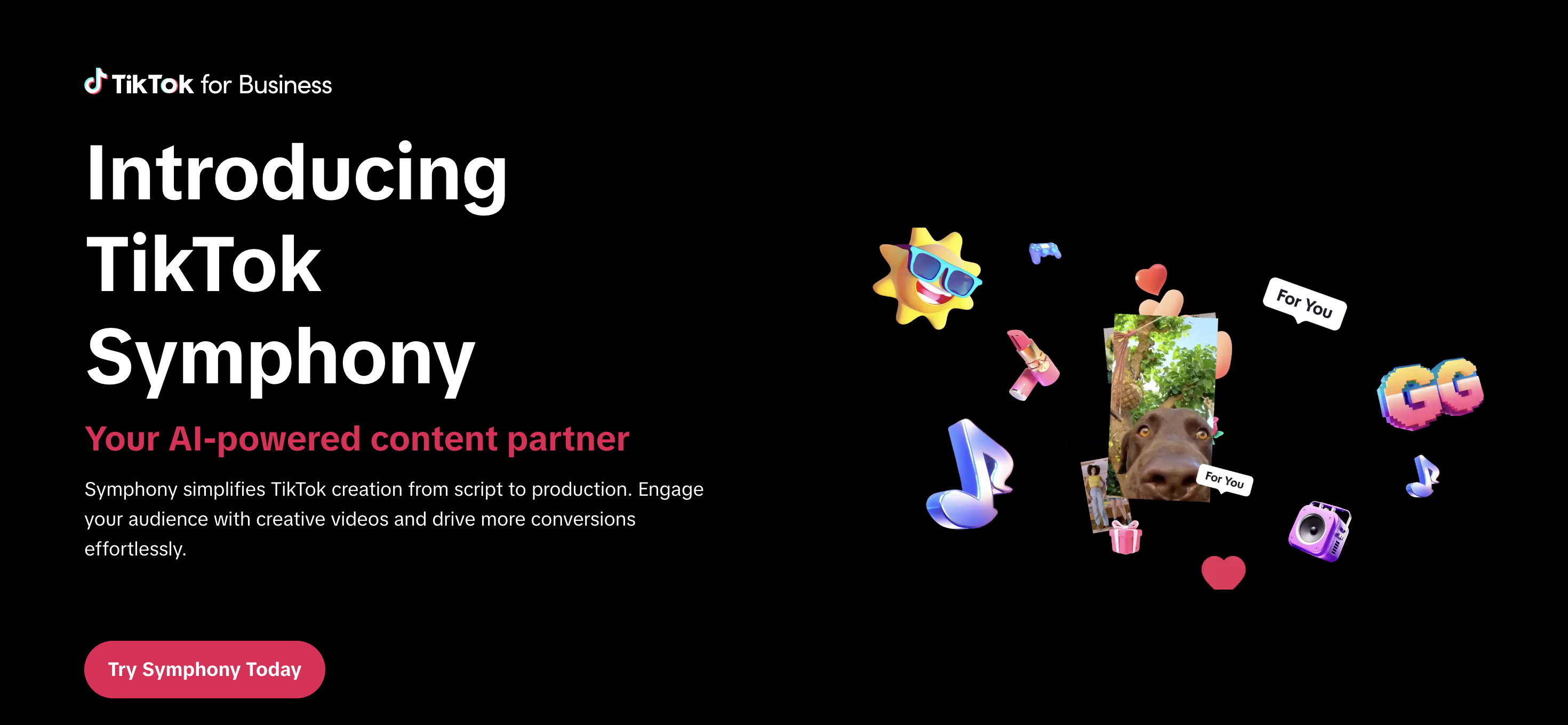
    TikTok's Symphony suite, which includes Dreamina Seedance 2.0 (ByteDance's next-generation AI video model), is still available for scripting, editing, and generating creative assets ahead of a stream.

    TikTok Symphony

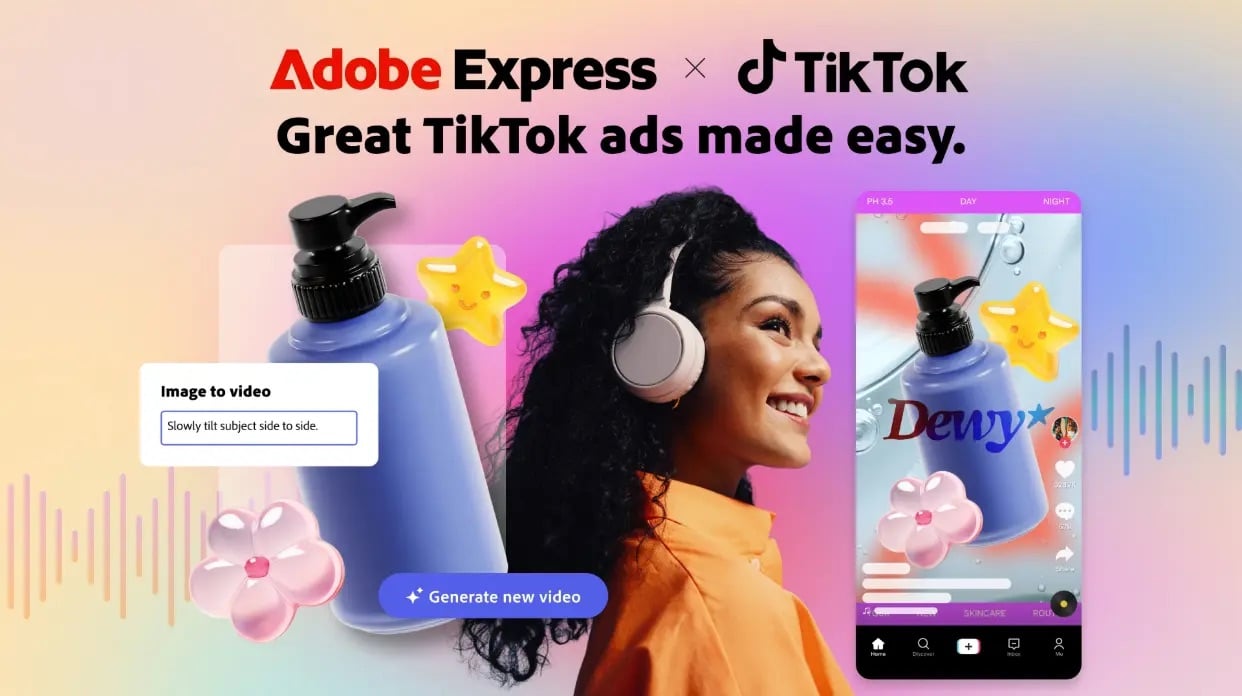
    TikTok also expanded Symphony through a partnership with Adobe, bringing AI video generation into Adobe Express.

    Adobe and TikTok Partner

    The distinction TikTok is drawing is structural: AI can help prepare the stream. It can't replace the real-time interaction inside it.

    This also runs counter to parts of the broader Chinese live commerce market, where virtual hosts and AI-assisted livestreaming have become a major production model. TikTok's US policy is moving in the opposite direction, at least for now.

    What does this mean for streamers?

    If you're running TikTok Shop livestreams, the practical implications are immediate:

    • Text-to-speech narration, looped audio tracks, and AI-generated hosts are all prohibited.

    • Real-time verbal or sign language communication is now required, not optional.

    The policy also sets affirmative production standards:

    • Adequate lighting

    • Stabilized footage

    • Clear synchronized audio

    • On-screen text that matches spoken dialogue

    Static or low-effort streams aren't just discouraged anymore — they're enforceable violations.

    This is a meaningful operational change for small sellers. Many low-budget TikTok Shop workflows rely on automated audio and still-image setups precisely because they're cheap and require no live presence. Those workflows are now barred from promotional content.

    The bigger picture, though, is that this is a level-playing-field shift.

    Creators who were already running live, high-quality, host-driven shopping streams now have a structural advantage over automated competitors. Real presence and real-time engagement are exactly what the platform is optimizing for.

    Where to go from here

    If your TikTok Shop streams are already host-led and live, you're ahead of the policy. But it's worth running a quick audit against the affirmative production standards TikTok also codified in the same update.

    Check that:

    • Your lighting clearly shows the product
    • Your audio is clean and synced to any on-screen text
    • Your camera is stabilized
      You're showing the physical product from multiple angles during demos.

    These aren’t just best practices, they're now enforceable requirements.

    If your workflow has leaned on automated audio or static visuals, the transition window is now. The Creator Health Rating system is active, violations accumulate points, and the consequences — commission restrictions, content removal, account bans — are real and compounding.

    Getting flagged once doesn't just hurt the stream it's applied to; it affects your overall account health score, which governs access to features across TikTok Shop.

    Review TikTok's official Requirements for High-Quality Videos and LIVEs directly to see the full policy language. The enforcement section and Creator Health Rating explainer are both linked from that page.


    Meta Quietly Launches New "Forum" App: Here's What You Need to Know

    TL;DR:

    • Meta quietly released a standalone iOS app called Forum that gives Facebook Groups a dedicated space outside the main Facebook feed.
    • It’s currently available in the US only and includes AI features for answering questions, personalizing feeds, and helping admins moderate communities.
    • For streamers, Forum could make Facebook Groups more useful for keeping audiences connected between live streams.


    Meta quietly released a new app called Forum on May 22, 2026. There was no press release, no major announcement, and no public launch campaign.

    The app was spotted in the Apple App Store by social media researcher Matt Navarra. It’s built around Facebook Groups and gives users a separate place to follow Group activity outside the main Facebook app.

    Forum: Facebook's New Group App

    For streamers, this is worth watching.

    Many live streamers already use Facebook Groups to support their content. Groups can help you keep viewers informed, answer follow-up questions, share replays, build anticipation for upcoming streams, and give your audience a place to interact when you are not live.

    But Groups have a visibility problem.

    Inside the main Facebook app, Group posts sit alongside friends’ updates, Pages, ads, Reels, recommendations, and whatever else Facebook decides to show. That makes it easy for community updates to get missed.

    Forum appears to address that problem directly.

    Instead of making Groups one part of Facebook, Forum gives Groups their own app experience.

    What is Meta’s Forum app?

    Forum is a standalone iOS app for Facebook Groups.

    The app gives users a dedicated feed for Group conversations, separate from the main Facebook feed. Instead of opening Facebook and seeing a mix of friends’ posts, Pages, ads, Reels, and recommended content, Forum focuses on activity from Groups.

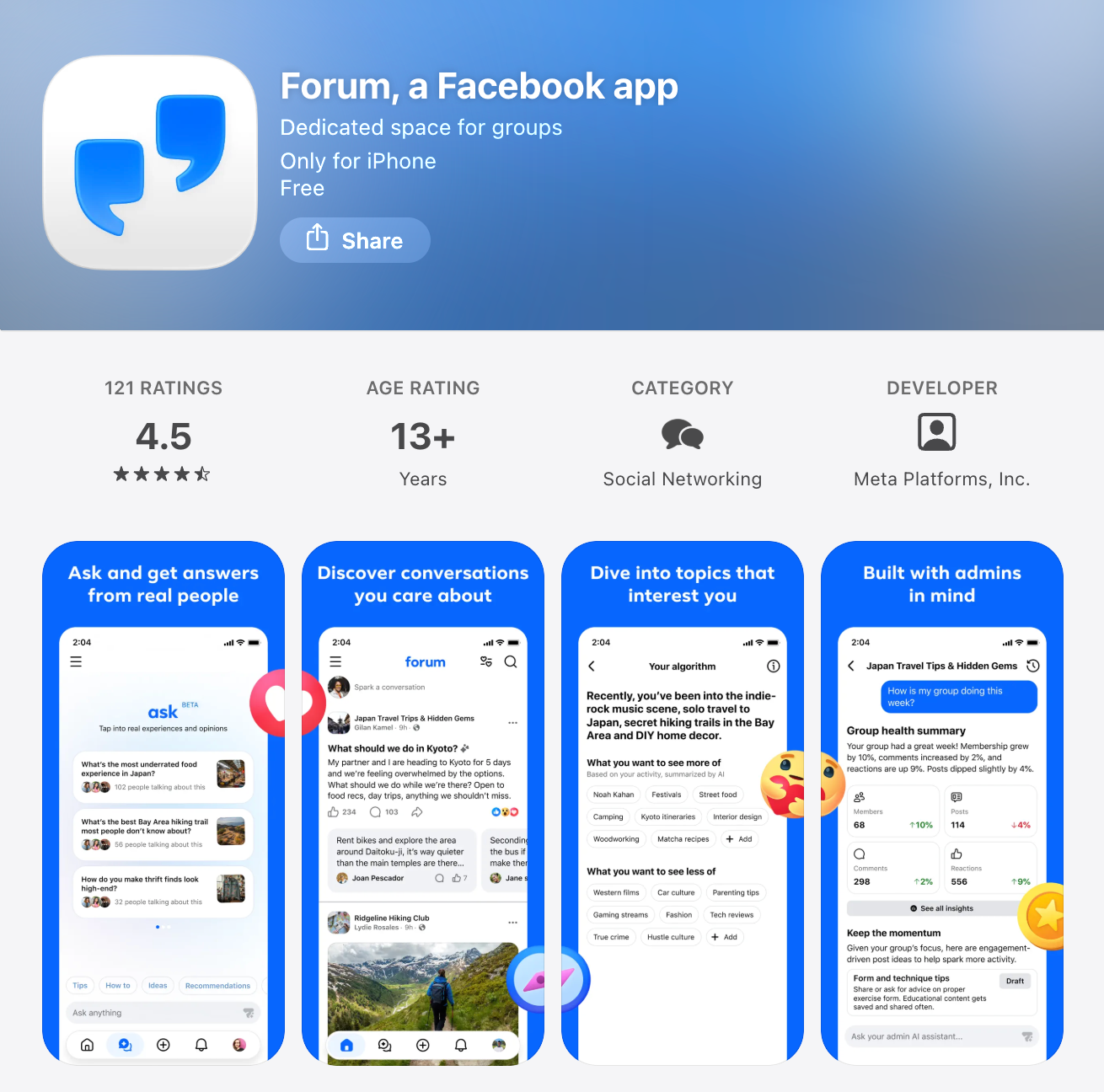
    Facebook's Forum App Logo

    The App Store listing describes Forum as “a dedicated space for the conversations that matter most to you.”

    Forum is currently available only in the United States and requires iOS 18.0 or later. It is already on version 1.1, which suggests Meta has shipped at least one update since the initial release.

    Meta has described Forum as a test, not a full public launch. When Engadget asked about the app, a Meta spokesperson said: “We test lots of new products publicly to see what people find interesting and useful to their experiences across our apps.”

    How does Forum work?

    Forum connects to your existing Facebook account.

    When you log in, your Facebook profile and Groups carry over automatically. Posts made in Forum also appear on Facebook, and posts made in Facebook Groups can appear in Forum. The two apps stay connected.

    That makes Forum different from starting a new community platform from scratch. If you already have a Facebook Group, Forum gives that same Group another place to be seen.

    The app also asks users what topics they want to see more of during onboarding. That suggests Forum may recommend conversations or Groups based on user interests, although the core experience is still built around Groups.

    How is Forum different from the main Facebook app?

    The biggest difference is focus. The main Facebook app combines many types of content in one feed. Your audience may follow your Group, but they still have to find your posts in the middle of everything else Facebook shows them.

    Forum narrows the experience.

    It removes much of the surrounding feed noise and puts Group activity at the center. For people who use Facebook mainly for Groups, that could make the app feel more useful and less distracting.

    For streamers, the practical value is simple: if your audience already uses a Facebook Group to keep up with you, Forum may make that Group easier to check and easier to follow.

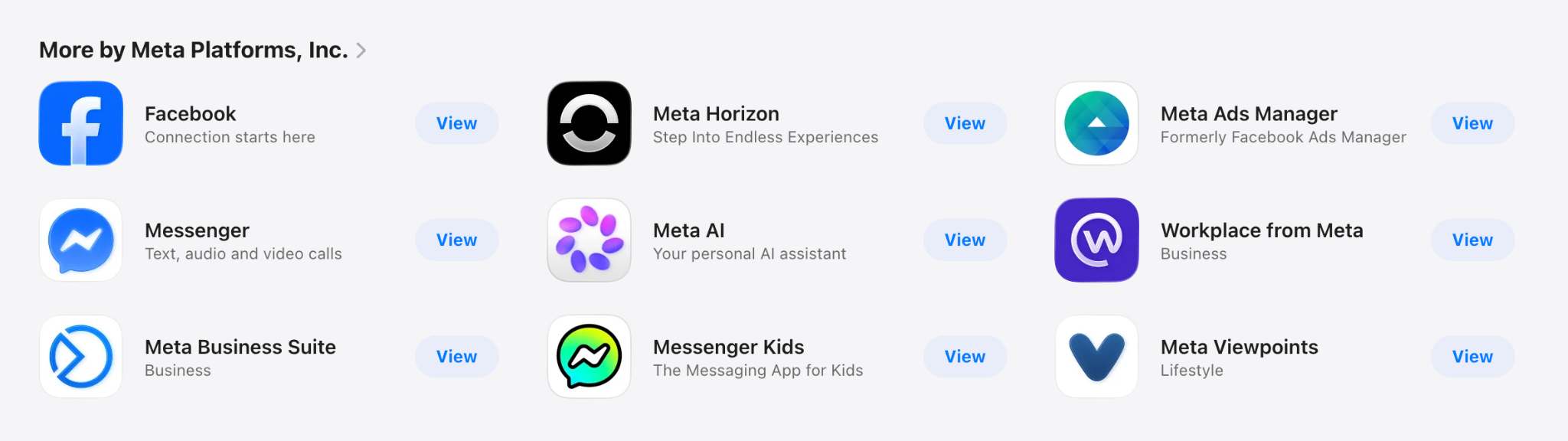
    Facebook's Suite of Different Apps

    Who can use Forum?

    Forum is currently available for iOS users in the United States.

    Users need a Facebook account to log in. Existing Facebook profile information and Group memberships carry over into the app.

    There is no public timeline yet for Android availability or international rollout.

    Is Forum anonymous?

    Forum is not fully anonymous.

    Users can post with nicknames in Facebook Groups if that feature is enabled. Meta introduced Group usernames in November 2025. However, Group admins can still see members’ real identities.

    That means Forum is pseudonymous, not anonymous.

    For streamers and community managers, this distinction matters. Nicknames may make some members feel more comfortable participating, but the app still operates within Facebook’s identity and admin system.

    What AI features does Forum include?

    Forum includes three main AI features:

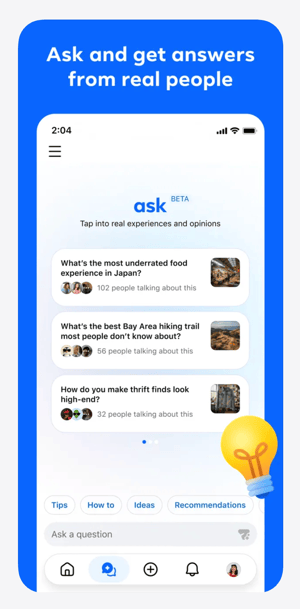
    AI feature #1. Ask

    Ask lets users ask a question across their Groups instead of searching through each Group manually.

    According to the App Store listing, Ask can pull together responses from across Groups so users can find answers faster and join relevant conversations.

    Forum's AI Feature #1: Ask

    For streaming communities, this could be useful if your Group includes recurring questions, technical discussions, tutorials, product recommendations, or event information.

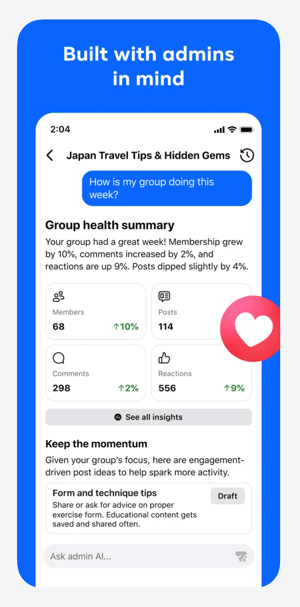
    AI feature #2. AI admin assistant

    Forum also includes an AI admin assistant for Group moderators.

    The App Store listing says the assistant can help admins manage their Groups, moderate content, and keep communities healthy while admins remain in control.

    For streamers, this may be the most important AI feature.

    A Facebook Group can become harder to manage as your audience grows. You may need to approve members, remove spam, answer repeated questions, respond to comments, and keep discussions organized. If AI can help with some of that routine work, it could reduce the time required to maintain an active Group.

    Forum's AI Feature #2. AI Admin Assistant

    That does not replace real community management. But it may make Group management more realistic for solo streamers, small teams, and organizations with limited staff.

    AI feature #3. AI Personalization

    Forum also includes a personalization layer that shapes what users see based on their interests.

    This appears to connect to the onboarding experience, where users are asked what topics they want to see more of. Over time, this could influence which Group conversations appear most prominently in the app.

    Forum's AI Feature #3. AI Personalization

    For streamers, this raises an important question: will Forum simply make existing Groups easier to access, or will it also become a discovery surface for new communities?

    That part is still unclear.

    What about privacy?

    Forum’s App Store listing discloses extensive data collection linked to users’ identities. This includes location, browsing history, contacts, usage data, and purchases.

    That is consistent with Facebook’s broader data practices, but it is still worth noting.

    If your audience is privacy-conscious, you may not want to position Forum as a neutral or lightweight community app. It is still a Meta product, connected to Facebook accounts and Facebook data systems.

    Why Forum matters for streamers

    Forum matters because it could change how useful Facebook Groups are for live streaming communities.

    Facebook Groups already have clear advantages for streamers:

    • Many viewers already have Facebook accounts

    • Groups are familiar to many audiences

    • You can share replays, links, updates, and resources

    • Members can ask questions before and after streams

    • Group conversations can support long-term audience engagement

    The weakness has always been visibility.

    If your Group posts do not appear when people are paying attention, the Group becomes less useful. You may have the right audience in the right place, but still struggle to keep discussions active.

    Forum gives Groups a more focused environment.

    That could make it easier for streamers to use Facebook Groups as part of their broader content strategy, especially if they already stream to Facebook or have an audience that spends time there.

    How streamers could use Forum

    If Forum becomes more widely available, streamers could use it to support their live content in several practical ways.

    1. Share pre-stream prompts

    Before going live, you can use your Group to ask viewers what they want covered, what questions they have, or what examples they want to see.

    This gives your stream a stronger starting point and makes viewers feel more involved before the broadcast begins.

    2. Keep discussions going after the stream

    After a live stream, your Group can become the place where viewers ask follow-up questions, share takeaways, or continue a discussion that started live.

    This is especially useful for educational streams, churches, nonprofits, live sellers, coaches, and creator-led communities.

    3. Organize replays and resources

    A Group can help you make your live content easier to revisit.

    You can post replay links, timestamps, downloads, product links, donation links, event details, or discussion threads in one place.

    4. Support recurring live shows

    If you stream on a regular schedule, your Group can help people know what is coming next.

    You can post reminders, preview topics, gather questions, and give members a reason to return for the next broadcast.

    5. Reduce admin workload

    If Forum’s AI admin assistant works well, it could help reduce some of the routine tasks that make Groups difficult to maintain.

    That may be useful for streamers who want community engagement but do not have a dedicated moderator or community manager.

    Should streamers use Forum now?

    If you are in the United States, use an iPhone, and already have a Facebook Group connected to your streaming strategy, Forum is worth testing.

    Start simple.

    Download the app, review how your Group appears, and compare the experience to the main Facebook app. Look at whether posts feel easier to find, whether conversations are easier to follow, and whether the AI features are actually useful.

    You do not need to move your whole community strategy around Forum yet.

    The app is still a test. It is limited to iOS. It is limited to the US. Meta has not said whether Forum will become a long-term product.

    But the direction is important.

    Meta appears to be giving Facebook Groups more dedicated attention. For streamers who already rely on Groups, that could make Facebook a stronger place to build and maintain audience relationships around live content.

    The bottom line

    Forum is not a replacement for your live streaming platform, your email list, or your owned audience strategy.

    But it may become a useful layer for streamers who already use Facebook Groups.

    If Forum helps audiences find Group posts more easily, helps admins manage conversations more efficiently, and makes Facebook Groups feel less buried inside the main feed, it could become a valuable tool for live streamers.

    For now, treat Forum as something to test, not something to depend on.

    If Facebook is part of your streaming strategy, download Forum, explore the feed, and see whether it makes your Group easier to use.