Let's be real: most livestreams die the second the broadcast ends.
You spent ages planning. You went live, the chat lit up, the stream wrapped, and then the recording sat in a folder. Replay views trickled in for a few days. Then nothing.
But that recording isn't done. Not even close.
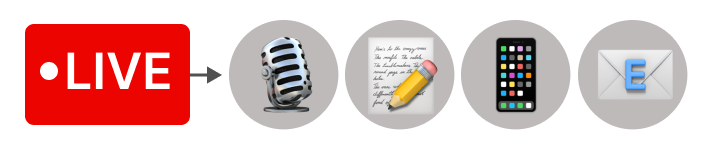
That 45-minute live stream that aired Sunday? It can be a podcast episode on Monday, a blog post on Thursday, a newsletter section by Wednesday, three social clips by Friday, and a transcript-derived freebie next month.
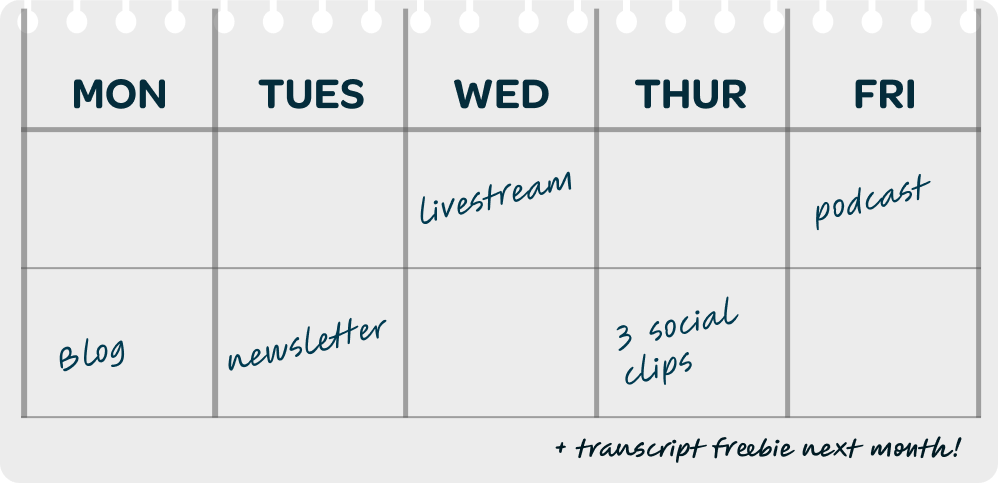
In this post, we'll break down how to turn a single livestream into a podcast, and then into everything else your audience might want.
Plus, we asked Greg Wasserman from RSS.com, a podcast hosting and distribution platform, to weigh in on the Podcast side, because he thinks about this stuff for a living.
How can I reach people who don’t watch videos?
Eventually, every creator runs into this problem: not everyone in your audience wants to consume your content the same way.
Some folks will tune in live. Some will catch the replay. Some would prefer to listen on a commute, during a workout, or while making dinner.
Audio gives people a way to spend time with you when their eyes are busy.
As Greg put it:
"Content shouldn't be confined to just one format. If you only funnel your audience into the livestream, you're missing out on the potential and opportunity to connect with people who want to consume content in different ways."
Every format you add is another way someone can find you.
How can I tell if my livestream will work as a podcast?
Before you publish your livestream as a podcast, first ask: Can a listener get the full value without ever seeing the screen? If they can, you've got a podcast episode waiting to happen. If they can’t, you've got some prep to do.
Here's how Greg explains it:
"If a listener needs visuals to understand what's going on, it doesn't work well for podcasting. You should be able to get everything you need from just listening."
Slide-heavy product demo where you say, "as you can see here," every two minutes? Probably not podcast material.
Interview, panel, sermon, or teaching session where the visuals are nice-to-have but not necessary? You're golden.
Apply this test before you record next time, not after:
When you're planning your next livestream, ask whether someone could follow along without watching. If they can't, work a few audio habits into the recording itself:
-
Say guest names out loud instead of relying on lower thirds.
-
Read chart numbers, scripture references, or slide titles aloud.
-
Skip "this one" or "as you can see." Describe what you're showing.
-
Set up transitions verbally so audio-only listeners don't get lost.
You’ll be glad you did these things when you come back to repurpose this thing three weeks from now.
How can I publish my podcast on every platform?
Good news: getting from “I have a recording” to “my podcast is live across the major podcast apps” is way faster than most creators think.
And if you’re starting with a video recording, you may not need to pull the audio out yourself.
Here’s how to get your podcast on every platform:
-
Export your edited livestream or video podcast recording
-
Upload it to a podcast host like RSS.com
-
Add a 3000 x 3000 square cover image
-
Write your title and description
-
Publish the audio version to podcast apps
-
Publish the video version to your YouTube channel
RSS.com can distribute the audio version of your episode to Apple Podcasts, Spotify, Amazon Music, as well as all the smaller podcast apps that collectively make up about a quarter of the market.
You can also publish the video version to YouTube from inside your RSS.com account, giving you both audio and video distribution without having to manage separate workflows.
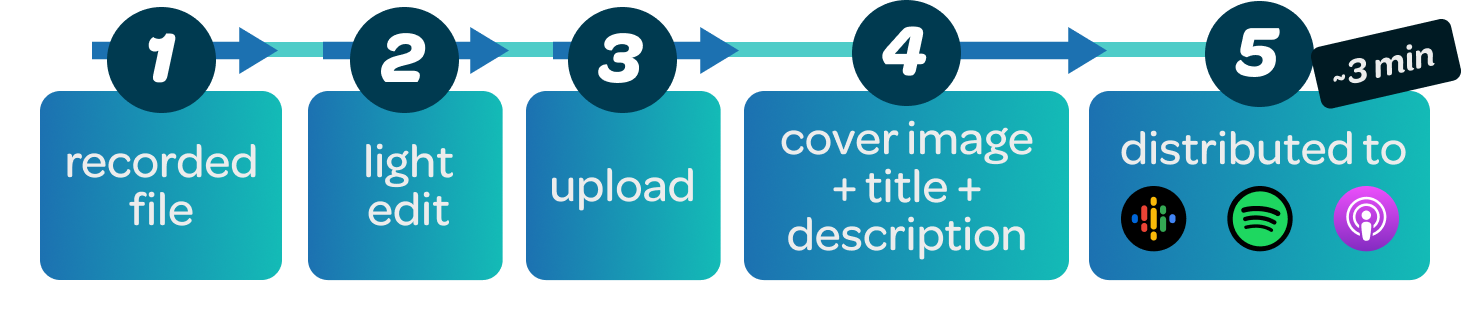
That long tail matters more than people realize. By being on every app, you create more opportunities to connect with your ideal listeners.
A quick word on that light edit. Make sure to cut the usual stuff before you publish:
-
The countdown: "we're going live in 3, 2, 1…"
-
"We'll get started in just a minute"
-
Mic checks and "can you hear me?" chatter
-
Dead air at the start or end
-
Live-specific bits that don't apply to listeners ("drop a fire emoji in the chat")
The aim is to make it feel intentional for someone who wasn't there live.
One note on audio quality from Greg:
“People will forgive a lot in video, but they won't forgive bad audio. If your livestream sounded clean live, you're fine. If it didn't, this is the moment to invest in a better mic and a quieter room. Editing magic isn't going to save it.”
For more tips, check out our guide on Live Streaming Audio Setups: From Beginner to Pro.
How can I write titles and descriptions that earn clicks?
Greg highlights why you shouldn't skip this part:
"Titles, descriptions, and metadata are absolutely critical when publishing repurposed content as a podcast. Most creators get it wrong by failing to capitalize on the formatting options available to them. I see a lot of wasted characters.”
Here are the three most common mistakes:
-
Wasting the title on the wrong info: Putting the episode number first or including a guest's name when the guest isn't a household name (E.g., "Ep. 47: A Chat With Sarah") doesn't tell strangers why this episode is worth 40 minutes of their life.
-
Confusing consistency with value: Yes, posting regularly matters (more on that in a minute). But "Hey, we hit Episode 25!" doesn't explain why anyone should listen to this one.
-
Treating the description like an afterthought: Most podcast apps give you up to 4,000 characters in the description. Many creators use very few of them. But that description is where you sell the episode: what’s inside, who the guest is, why their take matters, what the listener walks away with, and where they can go next. Include links to your website, organization, social channels, related resources, or other content so listeners have another path to discover more of your work.
The fix is the same for all three: write your title and description as if every reader is a complete stranger about to decide, in three seconds, whether to spend 40 minutes with you.
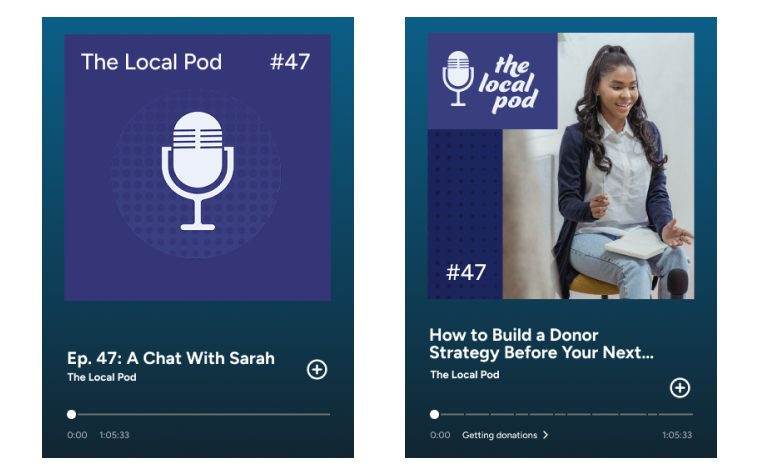
Start with a clear promise that you deliver on inside the episode, such as:
-
"What Churches Should Know Before Their First Sunday Livestream"
-
"How to Build a Donor Strategy Before Your Next Fundraising Event"
-
“The 3 Mistakes That Kill Most New Podcasts"
Okay, you’re officially a podcaster! What’s next?
How can I turn one recording into a week of content?
Once you've got an audio episode published, that same recording can fan out into a dozen other formats without a ton of extra production.
The trick? Lean on the assets your hosting platform already gives you.
For example, RSS.com generates a transcripts for every episode on all paid plans. You can use that transcript as the seed for pretty much everything else:
-
A blog recap or summary post
-
A LinkedIn article or carousel
-
30 to 60-second audiograms or clips for social
-
A newsletter section with the top three takeaways
-
Show notes with timestamps and chapter markers
-
A worksheet, checklist, or one-pager based on the episode's framework
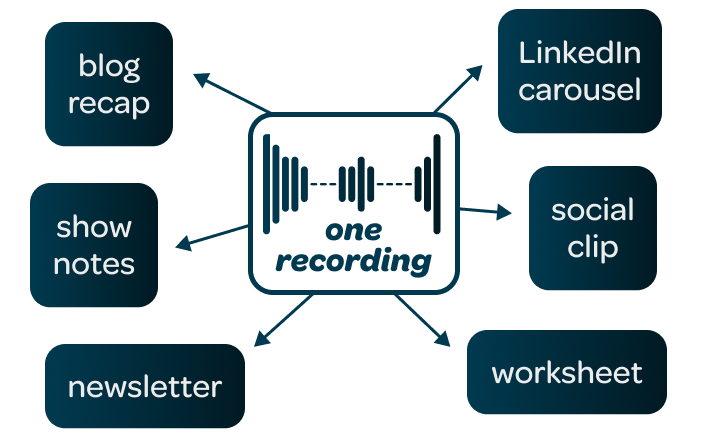
If that list reads like a part-time job, breathe. You don't have to do it all. Most creators pick a few that fit their audience and their bandwidth.
Check out this guide from RSS.com for more ways to repurpose your podcast content and reach new audiences.
Consider where your ideal subscriber already spends time. A business show probably belongs on LinkedIn before Instagram. A health and wellness brand probably leans into Instagram.
A couple of real examples we've seen:
-
A church team turns Sunday's sermon into a Tuesday podcast, a midweek email, and a Reels clip by the weekend.
-
A business interview show turns a Friday livestream into a Monday podcast, a LinkedIn carousel, and three social clips.
Greg shared a story that sums it up:
"I know someone who has a podcast I don't listen to, but I never miss his newsletter. That newsletter offers unique value: a personal anecdote, plus a mention of his latest episode, and what he offers. Even though I don't listen to the podcast, I spend time with his content each week and often share it."
That's the engine working.
The newsletter reader who never presses play is still part of the audience. So is the LinkedIn scroller who reads the carousel. So is the person who saves the blog post for later.
Just remember: adapt each piece for its platform, because what fits Instagram won't fit YouTube.
How can I grow my podcast?
Once your engine is up and running, a few things decide whether your podcast grows or plateaus.
First, be consistent. Greg is blunt about this one:
"Many podcasts don't keep up a regular posting schedule, and that's often why they don't see steady growth."
The shows still around years later are either built on an established brand or they just kept showing up. Audience trust compounds on a schedule. Break the schedule, and the compounding resets.
Secondly, focus on subscribers, not just followers.
This one's sneaky. A social media follower is someone who once tapped a button to get more of your content, but the algorithm decides whether they ever see you again or not.
A podcast subscriber? Their podcasting app automatically delivers every new episode the second it goes live.
Followers are exposure. Subscribers are an audience.
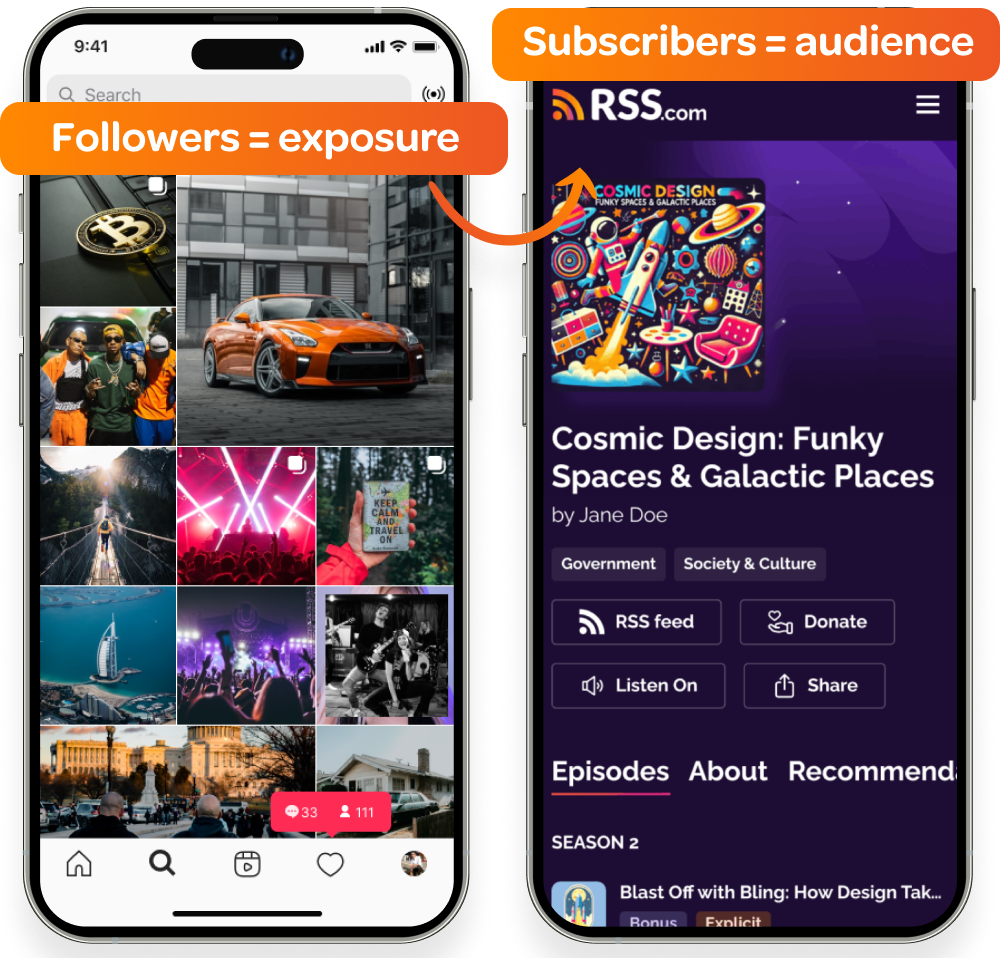
What this means in practice: your social channels are great for awareness, but they're not great for growing your listener-base.
So, use social media to introduce people to your show, then point them straight to the subscribe button in their podcast app of choice.
To learn more, read: How to Start a Podcast With No Audience (& Get One, Fast)
Put your livestreams to work
A livestream isn't a piece of content. It's a recording session that produces source material which can become almost anything. Same recording. Same upfront effort. Wildly different reach
If you’re ready to put your livestreams to work, try Switcher free for 14 days to produce multi-camera, multi-platform, broadcast-quality streams.
Then, distribute your audio with RSS.com - Switcher users get three months free on any paid plan with promo code FREE3MONTHS."
One livestream, many audiences. That's the shift.
Subscribe to the blog
Sign up to receive notifications whenever a new blog post is published. You may unsubscribe at any time.
Share
About the Author

River Law is a storyteller who writes for humans, with heart. Whether it’s helping global brands find their voice or giving startups the words to grow, River brings empathy and clarity to every project. An Englishman who calls California home, River finds his rhythm outdoors with his family.
All posts by River Law